Blog

  • What Is Web Development? A Beginner’s Guide to Building Websites

    What Is Web Development? A Beginner’s Guide to Building Websites

    Introduction

    Websites have become an important part of everyday life. People use them to learn new skills, shop online, read the latest information, communicate with others, and run businesses. Behind every website is a combination of technologies that helps its pages appear on a screen and respond to user actions.

    The act of designing and running these websites is referred to as web development.

    Web development includes designing how a website looks, writing the code that makes it work, managing information stored on servers, and ensuring that visitors can use the website across different devices. Some websites contain only a few informational pages, while others support complex features such as user accounts, online payments, booking systems, and interactive dashboards.

    If you are interested in technology, learning web development can be a practical way to understand how the internet works. You can start with basic HTML and CSS, gradually learn JavaScript, and eventually explore the tools needed to build more advanced websites.

    In this beginner-friendly guide, you will learn what web development is, how websites work, the different types of web development, which programming languages are commonly used, and how you can start building your own website.

    What Is Web Development?

    Web development is the process of creating, building, testing, and maintaining websites and web applications.

    It involves several technologies that work together to display content and provide useful features to visitors.

    For example, when someone opens a website to read an article, the browser displays the page’s text, images, headings, and navigation. When the visitor submits a contact form, additional code may process the information and send it to the website owner.

    A simple website may use only HTML and CSS, while a more advanced website may include JavaScript, a server-side programming language, and a database.

    Web development differs from web design. Web design focuses more on a website’s appearance, layout, and user experience, while web development focuses on implementing the website’s functionality. In practice, these areas often overlap.

    Web developers work on personal websites, business websites, blogs, online stores, educational platforms, and web-based software.

    The goal is to create a website that works correctly, loads efficiently, provides useful information, and gives visitors a straightforward experience.

    How Does a Website Work?

    When you visit a website, several components work together behind the scenes. Understanding these components makes it easier to learn web development.

    1. The Browser Sends a Request

    web browser is software that is used to view web pages. Examples include Google Chrome, Mozilla Firefox, Microsoft Edge, and Safari.

    When you enter a website address, the browser helps locate the relevant server and requests the resources needed to display the page.

    These resources may include HTML documents, stylesheets, JavaScript files, images, and fonts.

    2. The Server Responds

    A web server stores or processes the resources needed to deliver a website.

    In the case of a basic static site, the server can pass file(s) straight to the browser, while in the case of a dynamic website the server will execute some application logic, get data from a database and generate a response based on the request.

    For example, when you open a blog post, the website may retrieve the article title, content, and featured image before displaying the page.

    3. HTML Organises the Content

    HTML stands for HyperText Markup Language.

    It defines the structure of a webpage, including headings, paragraphs, links, images, lists, and forms.

    Without an appropriate structure, the browser would not have clear instructions about how different pieces of content should be organised.

    4. CSS Controls the Appearance

    CSS stands for Cascading Style Sheets.

    It governs the appearance of web design elements, including colors, style, spacing, borders, structure, and responsiveness.

    For example, CSS can arrange article cards in a grid, style a navigation menu, and make text easier to read on mobile devices.

    5. JavaScript Adds Interactivity

    JavaScript allows developers to create interactive behaviour in the browser.

    It can respond to button clicks, validate form fields, update content, open menus, and communicate with web services.

    For instance, a search box might use JavaScript to update displayed results without requiring the visitor to reload the entire page.

    Not every website requires complex JavaScript. The technologies used depend on the website’s purpose and features.

    The Three Main Types of Web Development

    Web development is commonly divided into three areas: front-end development, back-end development, and full-stack development.

    1. Front-End Development

    Front-end developers are working on the element of the website, which is visible to its users and required for interaction.

    A front-end developer works on page structure, layout, navigation, interactive elements, and responsive design.

    The primary technologies being utilized are HTML, CSS, and JavaScript.

    For example, consider a technology blog. The front end controls how the article title appears, how the text is spaced, where the featured image is displayed, and how visitors navigate between articles.

    A good front end should be clear, consistent, accessible, and easy to use.

    Front-end developers also need to consider different screen sizes, browser compatibility, loading performance, and accessibility requirements.

    2. Back-End Development

    Back-end development focuses on the server-side systems that support a website.

    It may involve processing requests, managing user accounts, applying business rules, communicating with databases, and controlling access to information.

    Common back-end technologies include Python, PHP, JavaScript with Node.js, Java, and other server-side languages.

    For example, when a visitor signs in to a website, the back end can verify the submitted credentials and determine which information the user is allowed to access.

    The back end is especially important for websites that require authentication, payments, bookings, or personalised content.

    3. Full-Stack Development

    Full-stack development involves working with both front-end and back-end technologies.

    A full-stack developer may build the user interface, create server-side functionality, connect a database, and help deploy the finished website.

    This broad skill set can be useful for small projects and teams where one developer handles several parts of the application.

    However, becoming a full-stack developer requires learning many different concepts. Beginners should build a solid foundation before trying to master everything at once.

    Essential Technologies Used in Web Development

    Several technologies form the foundation of modern websites.

    HTML: The Structure of a Website

    HTML provides the structure of webpage content.

    Developers use HTML elements to create headings, paragraphs, links, images, tables, and forms.

    For example, an article page may use a main heading for its title, smaller headings for sections, and paragraphs for the main content.

    Learning HTML is usually the first step because it explains how information is organised on a webpage.

    It is also important to use semantic HTML elements where appropriate. These elements help browsers, search engines, and assistive technologies understand the purpose of different sections.

    CSS: The Design and Layout

    CSS determines how HTML elements appear on the screen.

    It can control text styles, background colours, spacing, alignment, borders, and page layouts.

    Modern CSS includes tools such as Flexbox and Grid, which help developers arrange content without relying on outdated layout techniques.

    CSS also supports responsive design, allowing a website to adapt to different screen sizes.

    For example, a desktop layout may display three article cards in one row, while a mobile layout displays the cards vertically.

    JavaScript: Interactive Features

    JavaScript makes it possible to create dynamic behaviour within websites.

    It can respond to user input, update page content, display messages, and communicate with APIs.

    An API, or Application Programming Interface, allows different software systems to communicate through defined rules.

    JavaScript is also used outside the browser through environments such as Node.js, which enables developers to build server-side applications.

    Beginners should first understand basic variables, functions, conditions, loops, and events before moving to advanced frameworks.

    Databases: Storing Website Information

    Many websites need to store information that can be retrieved later.

    A database may contain user accounts, article content, product details, orders, or booking records.

    Relational databases such as MySQL and PostgreSQL organise information into tables. Other database systems use different models for particular requirements.

    For example, a blog may store article titles, publication dates, categories, and content in a database.

    A database is not required for every website. A simple static website can deliver pages without storing user-generated information.

    Web Hosting: Making a Website Available

    Web hosting provides the infrastructure needed to make website files or applications accessible over the internet.

    Hosting services vary in cost, performance, management requirements, and available features.

    Some plans are suitable for simple blogs, while others support larger applications that require server-side processing and databases.

    Choosing hosting depends on the website’s size, expected traffic, technical requirements, and budget.

    Domain Names: The Website Address

    A domain name is the human-readable address people use to visit a website.

    For example, example.com is a domain name.

    Domain names are connected to the appropriate internet services through the Domain Name System, commonly called DNS.

    A domain name and web hosting are related but different. Registering a domain does not automatically mean that a complete website has been created.

    Static Websites vs. Dynamic Websites

    Websites can also be classified according to how their content is delivered.

    Static Websites

    A static website generally serves pre-prepared files to visitors.

    Its pages may contain HTML, CSS, JavaScript, images, and other resources.

    Static websites can be suitable for portfolios, documentation, landing pages, and small informational websites.

    They can be relatively simple to host and maintain because they do not necessarily require server-side application processing for every request.

    However, interactive features such as user accounts or personalised dashboards may require additional services.

    Dynamic Websites

    A dynamic website can generate or update content based on information, user actions, or server-side processing.

    For example, an online store may display different product information depending on the item selected. A membership website may show different content to signed-in users.

    Dynamic websites commonly use back-end code and may connect to databases or external services.

    They can support complex features, but they also require careful management of security, performance, and application logic.

    The distinction is not always absolute. Modern websites may combine static pages with dynamic features and external APIs.

    Popular Web Development Tools

    Developers use different tools to write code, test websites, manage changes, and identify problems.

    Visual Studio Code

    Visual Studio Code is a code editor used for many types of development.

    It supports syntax highlighting, extensions, debugging tools, and features that help developers work with different programming languages.

    Beginners can use it to create and edit HTML, CSS, and JavaScript files.

    Browser Developer Tools

    Modern browsers include developer tools that help inspect webpages and investigate problems.

    Developers can examine HTML elements, test CSS changes, view network requests, and check error messages.

    These tools are useful when a page does not display correctly or a script fails to work.

    Git and GitHub

    Git is a version-control system that tracks changes to files over time.

    It allows developers to review previous changes, create branches, and work on projects without losing track of modifications.

    GitHub is a platform that hosts Git repositories and supports collaboration.

    Learning basic version control becomes increasingly valuable as projects grow or involve multiple developers.

    Content Management Systems

    A content management system, or CMS, helps users create and manage website content without writing every page manually.

    WordPress is a widely used example.

    With a CMS, a website owner can publish articles, organise categories, manage images, and install compatible themes or plugins.

    This can be especially useful for blogs and content-focused websites because the owner can spend more time creating content and less time maintaining individual HTML files.

    Front-End Frameworks

    Frameworks and libraries can help developers build more complex interfaces.

    React is a popular JavaScript library for building user interfaces. Other tools and frameworks offer different approaches to rendering pages, managing application state, and structuring projects.

    Beginners should learn HTML, CSS, and JavaScript fundamentals before relying heavily on frameworks.

    Understanding the basics makes it easier to troubleshoot problems and understand what the framework is doing.

    Why Is Responsive Web Design Important?

    People visit websites using smartphones, tablets, laptops, and desktop computers.

    A page designed only for a large screen may become difficult to use on a mobile device. Text may be too small, images may overflow the screen, and navigation menus may be hard to operate.

    Responsive web design helps a website adapt to different screen sizes and viewing conditions.

    Developers can use flexible layouts, responsive images, suitable font sizes, and CSS media queries to improve the experience.

    A responsive website should allow visitors to read content comfortably, navigate without unnecessary difficulty, and interact with important controls.

    Testing on different screen sizes is an important part of development because a layout that looks good on one device may have problems on another.

    Responsive design can also support search visibility and usability, although it does not guarantee high rankings by itself.

    Web Development and Website Security

    Security should be considered from the beginning of a web development project.

    A website may handle personal information, contact details, login credentials, or payment-related information. Weak security can expose this information or allow attackers to misuse the website.

    Use HTTPS

    HTTPS helps protect information exchanged between a browser and a website through encryption.

    Websites should use a properly configured TLS certificate and ensure that pages and resources are served securely.

    HTTPS does not make a website completely secure, but it is an important part of protecting communications.

    Validate User Input

    Forms and other interactive features may receive information from visitors.

    Applications should validate and handle this information safely rather than assuming every submitted value is trustworthy.

    Server-side validation is especially important because browser-side checks can be bypassed.

    Keep Software Updated

    Content management systems, plugins, themes, frameworks, and server software can contain security weaknesses.

    Updates may fix these problems and improve compatibility.

    Website owners should use supported software, remove components they no longer need, and obtain extensions from trustworthy sources.

    Protect Accounts and Permissions

    Strong passwords and multi-factor authentication can help protect administrative accounts.

    Users should receive only the permissions they need, and sensitive information should not be exposed unnecessarily.

    Regular backups can also help recover a website after accidental changes, hardware failures, or certain security incidents.

    How Web Development Helps Businesses

    A well-developed website can support a business in several practical ways.

    Reaching More People

    A website allows potential customers to learn about a business beyond its physical location or opening hours.

    It can explain services, display contact information, and provide details about products.

    The actual reach depends on the website’s visibility, audience, and marketing efforts.

    Providing Information Around the Clock

    Visitors can often read product details, service descriptions, and frequently asked questions whenever they need them.

    This can reduce repeated enquiries and help customers understand what a business offers.

    Supporting Online Sales

    An e-commerce website can allow customers to browse products, place orders, and complete payments through supported services.

    Such a website requires appropriate security, reliable order processing, and clear information about prices, delivery, returns, and customer support.

    Building Credibility

    A professional website can help explain what a business does and provide useful information about its services.

    Clear navigation, accurate content, accessible contact details, and a consistent design can contribute to a better user experience.

    A website alone cannot guarantee customer trust, but a poorly maintained or confusing website can create unnecessary concerns.

    Understanding Visitor Behaviour

    With appropriate analytics tools and privacy safeguards, website owners can learn which pages attract visitors and how people navigate the site.

    This information may help identify pages that need clearer explanations or better navigation.

    Analytics should be configured responsibly and in accordance with relevant privacy requirements.

    How to Start Learning Web Development

    You do not need to learn every programming language before building your first website. A step-by-step approach makes the process easier.

    Step 1: Learn HTML

    Start by creating a simple webpage containing a heading, paragraphs, links, and images.

    Learn how HTML elements are nested and how semantic elements help organise content.

    Your first goal should be to understand the structure of a webpage rather than memorising every available element.

    Step 2: Learn CSS

    Once you understand HTML, use CSS to improve the appearance of your page.

    Practise changing colours, fonts, spacing, borders, and layouts.

    Then learn Flexbox, Grid, and responsive techniques to make your pages work on different screen sizes.

    Step 3: Learn JavaScript Basics

    Learn variables, functions, conditions, loops, arrays, and objects.

    After understanding these concepts, practise responding to button clicks and validating simple forms.

    Small exercises help you understand how JavaScript interacts with a webpage.

    Step 4: Build a Small Project

    Choose a project that you can complete with your current skills.

    For example, create a personal portfolio, a simple technology blog homepage, or a page introducing a local business.

    Focus on clean structure, readable content, working links, and a responsive layout.

    Completing a small project gives you an opportunity to apply what you have learned.

    Step 5: Learn Git

    Use Git to track changes as you improve your project.

    Learn how to save changes, review previous versions, and maintain a simple project history.

    You can later explore GitHub to store your work and collaborate with others.

    Step 6: Explore Back-End Development

    Once you are comfortable with the basics, learn how server-side applications work.

    Choose one suitable back-end language or environment, then study how requests are handled and how applications interact with databases.

    You can begin with a small project that stores and retrieves information.

    Step 7: Publish Your Website

    Choose a suitable hosting service and publish a project you are comfortable sharing.

    Before launch, test your navigation, forms, links, mobile layout, and page performance.

    Check that visitors can access the information they need and that the site does not expose private information.

    You can improve the project gradually as your skills develop.

    Common Mistakes Beginners Should Avoid

    Learning web development becomes easier when you recognise common mistakes early.

    Trying to learn everything at once: There are many languages, frameworks, and tools. Start with HTML, CSS, and JavaScript fundamentals before moving to more advanced technologies.

    Ignoring mobile users: A page that works on a desktop may be difficult to use on a phone. Test your layouts at different screen sizes.

    Copying code without understanding it: Example code can help you learn, but you should understand what it does before using it in your own project.

    Forgetting accessibility: Use clear headings, descriptive links, suitable colour contrast, and meaningful alternative text for informative images.

    Ignoring website speed: Very large images, unnecessary scripts, and poorly configured resources can slow down a page. Optimise assets and test performance.

    Neglecting security: Validate input, protect administrative access, update dependencies, and avoid collecting information you do not need.

    Failing to test changes: Check links, buttons, forms, and layouts before publishing. Small testing steps can prevent problems for visitors.

    Frequently Asked Questions

    What is web development in simple words?

    Web development is the process of creating and maintaining websites and web applications. It includes building webpage layouts, writing interactive features, managing server-side functionality, and testing websites.

    Is web development difficult to learn?

    The difficulty depends on your goals and the amount of time you practise. Basic HTML and CSS are accessible starting points, while complex applications require additional programming, database, security, and deployment knowledge.

    Which language should I learn first?

    HTML is a good starting point because it provides webpage structure. Learn CSS next to control appearance, followed by JavaScript to create interactive behaviour.

    Can I learn web development for free?

    Yes. Free tutorials, documentation, browser tools, and code editors can help you learn the fundamentals. You can build many practice projects without purchasing expensive software.

    What is the difference between web design and web development?

    Web design focuses on the visual layout and user experience of a website. Web development focuses on implementing its structure and functionality. Some professionals work in both areas.

    Do I need a powerful computer for web development?

    A typical modern computer can handle many beginner web development tasks. You can start with a code editor and a browser without needing expensive hardware.

    How long does it take to learn web development?

    There is no fixed timeline. Learning basic webpage structure may take less time than becoming comfortable with JavaScript, databases, security, and deployment. Progress depends on your starting point, practice, and the complexity of the projects you build.

    Can I build a website without coding?

    Yes. Website builders and content management systems such as WordPress allow people to create websites using themes, visual editors, and plugins. Learning coding provides more control and can help with custom features and troubleshooting.

    Is web development useful for a career?

    Web development skills can be useful for jobs involving websites, web applications, software development, and digital services. Employers often look for practical project experience, problem-solving skills, and the ability to work with relevant technologies.

    Conclusion

    Web development is an important part of the digital world because it makes websites and web applications possible. It combines different technologies to create pages that display information, respond to visitors, and connect with server-side services.

    Front-end development focuses on what users see and interact with, while back-end development manages server-side processing and data. Full-stack development brings both areas together.

    For beginners, the best approach is to learn HTML, CSS, and JavaScript gradually and apply those skills through small projects. You can then explore databases, server-side programming, security, and deployment as your knowledge grows.

    You do not need to create a complicated website at the beginning. Start with one simple page, make it responsive, test it carefully, and improve it over time.

    With regular practice and a willingness to solve problems, you can develop the skills needed to create useful websites and understand the technology behind the internet.


  • What Is an Operating System? An Introduction to How It Works.

    What Is an Operating System? An Introduction to How It Works.

    Introduction

    Every time you open a laptop, use a smartphone, or start a computer, an important piece of software helps everything work together. It enables the user to open apps, save documents, be connected to the web, and work with their gadget. This software is called an operating system.

    Most people use an operating system every day without thinking about how much work it performs in the background. Whether you are browsing a website, watching a video, editing a document, or playing a game, the operating system helps coordinate the hardware and software required to complete the task.

    Popular examples include Microsoft Windows, macOS, Linux, Android, and Apple’s iOS. Although these systems have different designs and features, they share a common purpose: making computing devices usable and managing their resources.

    Understanding operating systems is an important step for anyone interested in computers and technology. It can help you understand how applications run, why system updates matter, and how different devices perform their tasks.

    In this beginner-friendly guide, you will learn what an operating system is, how it works, its main functions, the different types available, and how to choose the right operating system for your needs.

    What Is an Operating System?

    An operating system, commonly called an OS, is system software that manages a computer’s hardware and provides services that applications use to perform tasks.

    A computer contains several physical components, including a processor, memory, storage, and input and output devices. Applications need a way to use these components without managing every hardware detail themselves.

    The operating system helps coordinate these activities.

    For example, when you open a photo-editing application, the operating system helps load the program into memory, schedule the processor time it needs, display its interface, and provide access to files.

    Without an operating system, using a modern computer for everyday tasks would be much more complicated.

    An OS also provides an environment where users can interact with the device. Depending on the system, this may include a graphical desktop, icons, windows, menus, or a command-line interface.

    Different operating systems are aimed to serve different purposes. Desktop computers can work with Windows and Linux . while a smartphone may use Android or iOS. Servers often run Linux or Windows Server, depending on their requirements.

    How Does an Operating System Work?

    An operating system works between applications and the computer’s hardware. It manages requests, allocates resources, and coordinates the activities needed to complete tasks.

    Several important processes make this possible.

    1. The System Starts Up

    When you switch on a computer, its firmware begins the startup process. The firmware performs initial hardware checks and helps locate the software needed to start the operating system.

    The operating system’s core components are then loaded into memory.

    After startup, system services and other components begin running. Once the process is complete, the user can sign in and start using applications.

    The exact startup sequence varies between devices and operating systems.

    2. The Operating System Manages Hardware

    Applications need access to hardware such as keyboards, displays, storage devices, and network adapters.

    The operating system coordinates much of this communication through device drivers and other system components.

    For example, when you type a message, the operating system receives keyboard input and makes it available to the application you are using.

    When you save a document, it helps coordinate the operation that stores the file on the appropriate device.

    3. Applications Request System Resources

    Applications do not normally control every hardware component directly. Instead, they request services from the operating system.

    An application might request memory, access a file, display information, or communicate over a network.

    The operating system manages these requests according to its rules and security permissions.

    This arrangement helps multiple applications work on the same device without each one having to manage the entire computer independently.

    4. The System Shares Resources

    Several applications may be active at the same time.

    For example, you might listen to music, browse the internet, and edit a document simultaneously.

    The operating system helps schedule processor time, allocate memory, and manage other resources so that these applications can operate together.

    If an application stops responding, the operating system may also provide tools for closing it without restarting the entire computer.

    5. The User Interacts With the Device

    The operating system provides ways to control the computer and access its features.

    On a desktop, you might use a mouse, keyboard, windows, and menus. On a smartphone, you may use a touchscreen and gestures.

    Some systems also support voice commands, accessibility features, and command-line tools.

    These interfaces make it easier for users to work with applications and manage their devices.

    Main Functions of an Operating System

    An operating system performs several important functions behind the scenes.

    Process Management

    A process is a running instance of a program.

    When you open a web browser, for example, the operating system creates or manages the processes needed to run it.

    Process management involves scheduling tasks, allocating resources, and coordinating how programs execute.

    Modern operating systems can manage many processes at once, allowing users to switch between applications and perform different activities.

    Memory Management

    Applications require memory to store information while they run.

    The operating system manages the allocation and release of memory so that different programs can operate without unnecessarily interfering with one another.

    It also uses techniques such as virtual memory to help manage situations where programs require more memory than can be held in physical RAM at a given moment.

    However, virtual memory does not make a computer equivalent to one with additional physical RAM. Heavy reliance on storage for memory operations can reduce performance.

    File Management

    An operating system helps users create, organise, open, copy, move, and delete files.

    It manages directories or folders and works with file systems that determine how information is organised on storage devices.

    For example, when you save a document in a folder, the operating system helps store it and retrieve it later.

    File permissions also help control who can access or modify particular information.

    Device Management

    Computers use a wide range of devices, including printers, keyboards, cameras, displays, and external drives.

    The operating system coordinates access to these devices through appropriate system components and drivers.

    If a printer is not working, the problem might involve the printer itself, its connection, the driver, or the operating system’s configuration.

    Understanding this relationship can help users troubleshoot common computer problems.

    Security and User Permissions

    Operating systems include features designed to protect files, applications, and system resources.

    These may include user accounts, passwords, access permissions, encryption features, security updates, and application restrictions.

    For example, an operating system may ask for administrator approval before allowing software to make certain system-level changes.

    Security features differ across platforms, and their effectiveness also depends on correct configuration and responsible use.

    User Interface Management

    The user interface allows people to interact with their devices.

    A graphical user interface may include windows, icons, menus, buttons, and a taskbar or dock.

    Some operating systems also provide a command-line interface, where users enter commands to perform tasks.

    Both approaches can be useful. Graphical interfaces are often convenient for everyday activities, while command-line tools can be efficient for administration and automation.

    Networking

    Modern operating systems support communication over local networks and the internet.

    They help applications connect to websites, communicate with servers, share resources, and use network services.

    For example, when you open a website, the operating system supports the network operations required by your browser.

    Networking capabilities also allow devices to connect to printers, file servers, and other systems when the necessary permissions and configuration are in place.

    Different Types of Operating Systems

    Operating systems can be grouped according to the devices they support and the tasks they are designed to perform.

    1. Desktop Operating Systems

    Desktop operating systems are designed for personal computers and laptops.

    They typically provide graphical interfaces, file management, application support, and tools for connecting to external devices.

    Microsoft Windows and macOS are widely used examples. Desktop Linux distributions are another option.

    These systems are commonly used for education, office work, software development, entertainment, and creative projects.

    2. Mobile Operating Systems

    Mobile operating systems are designed primarily for smartphones and tablets.

    They support touchscreen interaction, mobile applications, wireless communication, cameras, sensors, and power-management features.

    Android and Apple’s iOS are well-known examples.

    Mobile operating systems also manage application permissions and provide security mechanisms intended to protect user information.

    3. Server Operating Systems

    Server operating systems are designed to support services used by other computers or applications.

    They may manage websites, databases, shared files, authentication systems, and business applications.

    Linux distributions and Windows Server are common examples.

    Server systems often prioritise reliability, remote administration, access control, and the ability to support multiple users or services.

    4. Embedded Operating Systems

    Embedded operating systems are used in devices designed for specific purposes.

    Examples may include industrial controllers, networking equipment, smart appliances, and certain automotive systems.

    Unlike a general-purpose desktop computer, an embedded device may have limited memory and processing power. Its operating system is selected according to the device’s requirements.

    Some embedded systems use a real-time operating system when tasks must be completed within defined timing constraints.

    5. Real-Time Operating Systems

    A real-time operating system, or RTOS, is designed to provide predictable responses within specified timing requirements.

    These systems are used in applications where missing a deadline can affect the correct operation of the equipment.

    Examples include some industrial control systems, robotics, and specialised medical or automotive devices.

    Real-time computing is not simply about making a computer run quickly. It is about ensuring that required tasks can be completed within appropriate time limits.

    6. Network Operating Systems

    Network-related operating system services help computers communicate and share resources across a network.

    Depending on the context, the term network operating system may refer to systems or services designed to manage shared files, users, printers, and network resources.

    Many modern server operating systems provide these capabilities through built-in services and additional software.

    Popular Operating Systems Explained

    Different operating systems offer different features, interfaces, and software compatibility.

    Microsoft Windows

    Windows is a widely used operating system for personal computers.

    It supports a broad range of hardware and software, including office applications, games, creative tools, and business programs.

    Many users choose Windows because of its software compatibility and the large selection of available computers.

    Its interface includes features such as a desktop, taskbar, Start menu, and File Explorer, although details vary between versions.

    Like other operating systems, Windows requires updates and appropriate security settings to remain protected.

    macOS

    macOS is Apple’s desktop operating system for Mac computers.

    It provides an interface designed to work with Apple’s hardware and supports applications for productivity, software development, communication, and creative work.

    Users who already own Apple devices may appreciate the integration between supported products and services.

    However, application availability, hardware cost, and compatibility requirements should be considered when choosing a computer.

    Linux

    Linux is commonly used to refer to operating systems built around the Linux kernel, often combined with other open-source software in distributions.

    Examples include Ubuntu, Fedora, and Debian.

    Linux distributions are used on personal computers, servers, development systems, and many embedded devices.

    Some are designed to be beginner-friendly, while others are aimed at experienced users or specialised tasks.

    Linux is popular among developers and system administrators because it offers flexible configuration and powerful command-line tools.

    Android

    Android is a mobile operating system used by many smartphone and tablet manufacturers.

    It supports touchscreen applications, notifications, mobile connectivity, and a wide variety of device configurations.

    Because Android is used across many manufacturers, available features, update schedules, and interface designs can differ between devices.

    Users should install updates provided for their particular device and download applications from trustworthy sources.

    Apple’s iOS

    iOS is Apple’s mobile operating system for the iPhone.

    It provides a controlled software environment, application management, security features, and integration with Apple’s services.

    Its interface and supported features are designed around Apple’s hardware and software ecosystem.

    As with other platforms, users should review application permissions and keep their devices updated.

    What Is the Difference Between an Operating System and Application Software?

    An operating system and an application serve different purposes.

    The operating system manages the device and provides services that other software can use. Application software helps users perform specific tasks.

    For example, Windows is an operating system, while Microsoft Word is an application used to create documents.

    Similarly, Android is an operating system, while a photo-editing app is application software.

    A browser, music player, spreadsheet program, and video editor are all examples of applications that rely on operating system services.

    The distinction is important because applications normally do not replace the operating system. They operate within the environment it provides.

    What Happens When an Operating System Crashes?

    An operating system crash occurs when a serious system problem prevents normal operation.

    The cause can vary. Possible reasons include faulty drivers, hardware problems, corrupted system files, software conflicts, overheating, or memory-related issues.

    Some crashes affect only one application, while others cause the entire device to restart or stop responding.

    When a computer experiences repeated crashes, users should note any error messages and consider whether the problem began after a recent update or hardware change.

    Keeping backups of important files is essential because certain failures can result in data loss.

    Troubleshooting may involve installing updates, checking hardware, removing incompatible software, or using the operating system’s recovery tools.

    If the problem continues, professional assistance may be necessary.

    Why Are Operating System Updates Important?

    Operating system updates can introduce new features, improve compatibility, fix bugs, and address security vulnerabilities.

    When a security weakness is discovered, a vendor may release an update designed to reduce the risk of exploitation.

    Ignoring updates for extended periods can leave a device exposed to known problems.

    However, updates should be installed carefully, particularly on business-critical computers. Organisations may test updates before deploying them across large numbers of devices.

    Before performing a major system upgrade, it is sensible to back up important files and check whether essential applications and hardware are compatible.

    Users should also be aware of the support status of their operating system. When a version reaches the end of its support period, it may no longer receive regular security fixes from its manufacturer.

    How to Choose the Right Operating System

    Choosing an operating system depends on how you plan to use your device.

    Consider Your Main Tasks

    If you mainly browse the web, write documents, and attend online classes, several operating systems may meet your needs.

    If you use specialised business software, professional creative tools, or particular games, check compatibility before choosing.

    Check Hardware Compatibility

    Not every operating system supports every computer equally well.

    Before installing a new system, confirm that your processor, memory, storage, graphics hardware, and other devices meet the requirements.

    Drivers and manufacturer support can also affect performance.

    Think About Ease of Use

    A familiar interface can make everyday tasks easier.

    Some users prefer the flexibility of Linux, while others prefer the application compatibility of Windows or the integrated experience offered by macOS.

    The best choice is the one that suits your requirements and comfort level.

    Review Security and Support

    Check how the operating system receives updates and how long the version will remain supported.

    Consider available security tools, account protections, application permissions, and backup options.

    No operating system is automatically safe in every situation. Good security habits remain important regardless of the platform.

    Consider the Total Cost

    The cost of using an operating system may include hardware, software licences, support, upgrades, and training.

    Some operating systems and distributions are available without a separate licence fee, while others are tied to specific hardware or licensing arrangements.

    Consider the overall cost rather than looking only at the initial purchase price.

    How Beginners Can Learn Operating System Basics

    Learning about operating systems does not require advanced computer knowledge.

    You can begin with tasks you already perform on your computer.

    Step 1: Explore system settings. Learn where to find display settings, installed applications, storage information, user accounts, and update options.

    Step 2: Practise file management. Create folders, organise documents, search for files, and understand file extensions.

    Step 3: Learn about processes. Use the built-in task or process manager to see which applications are running and how they use system resources.

    Step 4: Understand users and permissions. Learn the difference between a standard user account and an administrator account.

    Step 5: Explore basic networking. Understand how your operating system connects to Wi-Fi and how applications access network services.

    Step 6: Learn simple command-line tasks. If you feel comfortable, practise basic commands using trustworthy tutorials for your operating system.

    Step 7: Experiment safely. If you want to try Linux or another operating system, consider using a virtual machine or an unused computer rather than immediately replacing the system on your main device.

    Always back up important files before making major system changes.

    Frequently Asked Questions

    What is an operating system in simple words?

    An operating system is the main system software that manages computer hardware and provides the services applications need to run.

    What are five examples of operating systems?

    Five examples are Microsoft Windows, macOS, Linux distributions, Android, and Apple’s iOS.

    Can a computer work without an operating system?

    A computer can perform certain tasks using firmware or specialised software without a conventional operating system. However, most modern personal computers rely on an operating system for everyday activities such as running applications and managing files.

    Is Linux an operating system?

    Linux technically refers to the kernel, which manages important parts of the system. Linux-based operating systems combine the kernel with other software and are commonly distributed as systems such as Ubuntu, Fedora, and Debian.

    What is the difference between RAM and an operating system?

    RAM is physical memory used to hold information that the computer needs while operating. An operating system is software that manages resources, including RAM, and coordinates the execution of applications.

    Why does an operating system need updates?

    Updates can fix security weaknesses, resolve software problems, improve compatibility, and introduce features.

    Which operating system is best for beginners?

    There is no single best option for everyone. Windows and macOS offer familiar desktop environments for many users, while beginner-friendly Linux distributions provide another option. The best choice depends on hardware, software requirements, and personal preference.

    Can I install two operating systems on one computer?

    Yes. A computer can be configured to run two operating systems through dual booting or, in suitable circumstances, virtual machines. Both methods require careful planning and sufficient system resources.

    Conclusion

    An operating system is one of the most important parts of a modern computing device. It manages hardware, coordinates applications, organises files, controls access to resources, and provides the interface people use every day.

    Different operating systems are designed for different needs. Windows and macOS are common desktop choices, Linux is widely used across servers and personal computers, and Android and iOS power many mobile devices.

    Understanding how operating systems work can make you more confident when using technology and help you troubleshoot common problems.

    Start by exploring the settings and tools on your own device. Learn how files, applications, memory, and user permissions work together. As your knowledge grows, you can explore more advanced subjects such as Linux administration, system security, and computer networking.

    A basic understanding of operating systems provides a strong foundation for anyone who wants to learn more about computers and technology.

  • What Is Data Science? A Beginner’s Guide to Skills, Tools, and Real-World Applications

    What Is Data Science? A Beginner’s Guide to Skills, Tools, and Real-World Applications

    Introduction

    Every day, people create enormous amounts of digital information. Online shopping platforms record purchases, businesses track sales, mobile applications collect usage statistics, and hospitals maintain patient records. But collecting information is only the first step. The real challenge is understanding what that information means and how it can help people make better decisions.

    This is where data science becomes useful.

    Data science is a field that combines statistics, programming, analytical thinking, and knowledge of a particular subject to discover useful information from data. It helps organisations identify patterns, understand customer behaviour, solve problems, and make decisions based on evidence rather than assumptions.

    You do not need to be an expert mathematician or an experienced programmer to begin learning data science. Starting with basic concepts and practising with small datasets can help you build the skills required to understand this field.

    In this guide, we will explain what data science is, how it works, which tools professionals use, where it is applied, and how beginners can start learning it step by step.

    What Is Data Science?

    Data science can be defined as a method of gathering, organising, analysing and interpreting data in order to find answers to questions and help in solving problems.

    It brings together several areas of knowledge, including mathematics, statistics, computer programming, data visualisation, and domain expertise.

    For example, an online store may want to understand why some products sell better during certain months. A data scientist can examine historical sales, compare seasonal patterns, and investigate whether prices, promotions, or customer preferences are associated with changes in demand.

    The results can help the business plan its stock and marketing activities more effectively.

    Data science is not limited to businesses. Researchers use it to study scientific questions, transport planners analyse traffic patterns, and environmental organisations examine changes in weather and pollution measurements.

    The purpose is not simply to produce charts or calculate numbers. It is to turn data into useful evidence while recognising the limitations of the analysis.

    How Does Data Science Work?

    A data science project usually follows several stages. The exact process depends on the problem, the available information, and the results the organisation needs.

    1. Understanding the Problem

    Before collecting data, it is important to understand the question that needs an answer.

    For example, a website owner might want to know why visitors leave a page without reading further. A retailer might want to understand which products are frequently purchased together.

    A clear question helps determine what information is needed and which methods are appropriate.

    Without a well-defined objective, a project can spend a great deal of time analysing information that does not help solve the original problem.

    2. Collecting Data

    Once the question is clear, the next step is to gather relevant information.

    Data may come from spreadsheets, databases, surveys, application logs, sensors, public datasets, or other authorised sources.

    For example, an online business might collect information about product prices, order dates, delivery times, and sales totals.

    The quality of the collected data matters. If important information is missing or measurements are inaccurate, the analysis may produce misleading results.

    Data collection should also respect privacy, permission requirements, and applicable laws.

    3. Cleaning and Preparing Data

    Raw data is rarely ready for analysis.

    A spreadsheet might contain missing values, duplicate entries, inconsistent date formats, or spelling differences between categories.

    Data cleaning involves identifying and addressing these problems. Preparation may also include converting values into consistent formats and combining information from different sources.

    Imagine a sales spreadsheet in which the same city appears under three different spellings. If these entries are not standardised, the analysis may incorrectly treat them as separate locations.

    Although data cleaning can be time-consuming, it is an essential part of producing reliable results.

    4. Exploring the Data

    After preparation, analysts explore the information to understand its structure and identify possible patterns.

    They may calculate averages, compare categories, examine changes over time, and create charts.

    For instance, a business might compare monthly sales to determine whether demand changes during particular periods.

    Exploratory analysis can reveal unexpected results and help identify questions that deserve further investigation.

    However, finding a pattern does not automatically explain why it exists. Additional evidence may be required to understand the underlying cause.

    5. Applying Statistical or Machine Learning Methods

    Depending on the problem, a data scientist may use statistical analysis, predictive modelling, or machine learning.

    A statistical method may be utilized to determine the correlation between advertising expenditure and sales. A machine learning model can trained to classify customer support messages or forecast future demand.

    Not every project requires advanced algorithms. Sometimes, a clear chart or a simple calculation provides the answer.

    The method should match the problem, the available data, and the level of accuracy required.

    6. Communicating the Results

    The final stage is to explain what the analysis reveals.

    Results may be presented through reports, dashboards, charts, or presentations.

    A useful report explains the main findings, describes relevant limitations, and makes clear what conclusions the evidence supports.

    For example, an analyst might discover that delivery delays are more common in certain areas. The report can help a business investigate whether staffing, transport routes, or other operational factors need attention.

    Good communication matters because even an accurate analysis has limited value if decision-makers cannot understand it.

    Data scientists work with different types of information

    Data comes in different forms, and understanding these forms helps determine how to analyse it.

    Structured Data

    Structured data follows an organised format, often using rows and columns.

    Examples include sales spreadsheets, customer order tables, and employee attendance records.

    Because its structure is clearly defined, it can often be analysed using spreadsheets, SQL, and statistical tools.

    Unstructured Data

    Unstructured data does not fit neatly into a conventional table.

    Examples include photographs, audio recordings, videos, emails, and many types of documents.

    Working with this information may require specialised techniques, such as image processing, natural language processing, or machine learning.

    Quantitative Data

    Quantitative data represents numerical measurements or counts.

    Examples include product prices, monthly revenue, temperature readings, and the number of visitors to a website.

    Analysts can use mathematical methods to summarise these values and investigate patterns.

    Qualitative Data

    Qualitative data describes characteristics, experiences, or categories.

    Examples include customer feedback, product reviews, interview responses, and descriptions of user experiences.

    This information can help organisations understand opinions and identify common themes. Some qualitative information can also be converted into categories for further analysis.

    Real-World Applications of Data Science

    Data science is used across many industries because organisations need ways to understand information and make informed decisions.

    1. Healthcare

    Healthcare organisations generate information through medical records, laboratory tests, medical imaging, and research.

    Data analysis can help researchers study health trends, evaluate treatments, and identify patterns across large datasets.

    For example, researchers may examine anonymised health records to investigate whether certain factors are associated with particular outcomes.

    The results must be interpreted carefully because medical data can be incomplete, biased, or affected by differences between patient groups.

    Data science supports healthcare professionals, but analytical results should not replace appropriate clinical judgement.

    2. Online Shopping and E-Commerce

    Online retailers can use data science to understand how customers interact with products and services.

    They may analyse search activity, purchases, product reviews, and browsing patterns to improve website navigation or plan inventory.

    Recommendation systems are a familiar example. A shopping platform may suggest products based on previous purchases, product similarities, or patterns among customers.

    These recommendations are not always accurate, and businesses must consider privacy and fairness when using customer information.

    3. Banking and Financial Services

    Financial institutions use data analysis to monitor transactions, evaluate risks, and understand changes in financial activity.

    For example, a system may flag a transaction that differs significantly from a customer’s usual activity for further review.

    Data science can also support financial forecasting and risk assessment.

    However, automated systems can make mistakes. A suspicious transaction may be legitimate, while unusual activity may not always be detected. Human review and appropriate safeguards remain important.

    4. Education

    Schools, colleges, and online learning platforms can analyse student performance and engagement.

    For example, an educational platform may examine which lessons learners revisit most frequently or where they commonly stop completing a course.

    These findings can help educators improve course materials and identify areas where students may need additional support.

    Data should be interpreted responsibly. A student’s performance can be influenced by many circumstances, and numerical results alone do not provide a complete picture of their abilities.

    5. Transportation and Logistics

    Transport companies deal with information about routes, delivery times, vehicle use, fuel consumption, and traffic conditions.

    Data analysis can help identify common delays and compare the performance of different routes.

    For instance, a delivery company might analyse historical delivery times to estimate how long certain journeys usually take.

    Such estimates can support planning, although traffic, weather, road closures, and unexpected events can affect actual travel times.

    6. Marketing and Digital Websites

    Digital marketing produces information about website visits, search activity, advertising campaigns, and customer interactions.

    Data analysts can compare campaign performance and examine which pages attract visitors or encourage enquiries.

    For a website owner, analysing visitor behaviour may reveal that a particular article receives substantial traffic but has a high exit rate. This could be a reason to review the content, page design, or relevance of the information.

    However, a high exit rate is not automatically a problem. A visitor may leave after finding exactly what they needed.

    The key is to interpret metrics in the context of the website’s goals.

    7. Agriculture and Environmental Research

    Farmers and researchers can use data from weather stations, soil sensors, satellite imagery, and field observations.

    These sources may help examine crop conditions, estimate water requirements, and study environmental changes.

    For example, comparing soil moisture measurements with weather information can help a farmer understand how conditions vary across a field.

    The usefulness of the analysis depends on accurate measurements and an understanding of local conditions.

    Essential Skills for Learning Data Science

    Beginners do not need to master every tool at once. Building a strong foundation is more useful than trying to learn everything immediately.

    Statistics and Basic Mathematics

    Statistics helps explain how data can be summarised and interpreted.

    Start with concepts such as averages, percentages, variation, probability, and the difference between correlation and causation.

    These ideas help you understand whether a result is meaningful and what conclusions can reasonably be drawn from it.

    For example, two variables may change together without one directly causing the other. Recognising this distinction prevents misleading conclusions.

    Programming

    Programming allows analysts to process data, automate repetitive tasks, and build analytical workflows.

    Python is a popular choice for beginners because it has a readable syntax and a broad ecosystem of data analysis libraries.

    You can begin with variables, lists, conditions, loops, functions, and reading files.

    You do not need to learn every programming concept before analysing your first dataset. Start with basic skills and apply them to small practical exercises.

    Spreadsheet Skills

    Spreadsheets are useful for organising data, performing calculations, filtering records, and creating simple charts.

    Learning tools such as Microsoft Excel or Google Sheets can help you understand how datasets are structured.

    Spreadsheet experience is also valuable because many organisations use spreadsheets for everyday reporting and analysis.

    SQL and Databases

    SQL is a language used to retrieve and manage information in relational databases.

    Data science projects often require information stored across multiple tables. SQL can help filter records, combine tables, group results, and calculate summaries.

    Learning basic queries is a practical step toward working with larger datasets.

    Data Visualisation

    Charts and dashboards help people understand patterns that may be difficult to see in raw tables.

    For example, a line chart can show how sales change over time, while a bar chart can compare results between product categories.

    Good visualisation should make information easier to understand rather than making simple results appear more complicated.

    Critical Thinking

    Technical skills alone are not enough.

    A data scientist must ask whether the information is reliable, whether the analysis answers the original question, and whether other explanations could account for the results.

    Critical thinking also involves recognising bias and explaining uncertainty.

    These skills are useful even when working with small datasets and simple calculations.

    Popular Tools Used in Data Science

    Several tools help professionals organise, analyse, and present data.

    Python

    Python is widely used for data analysis, automation, visualisation, and machine learning.

    Libraries such as pandas help organise tabular data, while NumPy supports numerical computing. Other libraries provide tools for charts and statistical modelling.

    Python can be useful for beginners because the same language can support both basic analysis and more advanced projects.

    R

    R is a programming language designed for statistical computing and graphics.

    It is used in statistical analysis, research, and data visualisation.

    Python and R can both be valuable. The better choice depends on the project, the available resources, and the tools used by the team.

    SQL

    SQL is essential when working with data stored in relational databases.

    It allows users to retrieve specific information and perform calculations directly within a database.

    Even beginners who primarily use spreadsheets can benefit from understanding SQL.

    Microsoft Excel and Google Sheets

    Spreadsheet tools are suitable for many small and medium-sized tasks.

    They can help users clean data, calculate summaries, build charts, and prepare reports without requiring a complete programming workflow.

    They are often a practical starting point for learning data analysis.

    Power BI and Tableau

    Power BI and Tableau are tools used to create interactive dashboards and reports.

    They help users present important metrics and allow decision-makers to explore information through filters and visualisations.

    Their usefulness depends on the quality of the underlying data and the clarity of the report design.

    Jupyter Notebook

    Jupyter Notebook provides an environment where users can combine code, written explanations, calculations, and charts in one document.

    It is particularly useful for learning and experimenting because the results of individual steps can be viewed alongside the code.

    Data Science vs. Artificial Intelligence vs. Data Analytics

    These terms are related, but they do not mean exactly the same thing.

    Data science is a broad field that uses data, statistics, programming, and analytical methods to investigate questions and build solutions.

    Data analytics focuses on examining data to understand performance, answer questions, and support decisions. It may involve reports, dashboards, statistical analysis, and comparisons.

    Artificial intelligence (AI) refers to systems designed to perform tasks associated with capabilities such as recognising patterns, generating content, or making predictions.

    The fields overlap. A data scientist may use AI techniques, while a data analyst may work with data produced by an AI system.

    However, many data science projects do not require AI, and many analytics tasks can be completed using basic statistics and clear visualisations.

    Understanding these differences can help beginners choose the skills most relevant to their interests.

    Challenges and Limitations of Data Science

    Data science can produce useful insights, but the process has several challenges.

    Poor Data Quality

    Incomplete, inconsistent, or inaccurate information can lead to unreliable results.

    A sophisticated model cannot automatically correct every problem in its input data.

    Analysts must understand where the information came from and how it was collected.

    Bias in Data

    Data may reflect historical inequalities, incomplete sampling, or decisions made during the collection process.

    If these limitations are ignored, the resulting analysis may produce unfair or misleading outcomes.

    For example, a model trained on information that does not represent the intended users may perform poorly for some groups.

    Privacy and Security

    Data can contain personal, financial, or confidential information.

    Organisations should collect only what they need, protect stored information, restrict access, and follow relevant privacy requirements.

    Removing names does not always guarantee anonymity, particularly when datasets contain several details that can be combined.

    Misinterpreting Results

    A pattern in the data does not always mean that one factor causes another.

    Small datasets, unusual events, and inappropriate analytical methods can all lead to misleading conclusions.

    Results should be checked against the original question and interpreted with suitable caution.

    Keeping Skills Up to Date

    Data tools and analytical methods continue to develop.

    Learning the basics provides a foundation, but professionals may need to update their knowledge as software, business requirements, and methods change.

    The most valuable habit is to keep practising and understand why a method works instead of simply memorising steps.

    How to Start Learning Data Science as a Beginner

    A simple learning plan can help you develop skills without feeling overwhelmed.

    Step 1: Learn spreadsheet basics. Practise organising rows and columns, using formulas, filtering records, and creating charts.

    Step 2: Study introductory statistics. Understand averages, percentages, distributions, and basic probability.

    Step 3: Learn Python fundamentals. Practise variables, conditions, loops, functions, and working with files.

    Step 4: Explore a data analysis library. Use pandas to load a small CSV file, inspect its columns, and calculate simple summaries.

    Step 5: Create visualisations. Build charts that answer clear questions, such as which product category has the highest sales.

    Step 6: Complete a small project. Choose a public dataset about weather, sports, transport, or retail. Ask a question, clean the information, analyse it, and write down your findings.

    Step 7: Share your work. Create a clear report explaining the problem, the steps you took, the results, and the limitations of your analysis.

    You can learn many of these skills using free educational resources and publicly available datasets. You do not need expensive software to begin practising.

    Frequently Asked Questions

    What is data science in simple words?

    Data science is the process of using data, programming, and analytical methods to discover useful information and help solve problems.

    Is data science difficult to learn?

    Some topics require time and practice, particularly statistics and programming. Beginners can make steady progress by learning basic concepts first and applying them to small projects.

    Do I need mathematics to study data science?

    Basic mathematics and statistics are important. Advanced mathematics may be needed for certain specialised roles, but beginners can start with averages, percentages, probability, and introductory statistics.

    Which programming language is best for beginners?

    Python is a practical starting point because it has a broad range of data analysis tools and can be used for many different tasks. R is another useful option, particularly for statistical work.

    Can I learn data science for free?

    Yes. Free tutorials, documentation, public datasets, and open-source tools can help you learn the fundamentals. Consistent practice is more important than purchasing expensive software at the beginning.

    What is the difference between data science and data analytics?

    Data analytics usually focuses on examining data to answer specific questions and report findings. Data science covers a broader range of activities, including statistical modelling, programming, experimentation, and machine learning.

    Where is data science used?

    It is used in healthcare, finance, education, retail, marketing, transport, agriculture, scientific research, and many other areas.

    Is data science a good career option?

    It can be a useful career path for people who enjoy solving problems and working with information. Opportunities depend on practical skills, experience, communication ability, and the requirements of employers.

    Conclusion

    Data science helps people turn raw information into insights that can support better decisions. By combining statistics, programming, data preparation, and critical thinking, it can help organisations understand patterns and investigate real-world problems.

    Its applications range from online shopping recommendations and financial monitoring to healthcare research and environmental analysis.

    For beginners, the best way to start is to focus on the foundations. Learn how to organise data, understand basic statistics, practise programming, and communicate findings through simple charts and reports.

    You do not need to master every tool before starting your first project. Choose a small dataset, ask a clear question, and work through the analysis step by step.

    With consistent practice, you can build a solid understanding of data science and decide which areas you want to explore further.

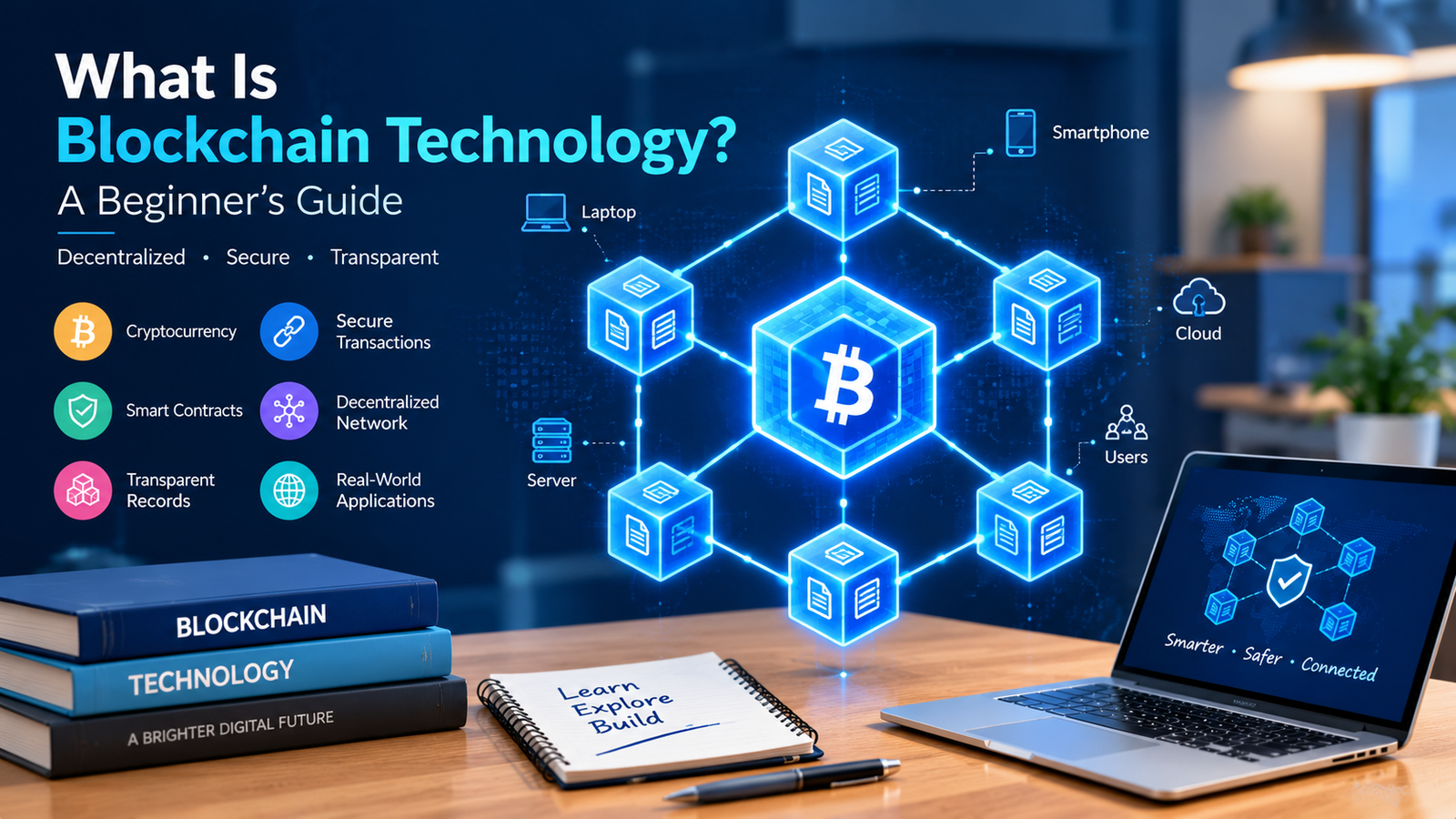
  • What Is Blockchain Technology? A Beginner’s Guide on How It Works.

    What Is Blockchain Technology? A Beginner’s Guide on How It Works.

    Introduction

    Digital technology has changed how people communicate, shop, learn, and manage information. Along with these changes, new methods of storing and sharing data have emerged. One technology that has attracted considerable attention is blockchain.

    You may have heard about blockchain through Bitcoin, cryptocurrencies, or digital payments. However, blockchain technology is not limited to cryptocurrency. It can also be used to maintain records, track products, verify transactions, and share information between different organisations.

    The idea behind blockchain is relatively simple: information is recorded in blocks, and those blocks are linked together in a sequence. Depending on how a blockchain is designed, participants can use a shared record without relying on one organisation to maintain the only authoritative copy.

    Although the technology has potential benefits, it also has limitations. Some blockchain systems consume significant amounts of energy, some process transactions slowly, and mistakes recorded on a blockchain can be difficult to correct.

    In this beginner-friendly guide, you will learn what blockchain technology is, how it works, where it is used, how it differs from traditional databases, and what you should know before exploring it further.

    What Is Blockchain Technology?

    Blockchain is a type of digital record-keeping system in which information is organised into blocks linked together using cryptographic techniques.

    A block can contain different kinds of information, depending on the purpose of the system. For example, a blockchain used for digital payments may record transactions, while another system might record changes in ownership or the movement of products through a supply chain.

    Blocks generally contain data, information connecting them to earlier blocks, and other technical details required by the particular blockchain.

    When a new block is accepted according to the network’s rules, it becomes part of the existing chain. Changing information in an older block can affect the cryptographic links between blocks, making unauthorised alterations detectable in many blockchain designs.

    Many blockchains are distributed across multiple computers called nodes. These computers maintain or verify records according to the system’s rules.

    However, not every blockchain is completely decentralised or publicly accessible.Some are run by an individual or a group of verified participants.

    The main idea is to maintain a structured record whose history can be verified according to the blockchain’s design.

    How Does Blockchain Work?

    To understand blockchain, imagine several people maintaining copies of the same transaction record. Whenever a new transaction occurs, the participants follow agreed rules to determine whether it should be recorded.

    A blockchain system uses software and cryptographic methods to manage this process.

    1. A Transaction or Record Is Created

    The process begins when someone starts an activity that requires tracing.

    For example, a user might send a digital asset to another user. In a supply chain, a company might record that a product has moved from a warehouse to a delivery centre.

    The exact information included depends on the blockchain and the application using it.

    2. The Network Checks the Information

    The transaction is submitted to the network, where it is checked according to the system’s rules.

    In a cryptocurrency network, these checks may include whether the transaction is properly authorised and whether the sender has the required balance.

    Other blockchain applications may validate records according to different conditions.

    A transaction that does not meet the applicable rules should not be accepted as valid.

    3. Transactions Are Grouped Into Blocks

    A block may be formed from valid transactions, depending on the specific blockchain being used.

    The block contains the relevant records and technical information needed to connect it to the chain.

    The system then uses its particular process to determine whether the block can be added to the existing record.

    4. The Network Reaches Agreement

    Blockchain networks use a mechanism called a consensus mechanism to determine which blocks or records should be accepted.

    Different systems use different approaches. Some rely on proof of work, while others use proof of stake or other consensus designs.

    The aim is to enable members of the system to comply with a uniform version of the record without demanding that they rely on a single central authority.

    The details matter because security, performance, and resource requirements vary considerably between consensus mechanisms.

    5. The Block Becomes Part of the Chain

    Once accepted, the block is linked to earlier blocks using cryptographic references.

    In many blockchain systems, changing an earlier record would require overcoming additional technical and economic barriers, particularly when the network has continued to add blocks.

    This makes historical changes difficult, but it does not mean that every blockchain is completely immune to manipulation.

    The security of a blockchain depends on its design, the participants controlling it, its consensus mechanism, and how the surrounding applications are managed.

    What Makes Blockchain Different From a Traditional Database?

    Traditional databases and blockchains both store information, but they are designed for different situations.

    A traditional database is commonly managed by an organisation or administrator who controls access, maintains records, and can correct or delete information according to the system’s rules.

    A blockchain may distribute record maintenance across multiple participants. Depending on its design, those participants use agreed rules to validate and maintain a shared history.

    For example, an online shop normally relies on its own database to store orders, customer details, and stock information. The shop can update its records when an order is cancelled or a delivery address changes.

    A blockchain-based system might be more appropriate when multiple independent organisations need to share and verify certain records without relying entirely on one party to maintain the history.

    However, blockchain is not automatically better than a database.

    Traditional databases are often faster, easier to manage, and more suitable for applications that need frequent updates or strict privacy controls. Blockchain is most useful when its particular trust, verification, or coordination features solve a real problem.

    The right choice depends on the application rather than the popularity of the technology.

    Main Types of Blockchain Networks

    Blockchain ecosystems can be categorized based on accessibility of the network, participation made possible, and governance systems in place.

    1. Public Blockchain

    A public blockchain allows people to access its records and, depending on its rules, participate in activities such as submitting transactions or operating nodes.

    Bitcoin and Ethereum are well-known examples of public blockchain networks.

    Public blockchains can support open participation and independent verification. However, transaction fees, processing capacity, privacy limitations, and governance can vary between networks.

    Public access does not necessarily mean every transaction is private. In many public blockchains, transaction information is visible to anyone who examines the ledger.

    2. Private Blockchain

    A private blockchain restricts participation to authorised users or organisations.

    A business might use a private network to manage records shared between selected departments or approved participants.

    Because access is controlled, private blockchains can provide more direct administrative oversight. However, their governance may depend heavily on the organisation operating the network.

    A private blockchain does not automatically provide stronger security or greater trust than a well-designed traditional database.

    3. Consortium Blockchain

    A consortium blockchain is governed by a group of organisations rather than being controlled entirely by one participant.

    For example, several companies working within the same industry might establish shared rules for recording and verifying certain transactions.

    This approach may help organisations coordinate records while retaining some control over participation and governance.

    The success of a consortium blockchain depends on whether the participants agree on responsibilities, access permissions, dispute handling, and the maintenance of the system.

    4. Permissioned and Permissionless Networks

    Another way to classify blockchain systems is by looking at who can participate.

    In a permissionless network, participants may be able to join and carry out certain activities without receiving approval from a central administrator.

    In a permissioned network, access to particular functions is restricted to approved participants.

    These categories describe participation rules and are not always separate alternatives to public and private blockchains. A system’s access model and governance structure can combine different characteristics.

    What Is Cryptography’s Role in Blockchain?

    Cryptography helps protect information and establish links between records.

    Two important concepts are cryptographic hash functions and digital signatures.

    Cryptographic Hash Functions

    A cryptographic hash function takes an input and produces a fixed-length output called a hash.

    For example, a system can calculate a hash from the contents of a block. If the contents change, the resulting hash will generally change as well.

    Blockchain systems use hashes to connect blocks and help identify alterations to stored information.

    A hash does not encrypt information for confidentiality. It is a mathematical representation of the input, and its usefulness depends on the properties of the hash function being used.

    Digital Signatures

    Digital signatures use public-key cryptography to help verify that a message or transaction was authorised by the holder of a corresponding private key.

    In a cryptocurrency system, a valid signature can demonstrate that a transaction was authorised using the relevant key.

    However, digital signatures do not prove that every statement within a transaction is factually correct. They establish particular cryptographic properties, not the real-world truth of every recorded claim.

    Protecting private keys is especially important because losing control of a key can result in losing access to assets or the ability to authorise transactions.

    What Is a Consensus Mechanism?

    A consensus mechanism is a set of rules that helps participants in a blockchain network agree on the accepted record.

    Without an agreement process, different computers could maintain conflicting versions of the ledger.

    Two commonly discussed approaches are proof of work and proof of stake.

    Proof of Work

    Proof of work is used by Bitcoin and certain other blockchain systems.

    Participants called miners compete to produce blocks by performing computational work. The network checks whether a proposed block satisfies the required rules.

    This process can make attacks expensive under the appropriate conditions, but proof-of-work networks may consume considerable amounts of electricity.

    The security of a network depends on more than computational work alone. Its rules, incentives, implementation, and distribution of resources also matter.

    Proof of Stake

    Proof of stake uses assets committed by participants, commonly called validators, as part of the process for proposing or confirming blocks.

    Depending on the protocol, validators may face penalties for certain forms of misconduct.

    Proof-of-stake systems generally avoid the same kind of continuous competitive mining used by proof-of-work systems, although their security and operational requirements differ.

    Neither approach is automatically suitable for every application. The choice affects network security, performance, costs, and governance.

    Real-World Uses of Blockchain Technology

    Blockchain can be useful in situations where multiple participants need to maintain or verify a shared record. Its suitability depends on the problem being solved.

    1. Digital Payments and Cryptocurrency

    One of the best-known uses of blockchain is recording cryptocurrency transactions.

    Bitcoin uses a blockchain to maintain a public transaction history and help prevent the same units from being spent more than once within the system’s rules.

    Other networks support different types of digital assets and applications.

    Cryptocurrencies can be volatile, and using them may involve financial, technical, and legal risks. Blockchain technology itself should not be confused with a guarantee that a particular cryptocurrency is safe or valuable.

    2. Supply Chain Management

    Products often pass through several organisations before reaching a customer.

    A supply chain may involve manufacturers, warehouses, transport providers, distributors, and retailers. Each participant may maintain separate records, making it difficult to establish a consistent history.

    A blockchain-based system can help approved participants share selected records about a product’s movement through the supply chain.

    For example, a company might record when a shipment leaves a warehouse and when it arrives at another location.

    However, blockchain cannot independently guarantee that information entered into the system is accurate. If someone records incorrect information about a product, the blockchain may preserve that incorrect record. Reliable data collection and verification are still essential.

    3. Healthcare Records

    Healthcare organisations need accurate records and controlled access to sensitive information.

    Blockchain has been explored for applications involving record verification, consent management, and coordination between different systems.

    For example, a blockchain might help maintain a history of authorised changes or provide evidence that a particular record existed at a certain point.

    This does not mean that storing complete medical records on a public blockchain is appropriate. Medical information requires strong privacy protections, careful access controls, and compliance with applicable laws.

    In many cases, sensitive records are better stored in secure systems, with blockchain used only for specific verification tasks if there is a clear benefit.

    4. Digital Identity

    Digital identity systems help people prove information about themselves when accessing services.

    Blockchain-based identity projects may allow users to manage certain credentials or verify claims issued by trusted organisations.

    For example, a digital credential might confirm that a person completed a course without requiring every organisation to maintain a separate copy of the original certificate.

    However, identity systems must still address privacy, recovery, revocation, and the reliability of the organisations issuing credentials.

    Blockchain alone cannot establish whether a real-world identity claim is truthful.

    5. Smart Contracts

    A smart contract is software deployed on a blockchain that executes according to its programmed rules.

    For example, a contract may release a digital asset when specified conditions are met, provided those conditions can be represented and verified by the system.

    Smart contracts can support decentralised applications, token transfers, and automated workflows.

    However, smart contracts do not automatically understand real-world events. They may need information supplied by external services, and errors in their code can lead to unexpected outcomes.

    Careful testing, security reviews, and appropriate governance are important when deploying contracts that control valuable assets.

    6. Education and Digital Certificates

    Educational institutions issue certificates, diplomas, and other documents that may need to be verified by employers or other organisations.

    A blockchain-based system can help maintain verifiable records or references to credentials.

    For example, an institution might issue a digital certificate that another organisation can check through an appropriate verification system.

    The institution must still confirm that the student completed the relevant course. Blockchain can support the verification process, but it does not replace the original assessment or issuing authority.

    7. Energy and Environmental Applications

    Blockchain has also been explored for energy trading, tracking environmental information, and coordinating transactions between different participants.

    For example, a project might use digital records to track energy transactions between participants in a local energy system.

    The practical value depends on the accuracy of the underlying measurements, the rules governing the market, and whether a shared blockchain offers advantages over existing systems.

    Claims about environmental benefits should also consider the energy consumption and operational requirements of the blockchain being used.

    Benefits of Blockchain Technology

    Blockchain offers several potential advantages, particularly when a shared and verifiable record is useful.

    Greater Record Transparency

    Some blockchain networks allow participants to inspect transaction histories and verify records independently.

    This can make certain activities easier to audit.

    However, transparency varies between systems, and public visibility may create privacy concerns. Sensitive information should not be exposed simply because a blockchain can make records accessible.

    Tamper Evidence

    Cryptographic links between blocks help make unauthorised changes detectable.

    In appropriately designed networks, altering old records can be difficult because the attacker may also need to overcome the network’s consensus process.

    Nevertheless, the strength of this protection depends on the blockchain’s design, implementation, and distribution of control.

    Shared Record Keeping

    When several independent organisations need to maintain consistent records, a blockchain can provide a common system for recording selected events.

    This may reduce disagreements caused by inconsistent copies, although organisations still need clear rules for correcting errors and resolving disputes.

    Automation Through Smart Contracts

    Smart contracts can automate certain actions according to programmed conditions.

    For example, they may execute a transaction when a required condition is satisfied by the information available to the contract.

    Automation can reduce some manual steps, but it also creates risks if the rules are incorrect or the input information is unreliable.

    Reduced Dependence on a Single Record Keeper

    Some blockchain designs allow multiple participants to maintain and verify the ledger rather than relying entirely on one central operator.

    This can be useful when participants do not want one organisation to have complete control over the shared record.

    However, governance and control can still become concentrated in some networks, so decentralisation should be evaluated rather than assumed.

    Limitations and Challenges of Blockchain

    Blockchain is not a perfect solution for every record-keeping problem.

    Scalability

    Some blockchain networks can process fewer transactions per second than conventional payment or database systems.

    When demand increases, users may experience delays or higher transaction fees.

    Different networks use different approaches to improve performance, but scaling can involve trade-offs involving decentralisation, security, and complexity.

    Energy Consumption

    The environmental impact of a blockchain depends heavily on its consensus mechanism and infrastructure.

    Proof-of-work systems can require substantial computational resources. Other approaches, including proof of stake, generally have different energy requirements.

    It is therefore inaccurate to assume that every blockchain consumes the same amount of electricity.

    Privacy

    A permanent or widely distributed record can create privacy challenges.

    Even if a blockchain does not display someone’s real name, transaction patterns and other information may sometimes be linked to an identifiable person.

    Organisations must carefully consider what data should be recorded, who can access it, and whether information can be removed or corrected when required.

    Irreversible Transactions

    Many blockchain transactions are difficult or impossible to reverse once confirmed.

    This can help prevent unauthorised alterations, but it can also make mistakes costly.

    Sending an asset to the wrong address or interacting with a malicious contract may result in losses that cannot easily be recovered.

    Users should verify transaction details and understand the system before transferring valuable assets.

    Technical Complexity

    Building and maintaining a blockchain application may require knowledge of cryptography, distributed systems, software development, security, and network operations.

    Even when an application is easy to use, its underlying infrastructure may be difficult to manage.

    Organisations should consider maintenance, security testing, and long-term costs before adopting blockchain.

    Regulatory and Legal Uncertainty

    Rules concerning digital assets, financial services, privacy, and blockchain applications vary by jurisdiction.

    A technology that is permitted for one purpose may face additional requirements when used for financial transactions or sensitive records.

    Businesses should understand the relevant laws and obtain appropriate professional advice where necessary.

    Is Blockchain the Same as Bitcoin?

    No. Blockchain and Bitcoin are related, but they are not the same thing.

    Bitcoin is a digital currency system that uses blockchain technology to maintain its transaction history.

    Blockchain is a broader category of technology that can be used for different applications, including digital assets, shared records, and smart contracts.

    Think of blockchain as a type of record-keeping technology and Bitcoin as one particular system built using it.

    Not every blockchain supports the same features, and not every blockchain is designed for cryptocurrency payments.

    Understanding this distinction helps avoid confusion when researching blockchain projects.

    How Can Beginners Start Learning Blockchain?

    If you are interested in blockchain, you do not need to begin by purchasing cryptocurrency or investing money.

    A more useful first step is to understand the technology and its limitations.

    Step 1: Learn Basic Computer Concepts

    Start with basic networking, databases, internet communication, and computer security.

    These subjects help explain why distributed systems exist and how computers exchange information.

    Step 2: Understand Cryptography Basics

    Learn what hashing, public keys, private keys, and digital signatures mean.

    You do not need to become a cryptography expert immediately. Focus on understanding the purpose of each concept and how it contributes to verification and security.

    Step 3: Study Blockchain Structure

    Explore how blocks contain records, how cryptographic links connect blocks, and how nodes maintain the network.

    A simple diagram can help you understand how a new block becomes part of an existing chain.

    Step 4: Explore Consensus Mechanisms

    Study proof of work and proof of stake at a conceptual level.

    Compare their basic processes, resource requirements, and security assumptions.

    Avoid assuming that one approach is universally better without considering the application’s needs.

    Step 5: Learn About Smart Contracts

    If you are interested in development, explore how smart contracts work and how applications interact with blockchain networks.

    Begin with educational examples and test environments rather than real funds.

    Never deploy code controlling valuable assets until it has been properly tested and reviewed.

    Step 6: Practise Safely

    Use reputable educational resources and test networks to explore blockchain transactions.

    Protect private keys and recovery phrases, avoid sharing sensitive credentials, and be cautious of websites promising guaranteed investment returns.

    Learning how the technology works is more valuable than rushing into financial decisions.

    Frequently Asked Questions About Blockchain

    What is blockchain technology in simple words?

    Blockchain is a digital record-keeping system that stores information in linked blocks. Depending on its design, multiple computers can maintain and verify the shared record.

    Is blockchain only used for cryptocurrency?

    No. Blockchain can also be used in areas such as supply chain tracking, digital credentials, smart contracts, and shared record verification. Its suitability depends on the problem being addressed.

    Is blockchain secure?

    Blockchain can provide strong tamper-evident properties when properly designed and operated. However, software bugs, stolen keys, poor governance, and insecure applications can still create risks.

    Can information be changed on a blockchain?

    Changing confirmed historical information can be difficult in many blockchain systems. However, the level of protection varies, and some systems allow administrative changes or have different governance rules.

    What is the difference between blockchain and a database?

    A traditional database is commonly controlled by an administrator who manages its records. A blockchain can allow multiple participants to maintain and verify a shared history according to agreed rules. Neither approach is best for every situation.

    Do I need coding skills to learn blockchain?

    No. You can learn the basic concepts without programming. Coding becomes useful when you want to develop blockchain applications or smart contracts.

    Is blockchain the same as artificial intelligence?

    No. Blockchain is a record-keeping and distributed-system technology, while artificial intelligence involves systems designed to perform tasks such as recognising patterns, generating content, or making predictions. They can be combined in some applications, but they solve different problems.

    Is blockchain a good career skill?

    Blockchain knowledge may be useful for certain software development, security, and distributed-systems roles. Career opportunities depend on your technical skills, practical experience, and the needs of employers.

    Conclusion

    Blockchain technology offers a different way to record, share, and verify digital information. By linking blocks through cryptographic methods and using rules to agree on accepted records, blockchain systems can support applications involving shared data and multiple participants.

    Its uses extend beyond cryptocurrency to areas such as supply chains, digital credentials, smart contracts, and selected business processes.

    At the same time, blockchain has important limitations. Scalability, privacy, security, energy consumption, and implementation costs must be considered before adopting it.

    For beginners, the best approach is to understand the underlying concepts before exploring advanced applications. Learn about cryptography, distributed systems, consensus mechanisms, and smart contracts, then examine practical examples.

    Blockchain is not a solution to every technology problem. Its real value comes from using it where shared verification and the system’s particular design provide a meaningful advantage.

  • What Is the Internet of Things (IoT)? A Beginner’s Guide

    What Is the Internet of Things (IoT)? A Beginner’s Guide

    Introduction

    Imagine coming back home from a tiring day and realizing that the climate of your room is already pleasant. Your lights can be controlled from your phone, your smartwatch tracks your daily activity, and your home security camera lets you check your property while you are away. These technologies may seem separate, but they share one important idea: connected devices that can exchange information and respond to instructions.

    This is the basic idea behind the Internet of Things, commonly known as IoT.

    It is used in homes, hospitals, factories, farms, transport systems, and many other environments. By connecting physical devices to networks, IoT can help people monitor conditions, automate tasks, and make better use of information.

    Please note that these are just examples of IoT applications. However, IoT is more than just smart home devices.

    In this guide, we will explain what the Internet of Things means, how it works, where it is used, its benefits and limitations, and how beginners can start learning about this technology.

    What Is the Internet of Things?

    The Internet of Things refers to a network of physical objects equipped with technologies that allow them to collect information, communicate with other systems, or perform actions based on instructions.

    These objects are often called IoT devices. They can include household appliances, environmental sensors, wearable devices, vehicles, industrial equipment, and many other products.

    An IoT device may contain sensors, software, a processor, and a communication interface. Depending on its purpose, it might connect through Wi-Fi, Bluetooth, a mobile network, or another communication technology.

    For example, a smart temperature sensor can measure the temperature in a room and send that information to a compatible application. A user can then view the reading on a smartphone or use it to control a connected heating system.

    Not every IoT device needs a direct connection to the internet at all times. Some communicate through a local hub or gateway that passes information to another system.

    The central idea is that physical devices can collect or exchange data and use that information to support monitoring, automation, or decision-making.

    How Does the Internet of Things Work?

    IoT systems combine physical devices, software, communication networks, and applications. Each part has a specific role in collecting information and making it useful.

    1. Sensors Collect Information

    Numerous IoT devices make use of sensors in order to gather information about their environment.

    A temperature sensor measures heat, a motion sensor detects movement, and a soil moisture sensor measures the amount of moisture in the soil.

    The type of sensor depends on the purpose of the device. Some devices also collect information about location, light levels, pressure, humidity, or vibration.

    As an example, a sensor placed in a greenhouse may measure temperature and humidity throughout the day . These readings can help the owner understand whether the growing environment needs adjustment.

    2. The Device Processes the Data

    After collecting information, the device may process it locally using a small processor or microcontroller.

    Some devices perform simple tasks, such as checking whether a temperature has crossed a set limit. Others send the collected information to a more powerful computer or cloud platform for further analysis.

    Local processing can reduce communication delays and allow certain functions to continue when internet access is unavailable.

    3. Information Travels Through a Network

    The device communicates with another system through a suitable connection.

    A smart home device may use Wi-Fi, while a wearable device may use Bluetooth to communicate with a smartphone. Industrial sensors might use wired connections or specialised wireless technologies.

    The choice depends on factors such as communication range, power consumption, cost, and the amount of data being transferred.

    4. Software Interprets the Information

    The collected data can be displayed in an application, stored in a database, or processed by software.

    For example, a smart energy monitor may show how much electricity a household is using. An industrial monitoring system may identify unusual vibration patterns in a machine.

    The software helps turn raw measurements into information that people can understand and use.

    5. The System May Trigger an Action

    Some IoT systems do more than collect information. They can also trigger actions automatically.

    A smart thermostat might adjust the heating when the temperature falls below a chosen level. The irrigation system may be turned on based on the reading of soil moisture that is below some preset level.

    These actions depend on the device’s capabilities, settings, and safety controls. More advanced systems may use historical information or predictive models to decide when an action is appropriate.

    Common Types of IoT Devices

    IoT devices serve different purposes, from making household tasks easier to monitoring complex industrial processes.

    Smart Home Devices

    Smart home technology includes connected lights, thermostats, security cameras, door sensors, and compatible appliances.

    Users may control these devices through mobile applications, voice assistants, or automatic routines.

    For example, a homeowner might schedule lights to switch off at a particular time or receive an alert when a connected door sensor detects an opening.

    The available functions depend on the device and the platform supporting it.

    Wearable Technology

    Wearable devices include smartwatches, fitness trackers, and certain health-monitoring devices.

    They may collect information such as steps, movement, heart rate, or sleep-related measurements, depending on their sensors and capabilities.

    This information can help users understand activity patterns. However, consumer wearables do not replace professional medical equipment or medical advice when health concerns require proper assessment.

    Industrial IoT Devices

    The Industrial Internet of Things, often called IIoT, applies connected sensing and monitoring technologies to industrial environments.

    Factories may use sensors to monitor equipment temperature, vibration, pressure, or energy consumption.

    The collected data can help maintenance teams identify unusual operating conditions and investigate problems before they cause major interruptions.

    Industrial systems require careful planning because unreliable data, insecure connections, or incorrect automatic actions can affect production and safety.

    Smart Agriculture Devices

    A variety of IoT devices are brought to use in farming, mainly to check and keep track of soil moisture, temperature and humidity, etc.

    For example, a connected irrigation system may use soil measurements to help determine when watering is needed.

    This can support more informed decisions about water use, although the results depend on sensor accuracy, crop requirements, weather conditions, and the quality of the system’s configuration.

    Connected Vehicles

    Some vehicles contain systems that communicate with external services or other devices.

    Depending on the vehicle, these systems may support navigation, maintenance alerts, vehicle tracking, remote features, or traffic information.

    Connected vehicle technology can improve convenience and provide useful information, but it also raises questions about data privacy, system security, and reliable connectivity.

    Real-Life Examples of the Internet of Things

    The easiest way to understand IoT is to look at how connected devices are used in everyday situations.

    Example 1: A Smart Home

    Consider a family that installs connected lights, a thermostat, and a security camera.

    The family can control the lights through an application, check the indoor temperature remotely, and view camera footage when needed.

    Some tasks can be automated through schedules or configured rules. For instance, lights may switch off at bedtime, while a thermostat adjusts the temperature according to a chosen schedule.

    These features can make household management more convenient, but the devices need appropriate configuration and security.

    Example 2: Monitoring Equipment in a Factory

    Imagine a factory that uses machines throughout the day.

    Sensors attached to important equipment can collect information about vibration and temperature. A monitoring system can display the readings and alert staff when measurements move outside expected ranges.

    Maintenance teams can investigate the issue before deciding whether repairs are necessary.

    This does not mean every machine problem can be predicted, but continuous monitoring can provide information that would otherwise be difficult to collect regularly.

    Example 3: Connected Farming

    A farmer may install sensors in different parts of a field to measure soil moisture.

    Instead of relying only on visual inspection, the farmer can compare readings and identify areas that may need more attention.

    When connected to an irrigation controller, the system may also help automate watering according to configured conditions.

    The usefulness of this approach depends on the placement of sensors, local soil conditions, and suitable irrigation planning.

    Example 4: Smart Energy Monitoring

    A connected energy monitor can record electricity consumption and display it through an application or dashboard.

    Users may notice which appliances consume more energy or when electricity use increases.

    This information can help households or businesses make informed decisions about energy use. The monitor itself does not automatically guarantee lower bills; savings depend on the actions taken and the applicable electricity rates.

    Benefits of the Internet of Things

    IoT offers several potential advantages when devices are selected, configured, and maintained properly.

    Automation of Routine Tasks

    IoT can automate repetitive activities that would otherwise require manual attention.

    Connected lights can follow schedules, sensors can trigger alerts, and compatible systems can adjust settings when specific conditions occur.

    Automation can save time, particularly when tasks happen regularly or involve many devices.

    Better Monitoring

    Traditional monitoring may require someone to inspect equipment or record measurements manually.

    Connected sensors can provide frequent readings and make them available through a dashboard. This can help people notice changes and investigate problems more quickly.

    Improved Efficiency

    In homes, businesses, and industrial environments, IoT data can help identify unnecessary energy use, unusual equipment behaviour, or inefficient processes.

    The resulting improvements depend on whether the information is accurate and whether users act on it appropriately.

    Support for Better Decisions

    IoT systems can provide information that was previously difficult to collect.

    For example, a warehouse can monitor environmental conditions, while a farmer can compare soil moisture across different areas.

    These measurements can support decisions, although they should be interpreted in context rather than treated as automatically correct.

    Remote Access

    Many connected systems allow users to view information or control compatible devices from a distance.

    A business owner may check a monitoring dashboard while away from the workplace, or a homeowner may review a connected security camera remotely.

    Remote access is convenient, but it must be protected with suitable authentication and security settings.

    Challenges and Disadvantages of IoT

    Although connected devices can be useful, they also introduce technical and practical challenges.

    Security Risks

    Every connected device may create another point that needs protection.

    Devices with weak passwords, outdated software, or insecure communication can expose users and organisations to security problems.

    A compromised device might reveal information, provide an entry point into a wider network, or be misused for harmful activity.

    Users should change default passwords, install updates, enable multi-factor authentication where available, and avoid exposing device management interfaces unnecessarily.

    Privacy Concerns

    Some IoT devices collect information about household routines, location, activity, or the surrounding environment.

    If this information is stored or shared without adequate safeguards, it may create privacy risks.

    Before purchasing a device, review its privacy settings, the information it collects, its data-sharing practices, and the available options for deleting stored information.

    Dependence on Connectivity

    Certain IoT features rely on an internet connection or a cloud service.

    If the connection becomes unavailable, remote access and cloud-based functions may stop working. Some devices continue to operate locally, while others have limited functionality without connectivity.

    It is important to understand what happens when a device loses its connection, especially when it is used for an important task.

    Compatibility Problems

    Devices from different manufacturers do not always work together smoothly.

    They may use different communication standards, applications, accounts, or smart home platforms.

    Checking compatibility before purchasing equipment can prevent unnecessary expense and frustration.

    Maintenance Costs

    IoT systems may require replacement batteries, software updates, connectivity services, or periodic equipment replacement.

    Larger deployments can also require installation, monitoring, and technical support.

    The total cost should be considered before introducing a connected system, rather than looking only at the initial purchase price.

    Handling Large Amounts of Data

    A system with hundreds or thousands of sensors can generate a substantial amount of information.

    Organisations need appropriate methods to store, organise, protect, and analyse this data. Poor data management can make information difficult to use and increase operational costs.

    How IoT Devices Connect to the Internet

    IoT devices use different communication technologies depending on what they need to do.

    Wi-Fi

    Wi-Fi is common in smart home products and devices that need to transfer data through a local wireless network.

    It can support applications such as cameras and connected appliances, but power consumption and coverage need to be considered when selecting equipment.

    Bluetooth

    Bluetooth is commonly used for communication between nearby devices.

    For example, a fitness tracker may communicate with a smartphone through Bluetooth. Bluetooth Low Energy is designed for applications that need to reduce power consumption.

    Cellular Networks

    Some IoT devices use mobile networks to communicate over wider areas.

    Examples include certain tracking systems, remote monitoring equipment, and connected vehicles.

    Cellular connectivity can be useful where Wi-Fi is unavailable, but coverage, subscription costs, and power requirements vary.

    Zigbee and Other Low-Power Technologies

    Some smart home and sensor systems use Zigbee or other communication technologies designed for particular network requirements.

    These technologies can support low-power devices and communication between multiple connected nodes. Their suitability depends on the application, supported equipment, and network design.

    Wired Connections

    Not all IoT devices use wireless communication.

    Industrial equipment may use Ethernet or other wired technologies when stable connections and predictable performance are important.

    The best connection depends on the environment, power requirements, communication range, reliability needs, and cost.

    The Role of Artificial Intelligence in IoT

    Artificial intelligence and IoT can work together to make connected systems more useful.

    IoT devices collect information from the physical world, while AI systems can analyse data, recognise patterns, or generate predictions.

    For example, an industrial monitoring system may collect machine vibration measurements. An AI model trained on suitable data may help identify patterns associated with unusual operation.

    In a smart building, software may analyse historical energy consumption and environmental conditions to suggest more efficient settings.

    However, AI is not required for every IoT application. A simple sensor that switches on a light when it detects movement may operate through a straightforward rule without using machine learning.

    AI-based decisions also depend on data quality, appropriate testing, and ongoing monitoring. Incorrect predictions can lead to unnecessary alerts or unsuitable actions.

    Is the Internet of Things Safe to Use?

    IoT can be used safely, but security should be considered from the beginning.

    A connected camera, smart television, or thermostat may contain software that requires regular updates. If updates are ignored, known vulnerabilities may remain unaddressed.

    Start by changing default passwords and using strong, unique credentials. Enable additional authentication protections where available and install updates from trusted sources.

    It is also sensible to review the permissions requested by companion applications and disable features that are not needed.

    For home networks, placing compatible IoT devices on a separate guest network or dedicated network segment may help limit their access to personal computers and other sensitive equipment. The effectiveness of this approach depends on the router and its configuration.

    Businesses should take additional care with access permissions, network monitoring, device inventories, and incident response procedures.

    No single measure eliminates every risk. Security works best when device manufacturers, network administrators, and users all take appropriate precautions.

    How Beginners Can Start Learning IoT

    You do not need to build a complex smart home or industrial system to begin learning about the Internet of Things.

    A simple learning plan can introduce the most important concepts.

    Step 1: Learn Basic Electronics

    Begin by understanding basic electrical concepts, sensors, power supplies, and simple circuits.

    You do not need advanced electronics knowledge at the beginning, but understanding how a sensor receives power and produces a measurement will help.

    Step 2: Understand Computer Networking

    Study IP addresses, Wi-Fi, Bluetooth, routers, and the basics of how devices exchange information.

    Networking knowledge helps explain how IoT devices communicate with applications and other systems.

    Step 3: Explore Microcontrollers

    Microcontrollers are small computing devices used in many electronic projects.

    Beginner-friendly boards can help you learn how to read sensor values, control simple outputs, and write basic programs.

    Always follow the manufacturer’s electrical and safety instructions when working with hardware.

    Step 4: Build a Simple Sensor Project

    A beginner project might use a temperature sensor to display room temperature or a light sensor to measure brightness.

    Start by collecting readings and displaying them locally. Once the basic project works, explore sending the readings to another device or dashboard.

    This approach allows you to learn one concept at a time.

    Step 5: Learn About Data and Applications

    Many IoT systems send information to a dashboard, database, or application.

    Learn how data is represented, transmitted, stored, and displayed. You can begin with a simple local dashboard before exploring more complex cloud services.

    Step 6: Make Security Part of Your Learning

    Use strong passwords, keep software updated, and avoid exposing experimental devices directly to the public internet.

    Practise only with equipment and networks you own or have permission to use.

    Developing secure habits early can prevent problems as your projects become more advanced.

    What Is the Future of the Internet of Things?

    IoT continues to develop as sensors, communication systems, processors, and software improve.

    Connected devices are being used in areas such as building management, manufacturing, agriculture, transport, and environmental monitoring.

    One area of development is edge computing, where some data processing takes place close to the device rather than relying entirely on a remote server. This can reduce communication delays and limit the amount of information that needs to be transmitted.

    Another area is the integration of IoT with AI, allowing some systems to analyse data and support more informed decisions.

    Interoperability is also important. Better support for common standards can make it easier for devices from different manufacturers to communicate.

    At the same time, privacy, security, reliability, and energy consumption remain important challenges. The value of IoT will depend not only on how many devices become connected, but also on whether those devices solve real problems and can be maintained responsibly.

    Frequently Asked Questions (FAQs)

    What does IoT stand for?

    IoT stands for the Internet of Things. It refers to physical objects equipped with technologies that allow them to collect data, communicate, or perform actions through connected systems.

    What are some examples of IoT devices?

    Examples include smart thermostats, connected security cameras, fitness trackers, environmental sensors, smart appliances, industrial monitoring equipment, and certain connected vehicles.

    Does every IoT device need the internet?

    No. Some IoT devices communicate through a local network, Bluetooth connection, or gateway. Certain functions can continue without internet access, although remote and cloud-based features may become unavailable.

    What is the difference between IoT and the internet?

    The internet is a global system of interconnected networks. IoT refers to physical devices that use communication technologies to exchange information or interact with other systems, often through the internet.

    What are the main benefits of IoT?

    IoT can support automation, remote monitoring, resource management, and data-based decision-making. The actual benefits depend on the quality of the system and how its information is used.

    What are the main risks of IoT?

    Common concerns include security vulnerabilities, privacy issues, compatibility problems, maintenance costs, and dependence on connectivity.

    Is IoT difficult to learn?

    Beginners can start with simple sensors, basic electronics, and networking concepts. More advanced projects may require programming, cloud platforms, data analysis, and security knowledge.

    How is IoT used in business?

    Businesses may use IoT to monitor equipment, track environmental conditions, manage energy consumption, and collect operational data. The specific applications depend on the industry’s requirements.

    Conclusion

    The Internet of Things connects physical devices with software and communication networks, allowing information to be collected and used in practical ways. From smart home products to industrial monitoring systems, IoT is changing how people interact with technology.

    Its benefits include automation, remote monitoring, and access to information that can support better decisions. However, security, privacy, compatibility, and maintenance must also be considered.

    For beginners, the best approach is to start with simple concepts. Learn how sensors work, understand basic networking, explore a small device project, and practise secure configuration.

    As you develop your knowledge, you will gain a clearer understanding of how connected devices operate and where this technology can be useful. IoT is not simply about connecting more objects to the internet; it is about using those connections to solve practical problems.

  • Computer Networking for Beginners: How Networks Work and Connect Our Digital World

    Computer Networking for Beginners: How Networks Work and Connect Our Digital World

    Introduction

    Think about what happens when you send a message to a friend, open a website, watch a video online, or print a document from your laptop using a wireless printer. These activities may seem simple, but they depend on different devices communicating with one another.

    That communication is made possible through computer networking.

    Computer networks are now widely viewed as an important part of today’s technology . They connect computers, smartphones, servers, printers, and many other devices so they can exchange information and share resources. Without networking, the internet, online banking, video conferencing, cloud computing, and many business applications would not work in the way we know them today.

    You do not need to be a network engineer to understand the basics. Learning how networks work can help you troubleshoot internet problems, protect your devices, understand websites, and make better decisions when setting up technology at home or in an office.

    In this guide, you will learn what a computer network is, how devices communicate, what routers and switches do, how IP addresses work, and why network security matters. You will also explore common network types, practical examples, and simple ways to begin learning networking.

    What Is a Computer Network?

    A computer network could be said to constitute two or more connected devices that are able to communicate with each other.

    These devices may include desktop computers, laptops, mobile phones, servers, smart televisions, printers, security cameras, and internet-connected household equipment.

    The connection between devices can be wired, wireless, or a combination of both.

    For example, imagine a small office with five employees. Each employee has a computer, and everyone needs access to a shared printer and a central collection of business documents.

    Instead of connecting every computer separately to every resource, the office can create a network. Authorized employees can then access the printer, exchange files, and use shared services.

    A home network works in a similar way. Your smartphone, laptop, television, and other devices may connect through the same router to communicate with local devices or access the internet.

    The main purpose of networking is to make communication and resource sharing possible.

    Why Are Computer Networks Important?

    Networking supports many activities that people depend on every day.

    Sharing Information

    Networks allow people to send messages, exchange files, access shared documents, and communicate with colleagues.

    A business can use a network to make information available to authorized employees without transferring every document manually.

    Sharing Resources

    Connected devices can share printers, storage systems, applications, and internet connections.

    This can reduce the need to purchase separate equipment for every user.

    Supporting Remote Communication

    Video meetings, online classes, messaging platforms, and remote collaboration tools depend on networks to transfer information between participants.

    People can work together even when they are located in different cities or countries.

    Accessing Online Services

    Websites, cloud applications, streaming platforms, and online banking services rely on communication between users’ devices and remote systems.

    Every time you access an online service, networking allows the data to move from one system to the other.

    Managing Business Operations

    Organizations use networks to connect employees, databases, business applications, payment systems, and other essential services.

    A reliable network helps these systems exchange information efficiently and supports everyday operations.

    How Does a Computer Network Work?

    A network works by allowing devices to send information through connected communication paths.

    Although the technical details can become complicated, the basic process is easier to understand through an everyday example.

    Suppose you want to open a website on your laptop.

    First, your laptop needs a network connection. If you are using Wi-Fi, it communicates wirelessly with your router. If you are connected through an Ethernet cable, the connection uses a wired link.

    Next, your device uses networking information and protocols to communicate with the destination. For a website, this may involve translating a domain name into an IP address, establishing a connection, and requesting the page.

    The request travels through the relevant network equipment and internet infrastructure until it reaches the destination server.

    The server processes the request and sends back the information needed to display the page. Your browser receives the response and presents the website on your screen.

    This entire exchange may happen within seconds.

    Different components handle different responsibilities. Some help recognize devices, some guide the flow, and others provide useful information. Networking protocols establish rules that allow these components to communicate reliably.

    The Main Components of a Computer Network

    A network depends on several components working together. Understanding their basic roles makes networking much easier to learn.

    1. Network Interface Card

    A network interface card, or NIC, allows a device to connect to a network.

    Most modern computers already include network interfaces for Wi-Fi, Ethernet, or both. Smartphones and tablets also contain the hardware needed for wireless communication.

    Without an appropriate network interface, a device cannot use the corresponding network connection.

    2. Router

    A router is a device that connects various networks and routes data packets between themA router is a device that connects various networks and routes data packets between them.

    In a usual home arrangement, the router joins the local home network with the access to the internet offered by an internet service provider.

    Many home routers also include wireless access point functionality, allowing devices to connect through Wi-Fi. Certain individuals merge extra features, like the capability of Ethernet switching and fundamental firewall protection.

    A router is not simply a device that makes the internet work. It directs network traffic and helps different networks communicate.

    3. Network Switch

    A network switch connects devices within a local network, commonly through Ethernet cables.

    For example, an office switch can connect several desktop computers, printers, and servers so they can communicate on the same local network.

    A switch forwards traffic toward the appropriate device based on information it learns about connected devices.

    Unlike a basic hub, a typical Ethernet switch does not simply repeat every received frame to every connected port.

    4. Modem or Internet Connection Equipment

    A modem or other access device connects a customer’s equipment to an internet service provider’s network.

    The exact equipment depends on the connection technology. Cable internet may use a cable modem, while fiber services commonly use an optical network terminal.

    Some providers supply a combined modem-router device, while others provide separate equipment.

    The important distinction is that the access equipment establishes the connection to the provider, while the router directs traffic between networks.

    5. Wireless Access Point

    A wireless access point allows Wi-Fi devices to connect to a wired network.

    Home routers often include an access point. Larger offices, schools, and public buildings may use several separate access points to provide wireless coverage across multiple rooms or floors.

    Access points extend or provide wireless connectivity, but they do not all perform the same functions as routers.

    6. Servers

    A server is a computer or software system that provides services or resources to other systems.

    A web server delivers website content. A file server stores and shares files. An email server handles email-related functions.

    Servers can run on physical machines, virtual machines, or cloud infrastructure.

    When you open a website, your device acts as a client requesting information, while the relevant server responds to that request.

    Understanding Different Types of Computer Networks

    Networks are often classified by their size, coverage area, and purpose.

    Personal Area Network (PAN)

    A personal area network connects devices around an individual.

    For example, a smartphone may connect to wireless headphones or a smartwatch through Bluetooth.

    These networks usually operate over relatively short distances and are useful for personal devices and accessories.

    Local Area Network (LAN)

    A local area network connects devices within a limited area, such as a home, office, classroom, or laboratory.

    A LAN may use Ethernet cables, Wi-Fi, or both.

    For example, a small business might use a LAN to connect computers, printers, file storage, and other office equipment.

    Local networks can operate without a direct internet connection, although many are connected to the internet through a router.

    Wireless Local Area Network (WLAN)

    A wireless local area network is a local network that uses wireless communication, commonly Wi-Fi.

    Home Wi-Fi is a familiar example. Devices connect to a wireless access point instead of requiring an Ethernet cable for every connection.

    Wireless networking offers convenience, but performance depends on factors such as distance, interference, building materials, device capabilities, and network congestion.

    Metropolitan Area Network (MAN)

    A metropolitan area network connects resources across a larger urban area or metropolitan region.

    It may link multiple buildings, campuses, or organizational locations.

    The term is useful for understanding network coverage, although real-world networks do not always fit neatly into a single category.

    Wide Area Network (WAN)

    A wide area network connects networks across large geographical areas.

    Businesses may use WAN technologies to connect offices in different cities or countries.

    The internet is the best-known example of a global network built from many interconnected networks, although it is not simply one privately managed WAN.

    For beginners, the main difference is the coverage area: a LAN generally serves a local location, while a WAN connects networks across much greater distances.

    What Is the Internet?

    The internet is a global system of interconnected networks that communicate using standardized protocols.

    It connects home networks, businesses, universities, data centers, mobile networks, and many other systems.

    People often use the words internet and web as though they mean the same thing, but they are different.

    The internet is the underlying network infrastructure. The World Wide Web is a service that operates over the internet and allows people to access linked pages and other resources through web browsers.

    Email, online gaming, messaging, and many other services also use the internet without being identical to the web.

    This distinction helps explain why internet connectivity can exist even when a particular website is unavailable.

    Your device may have a working connection, but the website could be experiencing a problem, the domain name might not resolve correctly, or another part of the communication process may be failing.

    What Is an IP Address?

    An IP address is a numerical address used to identify an interface on an IP network so information can be delivered to the appropriate destination.

    You can think of it as part of the addressing system that allows devices to communicate.

    There are two main versions of IP addressing: IPv4 and IPv6.

    IPv4

    IPv4 addresses are commonly written as four numbers separated by periods.

    An example is:

    192.168.1.10

    Each number ranges from 0 to 255 in the standard dotted-decimal format.

    Private IPv4 addresses are frequently used inside home and office networks. A router may assign addresses such as 192.168.1.10 to local devices.

    These private addresses are not normally routed directly across the public internet. Routers often use Network Address Translation, or NAT, to allow multiple devices on a private network to share a public IPv4 address.

    IPv6

    IPv6 was developed partly to address the limited supply of IPv4 addresses.

    IPv6 addresses use a much larger address space and are written in hexadecimal groups separated by colons.

    An example of an IPv6 address is:

    2001:db8::1

    This example uses a reserved documentation range rather than identifying a real public service.

    IPv6 supports a vastly larger number of possible addresses than IPv4, making it important for the continued growth of internet-connected systems.

    Public and Private IP Addresses

    A public IP address is used for communication across the public internet.

    A private IP address is used within designated private networks, such as home or office networks.

    Your laptop may have a private address assigned by the router, while the router uses a public address for internet communication.

    The arrangement varies by network and provider, especially when technologies such as carrier-grade NAT are involved.

    What Is a MAC Address?

    A Media Access Control address, commonly called a MAC address, is an identifier associated with a network interface at the data-link layer.

    Ethernet and Wi-Fi interfaces commonly use MAC addresses for communication within the relevant local network.

    A MAC address is often written as six pairs of hexadecimal characters, such as:

    00:1A:2B:3C:4D:5E

    This is an illustrative example.

    IP addresses and MAC addresses serve different purposes. IP addressing supports communication across interconnected IP networks, while MAC addressing is used for delivery on a particular local network link.

    A router may forward a packet toward a destination network while the local Ethernet or Wi-Fi frame uses a MAC address appropriate for the next link.

    It is also important to remember that MAC addresses are not reliable proof of a person’s identity. Devices can use randomized MAC addresses, and network administrators can sometimes change them.

    How DNS Makes Websites Easier to Access

    Most people remember website names more easily than numerical IP addresses.

    For example, entering a domain name is usually easier than memorizing the address of a remote server.

    The Domain Name System, or DNS, helps solve this problem by translating domain names into the information needed to locate internet services.

    When you enter a website address into a browser, the device may check cached information before asking a DNS resolver for the relevant records.

    The resolver can obtain the required information through the DNS system, allowing the browser to continue connecting to the destination.

    The process may be completed quickly enough that users rarely notice it.

    DNS does not contain the actual website content. Its role is to provide naming information that helps systems find the appropriate destination.

    If DNS stops working correctly, a website might fail to load by name even when other parts of the network are functioning.

    What Are Network Protocols?

    Network protocols are agreed rules that devices follow when exchanging information.

    Without shared protocols, equipment made by different manufacturers would struggle to communicate reliably.

    Several protocols are particularly important for beginners.

    TCP/IP

    TCP/IP refers to the family of protocols used for communication across modern IP networks.

    IP handles addressing and forwarding packets between networks. TCP provides a reliable, ordered byte stream for applications that need those guarantees.

    For example, many web connections use TCP, although modern web protocols can also use QUIC, which runs over UDP.

    HTTP and HTTPS

    HTTP is a protocol used to transfer web resources between clients and servers.

    HTTPS protects HTTP communication using TLS, helping provide confidentiality and integrity and allowing clients to authenticate the server when certificates are correctly validated.

    When you visit a website that uses HTTPS, the connection helps protect information from being read or modified by parties who can observe the network traffic.

    HTTPS does not automatically make every website trustworthy. A fraudulent website can also use HTTPS, so users should still verify the domain and exercise caution.

    DNS

    DNS translates domain names into records used by internet services.

    It helps users reach services through recognizable names rather than having to remember numerical addresses.

    DHCP

    Dynamic Host Configuration Protocol, or DHCP, automatically supplies network configuration information to devices.

    When a laptop joins a typical home network, a DHCP server on the router may assign it an IP address and provide details such as the default gateway and DNS servers.

    This reduces the need to configure every device manually.

    UDP

    User Datagram Protocol, or UDP, allows applications to send datagrams without the same built-in delivery and ordering guarantees provided by TCP.

    Some applications use UDP because they can tolerate occasional packet loss or implement their own recovery mechanisms.

    It is used in various networking scenarios, including real-time communication and certain modern transport protocols.

    Each protocol has a particular role. Understanding their basic purposes makes it easier to follow explanations of networking problems.

    What Is Wi-Fi, and How Does It Work?

    Wi-Fi is a family of wireless networking technologies based on IEEE 802.11 standards.

    It allows compatible devices to exchange network traffic through radio signals rather than requiring a separate cable for each device.

    A wireless router or access point broadcasts a network that nearby devices can discover and join, provided they have the necessary credentials and satisfy the network’s access requirements.

    When you connect your laptop to home Wi-Fi, the laptop establishes a wireless connection with the access point. The access point then forwards traffic through the network, allowing the laptop to reach local resources or the internet.

    Wi-Fi performance depends on more than the internet package purchased from the provider.

    Distance, walls, interference, the number of active devices, router placement, and the capabilities of both the router and the client device can affect performance.

    For example, a laptop located far from the router may experience a weaker signal than a phone in the same room as the access point.

    Moving the router to a more central, open position can sometimes improve coverage. In larger buildings, additional access points or a suitable mesh system may be necessary.

    Wired Networking vs. Wireless Networking

    Both wired and wireless connections have advantages.

    Ethernet is commonly used for desktop computers, servers, gaming systems, and other devices where a stable connection is valuable.

    Wi-Fi is useful for mobile devices and situations where installing cables would be inconvenient.

    A wired connection often provides more predictable performance and can reduce interference-related problems. Wireless networking offers greater mobility and easier connection for devices that move around.

    However, neither option is always faster in every situation. The result depends on the Ethernet link speed, Wi-Fi standard, equipment quality, interference, network congestion, and internet service.

    Many home and business networks use both. Desktop computers and access points may connect through Ethernet, while phones and laptops use Wi-Fi.

    Choosing the right connection means considering the needs of the device rather than assuming one technology is universally better.

    What Is Bandwidth, and What Is Latency?

    Bandwidth and latency are two important measurements that help explain network performance.

    Bandwidth

    Bandwidth describes the capacity of a connection to transfer data over a period of time.

    It is commonly measured in bits per second, such as megabits per second (Mbps) or gigabits per second (Gbps).

    A connection with higher available bandwidth can generally transfer more data per second, assuming other conditions are suitable.

    This matters when downloading large files, streaming high-quality video, or supporting many users at once.

    However, the speed advertised by an internet provider does not guarantee that every application will always receive that speed. Network congestion, server limitations, Wi-Fi conditions, and other factors can affect actual performance.

    Latency

    Latency measures the time it takes for information to travel between points in a network. It is often discussed as the round-trip time for a request and response.

    Latency is commonly measured in milliseconds.

    Low latency is particularly important for video calls, online gaming, remote desktop sessions, and other interactive applications.

    A connection can have high bandwidth but still feel slow during interactive tasks if latency is high or unstable.

    For example, downloading a large file may work well on a high-bandwidth connection, while an online game may feel unresponsive because of delays or packet loss.

    Understanding both measurements gives you a more complete picture of network quality.

    How Network Security Works

    A network connects devices and allows information to move between them. That same connectivity can create opportunities for unauthorized access if the network is not properly protected.

    Network security includes the technologies, rules, and practices used to protect systems and information.

    Firewalls

    A firewall applies rules to network traffic to allow, block, or otherwise control communications.

    Home routers often include basic firewall capabilities. Businesses may use more advanced firewall systems to protect networks, inspect traffic, and enforce access policies.

    A firewall is an important security layer, but it cannot prevent every attack.

    Strong Wi-Fi Security

    Home and business Wi-Fi networks should use modern security settings supported by their equipment.

    WPA2-AES and WPA3 are common security options, with WPA3 providing newer protections where compatible devices support it.

    Use a strong, unique Wi-Fi password and change default administrative credentials on network equipment.

    Avoid relying on hidden network names or MAC filtering as your primary security measures. These approaches do not replace strong authentication and properly configured encryption.

    Network Segmentation

    Network segmentation separates a network into different sections so that devices and systems do not all have unrestricted access to one another.

    For example, an office may place guest Wi-Fi users on a separate network from internal business computers.

    Smart home devices can also be isolated from sensitive computers when the router supports appropriate network separation.

    Segmentation can limit the spread of certain problems, but it must be configured correctly to provide the intended protection.

    Software Updates

    Routers, access points, switches, operating systems, and other network equipment may contain security vulnerabilities.

    Installing appropriate firmware and software updates helps address known problems and improves system reliability.

    Devices that are no longer supported by their manufacturers may require replacement if important security updates are unavailable.

    Monitoring and Access Control

    Organizations may monitor network activity to identify unusual behavior and investigate potential security incidents.

    They should also limit access according to each user’s responsibilities.

    For example, employees who only need to use a shared printer should not automatically receive administrative access to the entire network.

    Strong authentication, limited permissions, monitoring, and regular maintenance work together to improve security.

    Common Computer Networking Problems

    Network issues can be frustrating, especially when you do not know where to begin.

    Fortunately, a few basic checks can help identify many common problems.

    The Device Cannot Connect to Wi-Fi

    First, check whether Wi-Fi is enabled and whether the device is attempting to join the correct network.

    Confirm that the password is correct and that the device is within reasonable range of the access point.

    If other devices connect successfully, the problem may be specific to the affected device. If no devices can connect, the router or wireless network may need attention.

    Restarting equipment can sometimes help, but it should not replace investigating repeated or persistent failures.

    Wi-Fi Works but the Internet Does Not

    A device may be connected to the router without having a working internet connection.

    Check whether other devices have the same problem. If all devices are affected, the issue could involve the router, access equipment, or internet service provider.

    If only one device is affected, examine its network configuration and connection status.

    A connection icon alone does not prove that the internet is working correctly.

    Websites Fail to Load

    If some websites work while others do not, the problem may involve DNS, the destination service, browser settings, or another part of the connection.

    Try checking the website from another device or network.

    Avoid changing advanced DNS or security settings without understanding the consequences, particularly on business devices managed by an IT team.

    The Network Is Slow

    Begin by checking whether the problem affects one device or the entire network.

    A speed test can provide useful information, but results vary depending on the test server, connection method, time of day, and other conditions.

    If possible, compare a wired connection with Wi-Fi. A wired test can help determine whether wireless conditions contribute to the problem.

    Also consider background downloads, cloud synchronization, streaming activity, and the number of devices using the network.

    A Printer or Shared Device Is Unavailable

    Confirm that the printer or other device is powered on and connected to the expected network.

    Check whether the computer and shared device are on compatible network segments and whether the relevant permissions are configured correctly.

    Some devices can connect to a guest network that prevents communication with other local devices. Network isolation may therefore explain why internet access works while local printing does not.

    Troubleshooting becomes easier when you test one possibility at a time and record the results.

    How to Start Learning Computer Networking

    You do not need expensive equipment to understand networking fundamentals.

    A gradual learning plan can help you move from everyday concepts to more technical skills.

    Step 1: Understand Basic Terminology

    Begin with terms such as IP address, router, switch, DNS, DHCP, gateway, bandwidth, and latency.

    Learn what each term means and how the components work together.

    Avoid memorizing definitions without understanding their purpose. Practical examples make networking concepts easier to remember.

    Step 2: Explore Your Home Network

    Look at the devices connected to your home router.

    Identify which devices use Wi-Fi and which use Ethernet. If your router provides an authorized device list, examine it to understand how connected devices are displayed.

    Do not attempt to access networks or devices that you do not own or have permission to manage.

    Step 3: Check Your Device’s Network Settings

    On a computer, inspect its network settings to learn how it obtains an IP address and identifies its default gateway.

    You can also observe whether the device uses IPv4, IPv6, or both.

    The exact steps vary by operating system. Avoid changing unfamiliar settings until you understand their purpose.

    Step 4: Learn Basic Command-Line Tools

    Networking professionals often use command-line tools to investigate connectivity and name-resolution problems.

    Useful examples include:

    • ping to test basic reachability where the destination permits responses.
    • tracert on Windows or traceroute on many other systems to examine the path traffic may take.
    • ipconfig on Windows to inspect network configuration.
    • ip addr on Linux to view interface addresses.
    • nslookup to query DNS information.

    These tools have limitations. A failed ping does not always mean a system is unavailable, because some networks block the relevant traffic. Similarly, a route trace may not show every intermediate device.

    Use them to develop an understanding of network behavior rather than treating each result as a complete diagnosis.

    Step 5: Practice in a Safe Environment

    A network simulator or virtual lab can help you learn without changing a live business network.

    You can practice assigning addresses, configuring simple networks, and observing how devices communicate.

    If you use real equipment, begin with a small setup and document the original settings before making changes.

    Step 6: Learn Networking Security

    Study password protection, secure Wi-Fi configuration, firewalls, access control, network segmentation, and software updates.

    These concepts are valuable for personal technology use and for anyone interested in an IT career.

    Security knowledge should develop alongside networking skills because connectivity and protection are closely related.

    Step 7: Build a Small Project

    Once you understand the basics, try creating a simple home lab or simulated office network.

    For example, you could connect two computers through a local network, test connectivity, and observe how addressing and shared resources work.

    A small project helps you connect theoretical concepts with real behavior and gives you useful material to discuss when applying for entry-level technical roles.

    Career Opportunities in Networking

    Computer networking supports several career paths in information technology.

    A network support technician helps users resolve connectivity problems and maintain basic network equipment.

    A network administrator manages network devices, user access, performance, and routine maintenance.

    A network engineer designs, configures, and troubleshoots more complex network environments.

    Other related careers include wireless networking, network security, cloud networking, infrastructure engineering, and network automation.

    The skills required depend on the position. Entry-level support roles may emphasize troubleshooting and basic configuration, while advanced engineering roles can require substantial experience with routing, switching, security, automation, and network design.

    Certifications can provide structured learning and demonstrate familiarity with particular technologies. However, practical experience and the ability to explain how a network works are also important.

    If you are a beginner, start with fundamentals, use simulations or a small lab, and gradually work toward more advanced topics.

    The Future of Computer Networking

    Computer networking continues to develop as more devices, applications, and services depend on reliable communication.

    Faster wireless technologies, expanded fiber infrastructure, IPv6 adoption, cloud computing, and more sophisticated network management are influencing how networks are designed and operated.

    Organizations are also using automation to monitor systems, apply configuration changes, and identify potential performance or security problems.

    Artificial intelligence may assist network teams by analyzing large amounts of operational data and highlighting unusual patterns. However, automated recommendations still require appropriate validation and oversight.

    The growth of connected devices also creates new security challenges. Smart home equipment, industrial sensors, and other internet-connected systems must be managed carefully to reduce unnecessary exposure.

    Future networks will need to balance performance, cost, reliability, and security. New technology can improve capability, but good design and responsible management will remain essential.

    Conclusion

    Computer networking is the foundation of communication between modern digital devices. It allows computers to share information, connect to online services, access shared resources, and support applications used in homes, schools, and businesses.

    Understanding routers, switches, IP addresses, DNS, protocols, Wi-Fi, and network security provides a useful starting point for anyone interested in technology.

    You do not need to learn every technical detail at once. Begin by understanding your own network, explore basic diagnostic tools, and practice with small projects in a safe environment.

    As your knowledge grows, you can move toward more advanced subjects such as routing, switching, cloud networking, and network security.

    The most important step is to remain curious and approach problems systematically. Once you understand how devices communicate, many everyday technology issues become easier to investigate, and the wider digital world becomes much less mysterious.

  • Cloud Computing for Beginners: How It Works, Its Benefits, and Everyday Uses

    Cloud Computing for Beginners: How It Works, Its Benefits, and Everyday Uses

    Introduction

    Imagine you are working on an important document on your computer, but suddenly your device stops working. If your file exists only on that computer, recovering it may become difficult. Now imagine that the same document is saved online, allowing you to open it from another laptop, tablet, or smartphone. You could continue working without depending entirely on your original device.

    There is a practical advantage of using cloud computing. The practical benefit of utilizing cloud computing is noteworthy.

    Cloud computing has changed how people store information, use software, share files, and manage digital services . Instead of relying only on the hardware available at home or in an office, users can access computing resources through the internet. These resources may include online storage, databases, applications, processing power, and tools for managing entire business systems.

    You probably already use cloud computing in some form. Saving photographs to an online account, collaborating on a document with classmates, or watching a video through a streaming service may involve cloud-based infrastructure.

    Nevertheless, cloud computing encompasses much more than just the storage of data on the internet . It is a broad technology that supports websites, mobile applications, business platforms, online education, artificial intelligence, and many other digital services.

    In this guide, you will learn what cloud computing means, how it works, which types of cloud services are available, and why individuals and businesses use them. You will also discover its limitations, security considerations, and practical ways to get started.

    What Is Cloud Computing?

    Cloud computing can be defined as delivering processing resources and services using the internet or other forms of networks.

    These services can include storing files, running applications, hosting websites, managing databases, processing information, and providing the computing power needed for complex tasks.

    Traditionally, an organization might purchase physical servers, install them in an office, and hire technical staff to maintain them. If the organization needed more capacity, it might have to buy additional equipment and configure it.

    Reading tips from The Culture Trip

    There is no need to travel far for interesting and exciting content. The Culture Trip is a site that offers visitors numerous educational articles on various cultures in the world. Here are some articles that can help you learn about the history, art, religion, and lifestyle of people from different countries . Depending on the service, it may be able to increase capacity, reduce usage, or access additional features without purchasing and maintaining all the underlying hardware itself.

    For an everyday example, consider an online photo service. Your photographs may be stored on remote servers rather than exclusively on your phone. The service can access your pictures using its system when you log onto a different compatible device.

    The physical computers still exist somewhere .Cloud computing does not eliminate hardware, but rather enables users to access computing resources without the need to possess or supervise all of the required equipment.

    The word cloud thus refers to the very simple way of expressing a network of computing resources and services without any limitations on the location of services used.

    How Does Cloud Computing Work?

    Cloud computing may seem complicated because users usually interact with a simple website or application rather than the systems operating behind it.

    The basic process, however, is relatively straightforward.

    1. A Service Provider Maintains Computing Infrastructure

    Cloud providers operate data centers containing servers, storage systems, networking equipment, and supporting infrastructure.

    The goal of the platform is to provide computing services in a scalable manner. The providers take care of the equipment, manage their systems, and maintain the infrastructure necessary for delivering their services.

    Different providers offer different levels of management. Some maintain almost everything for the customer, while others allow customers to configure and manage substantial parts of their computing environment.

    2. Users Connect Through the Internet

    When you open a cloud-based application, your device communicates with the service through a network connection.

    For example, when you sign in to an online document editor, your browser or application sends requests to the provider’s systems. Those systems process the requests and return the information needed to display your document.

    Some processing may happen on your device, while other operations occur on remote servers. The balance depends on how the application is designed.

    3. The Cloud Processes and Stores Information

    Cloud systems can store files, run programs, run computation, and handle databases.

    Suppose a small business uses an online accounting platform. Employees may enter invoices through a browser, while the service processes information and stores records on its infrastructure.

    Authorized users can then access the relevant information from different locations, subject to the application’s permissions and security controls.

    4. Resources Can Be Adjusted

    Cloud computing has one of the most significant features of being able to adjust resources to suit demand.

    A website receiving a small number of visitors may require relatively little computing capacity. If visitor numbers increase significantly, its operator may be able to add resources or use automatic scaling features.

    This flexibility can help businesses handle changing workloads without purchasing enough physical equipment to cover every possible peak in demand.

    However, scaling is not always automatic, unlimited, or free. It depends on the service, configuration, available capacity, and pricing model.

    What Are the Main Types of Cloud Computing?

    There are two commonly used types of cloud computing known as a public cloud and a private cloud, which all create their own infrastructure based on the specific needs for delivering services.

    Understanding these categories helps you choose suitable technology for different needs.

    Infrastructure as a Service (IaaS)

    Infrastructure as a service is a type of cloud service that gives users access to different types of computing resources such as virtual machines, storage, and network bandwidth.

    Instead of purchasing a physical server, a business can rent computing capacity from a cloud provider and configure it for its own applications.

    For example, a developer might create a virtual server to host a website. The provider manages the physical hardware, while the developer may be responsible for the operating system, application software, updates, and security configuration.

    IaaS offers flexibility, but it also requires technical knowledge. Customers must understand which responsibilities belong to them and which are handled by the provider.

    Platform as a Service (PaaS)

    Platform as a Service provides an environment for building, testing, and deploying applications.

    Developers can focus more on writing and maintaining application code instead of managing every part of the underlying infrastructure.

    For instance, a team building a web application might use a managed platform that provides runtime environments, deployment tools, and connections to databases.

    PaaS can simplify development, although developers still need to manage their application logic, data, permissions, and other responsibilities specified by the service.

    Software as a Service (SaaS)

    Software as a Service allows users to access software through the internet, often using a browser or mobile application.

    Examples include online email platforms, document editors, project management systems, and customer relationship management software.

    With SaaS, the provider generally manages the application infrastructure and software maintenance. Customers usually manage their accounts, user permissions, and the information they enter.

    This model is particularly convenient for people who want to use software without installing and maintaining a complete application environment themselves.

    Function as a Service and Serverless Computing

    Serverless computing allows developers to run particular pieces of code without managing traditional servers directly.

    A function might run when a file is uploaded, a form is submitted, or a particular event occurs.

    The provider manages much of the infrastructure needed to execute the code. Depending on the service, customers may pay according to execution, resource consumption, or other usage measures.

    Despite the name, serverless computing still relies on servers. The term describes a model in which developers do not have to manage those servers in the usual way.

    Understanding Cloud Deployment Models

    Cloud services can also be classified according to how their infrastructure is organized and who can access it.

    Public Cloud

    A public cloud is operated by a provider that offers computing services to multiple customers.

    Customers generally use logically separated resources and access services through accounts, permissions, and provider-managed controls.

    Public cloud services can be useful for startups, established companies, developers, and individuals because they offer access to computing resources without requiring customers to build an entire data center.

    Using a public cloud does not mean that every customer’s files are publicly visible. Properly configured cloud services can restrict access to authorized users.

    Private Cloud

    A private cloud environment is dedicated to a particular organization.

    It may be operated within the organization’s own facilities or hosted by a third party. Private cloud systems can offer greater control over certain configurations and operational requirements.

    They may be appropriate for organizations with specialized security, compliance, or infrastructure needs.

    However, a private cloud is not automatically more secure than a public cloud. Security depends on implementation, maintenance, access controls, and the people responsible for managing the environment.

    Hybrid Cloud

    A hybrid cloud combines private infrastructure with public cloud services.

    An organization might keep certain systems in its own environment while using public cloud resources for additional capacity, backups, analytics, or selected applications.

    This approach can offer flexibility, but connecting different environments introduces complexity. Organizations must manage identity, security, networking, data movement, and operational consistency across their systems.

    Multi-Cloud

    A multi-cloud strategy uses services from more than one cloud provider.

    For example, a company may use one provider for application hosting and another for a particular data or analytics service.

    Using multiple providers can reduce dependence on a single supplier or provide access to specialized capabilities. However, it can also increase management overhead, training requirements, and integration challenges.

    Organizations should choose a deployment model based on their actual needs rather than assuming that a more complicated architecture is necessarily better.

    Cloud Storage: One of the Most Familiar Cloud Services

    Cloud storage is often the first cloud technology people encounter.

    It allows users to save files on remote infrastructure and access them through compatible devices or applications.

    Common examples include storing documents online, backing up smartphone photographs, and sharing folders with colleagues.

    How Cloud Storage Helps

    Cloud storage can make files easier to access across devices. It can also simplify collaboration because several authorized users may be able to view or edit the same document.

    Some services maintain version histories, allowing users to recover earlier versions of supported files. Others offer automatic synchronization between a local folder and online storage.

    These features can reduce the risk of losing work, but they are not a complete replacement for a well-planned backup strategy.

    If an unwanted change or deletion synchronizes across devices, the affected files may disappear from multiple locations. Account compromise can also put stored information at risk.

    For important files, users should understand the service’s recovery features and maintain separate backups when appropriate.

    Is Cloud Storage Always Available?

    Cloud storage usually depends on a functioning service and a suitable internet connection.

    Some applications allow offline access to selected files, but this capability must generally be enabled or configured in advance.

    If your connection fails, a cloud-only file may not be available until connectivity returns. Similarly, service outages or account access problems can temporarily prevent you from reaching your data.

    For critical work, it is sensible to keep necessary files available locally and plan for interruptions.

    The Benefits of Cloud Computing

    Cloud computing offers several advantages, although the value of each benefit depends on how the service is selected and managed.

    Lower Initial Hardware Costs

    Businesses can often begin using cloud resources without purchasing their own servers, storage arrays, and related equipment.

    This may reduce the initial investment required to launch a website, application, or digital service.

    However, cloud computing is not necessarily cheaper in every situation. Long-running workloads, poorly configured resources, excessive data transfer, or unexpected usage can create substantial costs.

    Organizations should compare the total cost of cloud services with the costs of owning and maintaining their own infrastructure.

    Flexibility and Scalability

    Cloud services can allow organizations to increase or reduce computing resources as their requirements change.

    An online store, for example, may experience higher traffic during a seasonal promotion. Additional resources can help it manage the increased demand if the application and cloud environment are designed to scale.

    Once demand falls, some resources may be reduced to control spending.

    This flexibility is useful, but businesses should monitor capacity and establish spending controls rather than assuming the provider will always optimize everything automatically.

    Access From Different Locations

    Cloud applications can allow authorized users to access the same information from different devices and locations.

    This is valuable for remote teams, students, freelancers, and organizations with multiple offices.

    Employees can collaborate on shared documents, update project information, or access business applications without being physically present in the same building.

    Secure access still depends on appropriate authentication, device protection, and user permissions.

    Easier Collaboration

    Cloud-based applications often provide features for sharing files, editing documents, tracking changes, and managing projects.

    Instead of emailing multiple versions of a document, team members may work on a shared version with controlled access.

    This can reduce confusion and improve coordination, especially when teams work across different locations.

    Good collaboration still requires clear procedures. Teams should agree on file organization, access permissions, naming conventions, and how sensitive information should be handled.

    Maintenance and Updates

    Many cloud services allow the provider to manage infrastructure maintenance and application updates.

    This can reduce the workload for businesses that do not have large IT teams.

    Nevertheless, customers may still need to update their own software, review settings, maintain user accounts, or change configurations. The division of responsibilities depends on the service being used.

    Access to Advanced Technologies

    Cloud platforms can provide services that would be expensive or complicated to build independently.

    These may include managed databases, analytics systems, development environments, machine learning tools, and high-performance computing resources.

    Developers and researchers can experiment with these capabilities without necessarily purchasing all the required physical equipment.

    The key is to select resources that fit the project and monitor their usage carefully.

    The Disadvantages and Challenges of Cloud Computing

    Although cloud computing can simplify many tasks, it introduces its own set of challenges.

    Dependence on Internet Connectivity

    Many cloud applications need a stable internet connection to operate properly.

    Slow connections may affect performance, while outages can interrupt access entirely.

    Organizations that depend on cloud services for essential operations should consider backup connectivity, offline procedures, and recovery plans.

    Ongoing Costs

    Cloud services often use subscription-based or usage-based pricing.

    This can be convenient because customers do not always need to make a large initial investment. However, recurring charges can become expensive if resources are left running unnecessarily or usage grows beyond expectations.

    A business may also incur costs for storage, data transfer, premium features, support, or additional users.

    Regular cost reviews, budget alerts, and resource monitoring help prevent unpleasant surprises.

    Security Misconfiguration

    Cloud providers offer security features, but customers must configure many of them correctly.

    A storage location with overly broad permissions, an exposed database, or an account without appropriate multifactor authentication can create serious risks.

    Security responsibilities vary according to the service model. Businesses should understand which controls the provider manages and which controls they must manage themselves.

    Privacy and Compliance

    Organizations may need to follow rules governing how personal information, financial records, health data, or other sensitive material is stored and processed.

    Before moving such information to a cloud platform, they should review the provider’s security measures, contractual terms, data location options, access controls, and applicable compliance requirements.

    Not every service is appropriate for every type of information.

    Vendor Lock-In

    Vendor lock-in occurs when moving away from a particular provider becomes difficult or expensive.

    An application may rely on specialized services, proprietary tools, or data formats that are not easily transferred to another environment.

    Businesses can reduce this risk by documenting their architecture, understanding export options, maintaining backups, and evaluating migration requirements before committing to a platform.

    Service Outages

    Even major cloud providers can experience disruptions.

    An outage may affect websites, applications, storage, or other services that depend on the affected infrastructure.

    Organizations should determine how much downtime they can tolerate and design suitable recovery arrangements for important systems.

    Is Cloud Computing Safe?

    Cloud computing can be used securely, but safety is not guaranteed simply because a service is operated by a large provider.

    Security depends on several factors, including the provider’s infrastructure, the customer’s configuration, user behavior, and the sensitivity of the information being stored.

    A useful starting point is to secure the accounts that control access to cloud services.

    Use strong, unique passwords and enable multifactor authentication whenever possible. Avoid sharing accounts among multiple employees, and give users only the permissions they need for their responsibilities.

    Keep software updated and review access regularly. When an employee leaves an organization or changes roles, remove or adjust permissions promptly.

    It is also important to understand backup and recovery arrangements. Synchronization is not the same as an independent backup, and a service’s availability does not guarantee that every deleted file can be recovered.

    Businesses should test their recovery procedures rather than waiting for an emergency to discover that a backup is incomplete.

    Finally, treat unexpected requests for passwords, verification codes, or financial information with caution. Attackers may target cloud accounts through phishing emails, fake login pages, and social engineering.

    Security works best when technology, policies, and informed users support one another.

    Cloud Computing in Everyday Life

    Cloud computing supports many activities that people perform without thinking about the underlying infrastructure.

    Online Education

    Learning platforms can store course materials, host lessons, deliver assignments, and track student progress.

    Students can access educational resources from home or school, while instructors can share updates and review submitted work.

    Cloud-based learning is particularly useful when students and teachers are in different locations. However, it still depends on reliable access, suitable devices, and appropriate protection of student information.

    Streaming Services

    Video and music platforms rely on extensive computing and networking infrastructure to deliver content to users.

    Cloud-based systems can support media storage, account management, recommendations, and parts of the delivery process.

    The exact architecture differs by platform, and some services use specialized content delivery networks to bring data closer to viewers.

    The result is a convenient way to access entertainment without maintaining a personal collection of every file on a device.

    Online Banking

    Banking applications allow customers to review transactions, transfer money, and manage accounts through digital interfaces.

    These services rely on complex systems that may include cloud technologies, private infrastructure, or a combination of environments.

    Because financial information is sensitive, banks must consider security, availability, regulatory requirements, and fraud prevention when designing their systems.

    Customers should use official applications, protect their login details, and verify unusual transaction requests.

    Photo and File Synchronization

    Many smartphones can synchronize photographs, contacts, and other information with online accounts.

    This can make it easier to restore information when replacing a device or accessing files from a computer.

    Users should review which categories of data are synchronized, who can access shared albums or folders, and how long deleted content remains recoverable.

    Business Applications

    Businesses use cloud-based tools for accounting, communication, project management, customer records, scheduling, and reporting.

    These applications can reduce the need to install and maintain separate systems on every employee’s computer.

    However, companies should assess access permissions, integration requirements, data export options, and ongoing subscription costs before selecting a platform.

    Cloud Computing and Artificial Intelligence

    Artificial intelligence and cloud computing are closely connected, although they are different technologies.

    Cloud computing provides access to computing resources, storage, and services. Artificial intelligence uses computational methods to perform tasks such as identifying patterns, generating content, and making predictions.

    Training or running certain AI models can require substantial computing power. Cloud platforms can provide access to specialized processors, large storage systems, and managed AI services.

    For example, a development team may use a cloud environment to train a machine learning model or provide an AI feature through a web application.

    Cloud infrastructure can also help organizations scale an AI application as demand changes.

    However, not all AI systems run in the cloud. Some operate directly on smartphones, computers, or specialized devices. This approach is often called edge AI or on-device AI, depending on the context.

    Local processing can reduce the need to send certain information to remote servers and may improve response times. Cloud processing can provide access to larger resources and centralized services.

    The best approach depends on performance, cost, privacy, connectivity, and the needs of the application.

    Cloud Computing vs. Traditional Computing

    Traditional computing often involves running applications and storing information on equipment owned or directly managed by an individual or organization.

    Cloud computing allows many of these resources to be accessed as services over a network.

    Neither approach is automatically better in every situation.

    A personal computer is useful for local work, offline access, gaming, and tasks that benefit from direct control over hardware. Cloud services are useful when users need shared access, flexible capacity, managed applications, or resources that would be expensive to maintain independently.

    Some organizations combine both approaches. Employees may use local computers for everyday work while accessing cloud-hosted applications and shared data.

    The right choice depends on the task, budget, technical requirements, security needs, and expected workload.

    FeatureTraditional computingCloud computing
    HardwareOften purchased or directly managedOften provided as a service
    Initial investmentMay require significant equipment costsCan often begin with lower initial costs
    Capacity changesMay require new hardwareCan often be adjusted through service settings
    MaintenanceOrganization manages much of the equipmentResponsibilities are shared with the provider
    Internet accessMany local tasks work offlineMany services require connectivity
    Cost managementHardware and maintenance expensesSubscription or usage-based expenses may apply
    ControlOften offers direct hardware controlDepends on the cloud service and configuration

    This comparison is a general guide. Actual arrangements vary, and cloud services may still require customers to manage substantial technical responsibilities.

    Popular Cloud Computing Providers

    Several technology companies offer cloud computing services, but their platforms serve different purposes and audiences.

    Amazon Web Services

    Amazon Web Services, commonly called AWS, provides cloud infrastructure and a wide range of managed services.

    Organizations use it for website hosting, application development, data storage, analytics, and other computing tasks.

    Its extensive service catalog offers flexibility, although beginners may need time to understand the available options and pricing structure.

    Microsoft Azure

    Microsoft Azure provides cloud services for computing, storage, databases, networking, analytics, and application development.

    It is used by businesses of different sizes and can integrate with various Microsoft technologies and enterprise systems.

    The most suitable Azure services depend on the organization’s existing infrastructure, technical requirements, and budget.

    Google Cloud

    Google Cloud offers infrastructure, data analytics, application development, storage, and machine learning services.

    It can be useful for organizations building data-driven applications or using cloud-based development and analytics tools.

    As with other platforms, users should compare features, costs, and operational requirements before choosing a service.

    Consumer Cloud Services

    Individuals can also use cloud services without managing servers or learning complex infrastructure concepts.

    Online storage platforms, document editors, email services, and photo backup applications provide cloud capabilities through straightforward interfaces.

    For beginners, these services are often a practical introduction because they demonstrate the everyday value of accessing information and applications online.

    How to Start Learning Cloud Computing

    You do not need to purchase expensive equipment to begin learning cloud computing. A computer, internet connection, and willingness to experiment with basic concepts are usually enough for an introductory start.

    Step 1: Learn Basic Networking Concepts

    Start by understanding what the internet is, how websites communicate with servers, and why IP addresses, domain names, and network connections matter.

    You do not need to master advanced networking immediately. A basic understanding will make cloud concepts easier to follow.

    Step 2: Understand Servers and Storage

    Learn the difference between a server, a database, a storage service, and an ordinary personal computer.

    Explore how websites retrieve information and how applications store user data.

    Understanding these building blocks will help you see how cloud services fit together.

    Step 3: Try a Cloud Storage Application

    Use an online storage service to upload a sample document and access it from another device.

    Explore sharing permissions, version history, synchronization, and account security settings.

    Do not upload confidential documents merely for practice. Use non-sensitive sample files while learning.

    Step 4: Explore a Cloud Provider’s Learning Resources

    Major cloud providers offer introductory documentation and learning materials.

    Choose one platform and begin with fundamental concepts rather than attempting to learn every service at once.

    If you want to work in cloud infrastructure, learn about virtual machines, networking, storage, identity management, and basic monitoring.

    If your main interest is application development, focus on deployment platforms, managed databases, application hosting, and basic security.

    Step 5: Build a Small Project

    A small project gives you a practical reason to use what you have learned.

    For example, you could create a simple static website and publish it using a suitable hosting service. Alternatively, you might build a basic application that stores sample information in a managed database.

    Follow the provider’s setup instructions and understand the pricing before creating resources.

    Use free-tier offerings only after checking their current conditions. Free services may have limits, and some actions can still generate charges.

    Step 6: Practice Security Fundamentals

    Learn how to create secure accounts, assign permissions, protect credentials, and recognize public versus private resources.

    For a cloud-hosted project, check whether its storage and application settings allow only the intended access.

    Security should be part of the learning process from the beginning, not something added after a system has already been deployed.

    Step 7: Monitor Usage and Costs

    Cloud platforms often provide tools for tracking resource consumption and spending.

    Explore these tools before running experiments that may use computing power continuously.

    Delete resources you no longer need, set budget notifications where available, and review billing information regularly.

    These habits are valuable even for beginners working on small projects.

    Careers in Cloud Computing

    Cloud computing supports several technology careers, but different roles require different combinations of knowledge and experience.

    A cloud support specialist helps users troubleshoot service problems and understand cloud configurations. A cloud engineer builds and maintains cloud environments. A cloud security professional focuses on protecting infrastructure, accounts, and data.

    Other related roles include cloud architects, platform engineers, DevOps engineers, database specialists, and software developers who deploy applications using cloud services.

    Beginners should not assume that learning one provider’s interface is enough to qualify for every cloud-related job. Employers may also expect networking knowledge, operating system skills, scripting, security awareness, troubleshooting ability, and experience with real projects.

    A practical learning path is to start with fundamentals, select an area of interest, build projects, and gradually develop the skills required for that role.

    Certifications can help structure learning and demonstrate familiarity with a platform, but they are most valuable when supported by practical understanding.

    Common Cloud Computing Mistakes Beginners Should Avoid

    People who are new to cloud technology sometimes make mistakes that are easy to prevent.

    Creating resources without checking the price: Before launching a service, review its pricing model and understand which activities may generate charges.

    Leaving unused resources running: Test environments and virtual machines can continue generating costs even when they are no longer useful. Remove or stop resources according to the service’s behavior.

    Making files public by accident: Sharing settings should be reviewed carefully, especially when folders contain business or personal information.

    Assuming the provider handles all security: Providers secure parts of their infrastructure, but customers remain responsible for many account, application, and data settings.

    Treating synchronization as a complete backup: Synchronization can copy unwanted changes or deletions. Important files may need separate, recoverable backups.

    Ignoring documentation: Cloud services change over time. Official documentation is often the best place to check current features, limitations, and configuration steps.

    Choosing complexity without a clear reason: Beginners do not need a multi-cloud architecture for every small project. A simpler setup is often easier to understand, maintain, and secure.

    Avoiding these mistakes can make cloud computing more affordable and less intimidating.

    What Is the Future of Cloud Computing?

    Cloud computing continues to evolve as organizations demand more flexible infrastructure, better security, and access to advanced technologies.

    AI-related workloads are increasing demand for specialized computing resources. Businesses are also exploring ways to process information closer to where it is generated, combine cloud and local systems, and manage infrastructure more efficiently.

    Another important area is cost optimization. Organizations want to use computing resources effectively instead of paying for capacity that provides little value.

    Security and data governance will remain important as more services and business processes depend on online infrastructure.

    Future developments will not eliminate every challenge. Internet access, service interruptions, pricing changes, regulatory requirements, and technical complexity will continue to influence how cloud computing is used.

    The long-term value of cloud technology will depend not only on new capabilities but also on whether those capabilities are reliable, secure, affordable, and appropriate for real-world needs.

    Conclusion

    Cloud computing has become an important part of modern technology because it allows people and organizations to access computing resources without managing every piece of underlying hardware themselves.

    It supports online storage, collaboration, website hosting, business software, education, data analysis, and many other services. Its flexibility can help organizations respond to changing requirements and explore technologies that might otherwise be difficult to implement.

    At the same time, cloud computing requires careful attention to security, privacy, ongoing costs, service availability, and recovery planning. Using a cloud platform does not remove every technical responsibility, and it does not guarantee that information will always be available or protected.

    For beginners, the best approach is to start with familiar services, understand the basic concepts, and gradually explore more advanced tools through small projects. Pay attention to security and pricing from the beginning, and use official learning resources when working with a cloud provider.

    You do not need to understand an entire cloud platform to benefit from cloud computing. Learning how the technology works and when it is useful is a strong first step toward becoming more confident in the digital world.

  • Artificial Intelligence for Beginners: How AI Works and How We Use It in Everyday Life

    Artificial Intelligence for Beginners: How AI Works and How We Use It in Everyday Life

    Introduction

    Artificial intelligence, commonly known as AI, has become part of everyday life, even for people who do not realize they are using it. When a smartphone recognizes your face, a navigation app suggests a faster route, or a streaming platform recommends a movie, artificial intelligence may be working behind the scenes.

    A few years ago, AI often seemed like something from science fiction. People associated it with robots, futuristic machines, and computers that could think like humans. Today, AI is much more practical. It helps businesses answer customer questions, supports students with learning, assists doctors in reviewing medical information, and makes many digital services easier to use.

    Despite its growing popularity, artificial intelligence can still feel confusing to beginners. Some people believe AI can do almost anything, while others worry that it will eventually replace human workers completely. The reality is more complicated. AI is a powerful technology, but it has limitations, requires human oversight, and does not always produce accurate results.

    This guide explains artificial intelligence in simple language. You will learn what AI means, how it works, where it is used, what benefits it offers, and what risks you should understand before relying on it.

    What Is Artificial Intelligence?

    Artificial intelligence is a field of technology focused on developing computer systems that can perform tasks commonly associated with human intelligence.

    These tasks may include recognizing patterns, understanding language, analyzing information, making predictions, identifying objects in images, and generating new content.

    Commonly, computer programs are based on the commands devised by software engineers. For example, a basic calculator performs calculations according to specific mathematical rules. An AI system, however, may use patterns learned from large amounts of data to classify information, generate responses, or estimate what is likely to happen next.

    Consider an email application that automatically identifies unwanted messages. Instead of requiring users to manually identify every suspicious email, an AI-powered filter can analyze characteristics such as wording, sender behavior, links, and other patterns to estimate whether a message is spam.

    Artificial intelligence does not mean a computer comprehends the world as a human does. An AI system can produce useful results without possessing human emotions, personal experiences, or human-like awareness.

    In simple terms, AI allows computers to perform certain tasks that would otherwise require substantial human judgment or effort.

    How Does Artificial Intelligence Work?

    Artificial intelligence is not a single machine or program.It is a wide collection of methods, technologies and systems that is created for several needs.

    Many modern AI applications rely on data, algorithms, and computing power. The exact process depends on the type of system being used.

    1. Data Collection

    AI systems often rely on information to identify patterns and perform specific tasks. This information may include text, photographs, recorded speech, numerical values, or other digital material.

    For example, an AI system designed to recognize cats in photographs needs examples that help it distinguish cats from other animals and objects.

    The quality of this information matters. If the data is incomplete, inaccurate, or heavily biased, the resulting system may also make unreliable or unfair decisions.

    2. Learning Patterns

    Many AI systems use machine learning, a method that allows computers to learn patterns from data rather than relying entirely on manually written rules.

    Imagine a system that helps identify suspicious financial transactions. During development, it may be trained using examples of normal and potentially fraudulent activity. The system learns relationships between different characteristics and uses those patterns to evaluate new transactions.

    It does not need to memorize every possible fraudulent transaction individually. Instead, it learns patterns that may help it identify unusual activity.

    This process is not perfect. A transaction that appears unusual may be legitimate, and a fraudulent transaction may look normal. That is why many real-world systems require additional checks and human review.

    3. Making Predictions or Generating Results

    After training, an AI system can use what it has learned to process new information.

    Depending on its design, it might identify an object in an image, estimate future demand, recommend a product, summarize a document, or generate a response to a question.

    For example, a shopping website may recommend products based on browsing behavior and previous purchases. A writing assistant may generate a first draft based on a user’s instructions.

    The result is produced using the system’s learned patterns and the information available to it. It should not be taken as having been established as truth.

    4. Testing and Improvement

    AI systems need testing to determine how well they perform. Developers evaluate whether a system produces useful, accurate, and consistent results under different conditions.

    Some systems can be updated with new training data or improved models. Others remain fixed after deployment until their developers release an updated version.

    An important distinction is that an AI application does not necessarily learn from every conversation or action in real time. Whether it remembers information, adapts to feedback, or updates its behavior depends on how the particular product has been designed.

    Understanding the Main Types of Artificial Intelligence

    AI is often discussed as though every system has the same abilities. In practice, there are several ways to classify artificial intelligence.

    Narrow AI

    Narrow AI, also referred to as weak AI, is aimed at doing certain tasks or a limited range of tasks.

    Examples include voice assistants, recommendation systems, image recognition tools, translation applications, and many customer service chatbots.

    These systems can be extremely capable within their intended roles. However, their abilities do not automatically extend to every other task.

    A program that can identify objects in photographs, for example, may not be capable of managing a business or explaining a complicated legal document accurately.

    Most AI applications currently used by individuals and businesses fall into this category.

    General AI

    Artificial general intelligence refers to a hypothetical or not-yet-established level of AI that could learn and perform a broad range of intellectual tasks with flexibility comparable to human capabilities.

    Researchers and technology companies continue to debate how such a system should be defined and measured.

    It is important not to confuse advanced AI tools with proven human-level general intelligence. A system may perform impressively across multiple tasks while still making basic mistakes, struggling with unfamiliar situations, or lacking reliable understanding in particular areas.

    Generative AI

    Generative AI refers to systems that can create new content based on patterns learned during training and the instructions they receive.

    Depending on the model, the output may include written text, images, computer code, audio, video, or other forms of media.

    For example, a generative AI tool may help someone draft an email, create a concept illustration, explain a difficult topic, or develop an initial version of a computer program.

    Generative AI is especially useful for brainstorming and producing first drafts. However, it can also create incorrect information, misleading images, or code containing errors. Human review remains important.

    What Is Machine Learning?

    Machine learning is one of the most important approaches used in modern artificial intelligence.

    Instead of programming every decision individually, developers train a machine learning model to identify patterns in examples and use those patterns to make predictions or decisions.

    There are several common approaches to machine learning.

    Supervised learning uses examples that include the correct answer or target outcome. A model might be trained using labeled photographs to distinguish between different objects.

    Unsupervised learning looks for patterns or groupings in data without relying on predefined answer labels for every example. A business might use it to discover groups of customers with similar purchasing behavior.

    Reinforcement learning involves learning through actions, feedback, and rewards or penalties. It can be used in areas such as game-playing systems, robotics research, and certain optimization problems.

    These approaches are not interchangeable, and many modern AI systems combine different techniques.

    For beginners, the main idea is straightforward: machine learning helps computers find useful patterns in information, and those patterns can support predictions, classifications, recommendations, or other tasks.

    What Is Deep Learning?

    Deep learning is a specialized area of machine learning that uses artificial neural networks with multiple processing layers.

    These networks are loosely inspired by aspects of biological neural systems, but they are mathematical and computational models rather than replicas of the human brain.

    Deep learning has contributed to major advances in image recognition, speech processing, language technology, and generative AI.

    For instance, a deep learning model may process an image through several layers that detect increasingly complex features. Early layers may respond to simple visual patterns, while later layers may combine those features to help recognize an object.

    Training large deep learning models can require substantial computing resources and large datasets. Once trained, some models can be used through ordinary websites or applications, meaning users do not need powerful computers of their own.

    How AI Is Used in Everyday Life

    Artificial intelligence is no longer limited to research laboratories. It is integrated into many digital services people use at home, at school, and at work.

    Smartphones and Voice Assistants

    Smartphones use AI-related technologies for tasks such as speech recognition, image processing, predictive typing, and photo organization.

    Voice assistants can interpret spoken requests, set reminders, answer certain questions, or control compatible devices.

    Some features work on the device itself, while others send information to remote servers for processing. The exact arrangement depends on the product and settings.

    Search Engines

    Search engines use a combination of technologies to understand queries, organize information, identify relevant pages, and improve search results.

    AI can help interpret the meaning behind a question instead of relying exclusively on exact keyword matches.

    For example, someone searching for ways to reduce household electricity consumption may receive relevant information even if the pages use different wording from the original query.

    However, search results and AI-generated summaries should still be checked against reliable sources, especially when the subject involves health, finance, law, or safety.

    Online Shopping

    Online stores may use AI to recommend products, predict demand, improve product searches, and identify suspicious transactions.

    Recommendations can save time by highlighting items related to a customer’s interests. They can also encourage unnecessary purchases if people rely on them without considering their actual needs.

    Businesses should therefore use these systems responsibly and provide appropriate privacy protections.

    Maps and Navigation

    Navigation applications use several technologies to estimate travel times, suggest routes, and interpret traffic conditions.

    Machine learning may help identify traffic patterns or estimate how long a journey will take. Location information, road data, and live traffic reports can also contribute to these calculations.

    An AI-supported route is still an estimate. Road closures, accidents, poor connectivity, and changing conditions can affect its accuracy.

    Entertainment and Streaming

    Music and video platforms commonly use recommendation systems to suggest content based on viewing history, listening habits, and other signals.

    These suggestions can help people discover new material. At the same time, they may repeatedly promote similar content and limit exposure to different interests.

    Users can sometimes improve their recommendations by adjusting preferences, removing items from their history, or exploring content outside their usual suggestions.

    Email and Online Security

    AI can help email services detect spam, identify suspicious links, and flag unusual activity.

    Security teams may also use AI-assisted tools to analyze large amounts of information and investigate potential threats.

    These tools are valuable, but they do not eliminate online risks. Suspicious messages can still reach an inbox, and legitimate messages can occasionally be flagged incorrectly.

    People should continue using strong passwords, multifactor authentication, and careful judgment when opening links or attachments.

    How Businesses Use Artificial Intelligence

    Businesses are adopting AI to improve productivity, organize information, and support decisions. The most effective applications usually solve a clearly defined problem rather than introducing AI simply because the technology is popular.

    Customer Support

    AI-powered chatbots can answer common questions, provide basic instructions, and direct customers to the appropriate department.

    For example, a home services company could use a chatbot to explain service areas, collect a customer’s contact details, or help arrange an appointment.

    More complicated complaints may still require a human representative. Customers should have a clear way to request human assistance when an automated system cannot resolve their problem.

    Marketing and Content Creation

    Marketing teams can use AI to brainstorm campaign ideas, organize customer feedback, draft promotional material, and explore different messaging approaches.

    A small business might use an AI writing assistant to prepare an initial newsletter or develop several versions of an advertisement.

    However, publishing generated content without reviewing it can introduce factual errors, generic language, or unsupported claims. Businesses should check information, maintain their own brand voice, and make sure their content provides genuine value to readers.

    Data Analysis

    Organizations often collect large amounts of information from sales, customer service, operations, and website activity.

    AI-assisted analysis can help identify patterns that might otherwise take considerable time to discover.

    For example, a retailer might analyze seasonal purchasing trends to improve inventory planning. A service business might review appointment data to understand when demand is highest.

    These insights are only as reliable as the underlying data and analysis. Important business decisions should consider context, uncertainty, and human expertise rather than relying blindly on a model’s recommendation.

    Repetitive Administrative Work

    AI and automation tools can assist with summarizing documents, categorizing incoming requests, extracting information from forms, and preparing routine reports.

    Automation is especially useful when a task follows a consistent process and the expected result can be checked.

    Businesses should be cautious when automating tasks that involve sensitive information, unusual circumstances, or decisions with significant consequences.

    Benefits of Artificial Intelligence

    AI can provide meaningful benefits when it is applied to appropriate tasks and managed carefully.

    Saving Time

    AI tools can process certain kinds of information quickly and assist with repetitive activities. This can leave people with more time for planning, communication, problem-solving, and other work that requires judgment.

    The time saved depends on the task. Reviewing and correcting an AI-generated result may take longer than doing the work manually if the output is inaccurate or poorly suited to the situation.

    Handling Large Amounts of Information

    People can struggle to review thousands of records or identify patterns across large datasets. AI can help process this information and highlight areas that deserve closer attention.

    This capability is useful in areas such as logistics, customer support, scientific research, and fraud detection.

    It does not mean every pattern identified by a model is meaningful. Human review and appropriate statistical testing may still be necessary.

    Supporting Learning

    AI tools can explain concepts in different ways, provide practice questions, and help learners identify areas they do not understand.

    A student learning programming, for example, might ask an AI assistant to explain an error message or walk through a basic coding concept.

    Students should use these tools to strengthen their understanding rather than simply copying answers. Comparing explanations with textbooks, course materials, and trusted references helps develop independent thinking.

    Improving Accessibility

    AI can support people who face barriers when using digital services. Speech-to-text systems, text-to-speech applications, live captions, and image descriptions can make some information easier to access.

    These technologies are not equally accurate for every language, accent, disability, or environment. Accessibility tools should be evaluated based on the needs of the people who use them.

    Supporting Research and Innovation

    Researchers can use AI to help analyze data, identify patterns, generate hypotheses, and accelerate certain stages of experimentation.

    In medicine, engineering, agriculture, and other scientific fields, these applications may support discoveries and improve existing processes.

    AI-generated suggestions still require careful testing. A promising prediction is not the same as a scientifically confirmed result.

    Limitations and Risks of AI

    Understanding AI’s benefits is only part of becoming an informed user. It is equally important to understand where the technology can fail.

    AI Can Produce Incorrect Information

    Generative AI tools sometimes produce responses that sound confident but contain factual errors. They may invent details, misinterpret a question, or provide outdated information.

    This problem is particularly important when an answer includes statistics, research findings, legal requirements, or technical instructions.

    Before relying on an AI-generated response, verify important claims using trustworthy sources. If the information could affect someone’s safety, finances, or legal position, seek qualified advice where appropriate.

    Privacy Concerns

    Some AI applications process information through external servers. Depending on the service and its policies, user inputs may be stored, reviewed, or used to improve products.

    For this reason, users should avoid entering passwords, financial account details, confidential business documents, private customer information, or other sensitive data unless the service is appropriate for that use and the relevant protections are understood.

    Businesses should establish clear policies explaining what employees can share with AI tools and which systems are approved for confidential work.

    Bias and Unfair Outcomes

    AI systems can reflect biases present in their training data or design. These biases may lead to unfair results in areas such as recruitment, lending, customer service, or automated decision-making.

    For example, a hiring system trained on historical decisions may reproduce existing patterns of discrimination if those patterns are not identified and addressed.

    Responsible development requires appropriate testing, representative data where possible, ongoing monitoring, and ways for affected people to challenge important decisions.

    Security and Misuse

    AI can be used to create convincing fake images, impersonate voices, generate deceptive messages, and assist with certain forms of online fraud.

    This makes it increasingly important to verify unusual requests, particularly those involving money, passwords, or urgent instructions.

    If someone claiming to be a manager asks for an unexpected payment through a voice message, confirm the request using a separate, trusted communication channel.

    Dependence on Automated Tools

    AI can make difficult tasks easier, but depending on it too heavily may weaken independent problem-solving or cause people to accept mistakes without questioning them.

    For students, using AI to explain a topic can be helpful. Asking it to complete every assignment without understanding the material may reduce the learning that the assignment was intended to provide.

    A balanced approach uses AI as an assistant while preserving human judgment and responsibility.

    Will Artificial Intelligence Replace Human Jobs?

    Concerns about employment are among the most common questions surrounding AI.

    The technology can automate certain tasks, change existing roles, and create demand for new skills. Its effects vary by industry, occupation, organization, and the way the technology is implemented.

    Some jobs involve repetitive activities that can be partly automated. Others depend heavily on physical work, interpersonal relationships, complex judgment, accountability, or adapting to unpredictable situations.

    Even within a single occupation, AI may automate some responsibilities while leaving others largely unchanged.

    For example, a customer support employee may spend less time answering routine questions when a chatbot handles basic inquiries. The employee may then focus more on complicated problems, sensitive complaints, and situations requiring empathy.

    This does not mean every worker will automatically benefit from AI adoption. Some roles may shrink, working practices may change, and certain skills may become less valuable.

    For individuals, a practical response is to develop digital literacy, learn how AI tools work, strengthen communication and critical-thinking skills, and stay informed about changes in their field.

    The goal should not be to compete with machines at every task. It should be to understand where technology can help and where human abilities remain important.

    Popular AI Tools and What They Can Do

    AI tools serve different purposes. Choosing one should depend on the task, budget, privacy requirements, and quality of results rather than popularity alone.

    AI Writing Assistants

    Writing assistants can help brainstorm ideas, outline articles, simplify complicated explanations, summarize documents, and revise drafts.

    They are useful for getting started when a blank page feels difficult to approach. However, users should review the final writing for accuracy, originality, tone, and suitability for the intended audience.

    AI Image Generators

    Image generation tools can create illustrations and visual concepts from written descriptions.

    A small business might use them to explore ideas for a campaign, while a teacher could create a visual example to explain a concept.

    Generated images may contain visual errors or raise questions about usage rights. Users should check the relevant product terms and avoid presenting fictional images as genuine photographs of real events.

    AI Coding Assistants

    Coding assistants can explain programming concepts, suggest code, help identify bugs, and produce initial examples.

    Beginners may find them useful when learning a new programming language. Nevertheless, generated code should be tested and reviewed for security, reliability, and compatibility with the intended project.

    Transcription and Translation Tools

    Speech recognition tools can turn spoken words into text, while translation systems help convert content between languages.

    These tools can improve accessibility and save time. Accuracy may decrease when recordings contain background noise, unfamiliar names, regional accents, or technical terminology.

    For important legal, medical, or official documents, a qualified human translator or reviewer may be necessary.

    AI Automation Platforms

    Some platforms combine AI with workflow automation to connect applications and handle routine processes.

    For example, a workflow may categorize an incoming inquiry, summarize its contents, and prepare a draft response for a staff member to review.

    Before using automation in a live business process, test it with realistic examples and create safeguards for errors, duplicate actions, and situations requiring human approval.

    How Beginners Can Start Learning AI

    You do not need to become a programmer or mathematician before exploring artificial intelligence. A gradual approach can help you understand the technology and use it more effectively.

    Step 1: Learn the Basic Terms

    Begin by understanding the differences between artificial intelligence, machine learning, deep learning, and generative AI.

    These terms are related, but they do not mean the same thing. Learning them provides a foundation for understanding news articles, tutorials, and product descriptions.

    Step 2: Explore One Tool

    Choose a tool that supports something you already do. You might use an AI assistant to explain a technical topic, summarize your own notes, or brainstorm ideas for a personal project.

    Starting with one tool makes it easier to understand its strengths and limitations without becoming overwhelmed by the number of available applications.

    Step 3: Practice Writing Clear Instructions

    The instructions given to an AI system are often called prompts.

    A useful prompt explains the task, provides relevant context, identifies the intended audience, and describes the expected format.

    For example, instead of writing, “Explain computers,” try:

    “Explain how a computer processes information for someone who has never studied technology. Use simple language, one everyday example, and a short summary.”

    The second instruction gives the system a clearer idea of what the user needs.

    Clear instructions can improve results, although they cannot guarantee accuracy.

    Step 4: Compare the Results With Reliable Information

    Ask the tool to explain a subject you can check using a textbook, an official website, or another trusted source.

    Look for missing details, incorrect statements, and assumptions that may not apply to your situation.

    This habit helps you understand that AI output is something to evaluate, not something to accept automatically.

    Step 5: Learn Basic Data and Coding Concepts

    If you want to go further, explore spreadsheets, basic statistics, and introductory programming.

    Python is a common starting point for people interested in AI development because it has a large ecosystem of libraries and learning resources.

    You can begin with simple exercises, such as organizing a dataset, calculating averages, or writing a small program that classifies information according to clear rules.

    Programming is not required to use every AI product, but it can help you understand how technical systems are built.

    Step 6: Create a Small Project

    Practical projects turn abstract ideas into something you can examine.

    You could build a simple FAQ assistant using sample questions, organize a small dataset, or compare the summaries produced by different tools.

    Keep the first project manageable. Focus on a clear goal, test the results, document errors, and identify what could be improved.

    Step 7: Develop Responsible Habits

    As you learn, protect your privacy and check important information before acting on it.

    Do not upload confidential information simply because a tool accepts file uploads. Avoid using generated content to mislead others, and make sure you understand the rules that apply to AI use in your school or workplace.

    Responsible use is not an advanced topic to learn later. It is part of AI literacy from the beginning.

    The Difference Between AI and Human Intelligence

    AI and human intelligence can produce similar results in some situations, but they work in different ways.

    A person draws on lived experience, emotions, social relationships, physical interaction with the world, and many forms of contextual understanding. AI systems operate through computational methods that depend on their architecture, training, and available inputs.

    An AI assistant may explain a difficult scientific idea clearly without having personal experience of the subject. It may also make a confident mistake that a knowledgeable person would recognize immediately.

    Humans can make mistakes too, but they bring different forms of judgment, responsibility, and experience to a situation.

    Neither side should be treated as automatically correct. The most useful approach is to understand the strengths and limitations of each and determine which combination is appropriate for a particular task.

    What Does the Future of AI Look Like?

    Artificial intelligence is likely to become more integrated into everyday software, business processes, education, and professional tools.

    Some applications may become better at handling multiple steps, working with different types of information, and supporting people across a wider range of tasks.

    AI may also contribute to advances in scientific research, accessibility, industrial automation, and personalized learning.

    At the same time, technical progress will bring questions about privacy, misinformation, security, copyright, employment, and accountability. These issues will require decisions from developers, businesses, governments, educators, and the public.

    Predictions about exactly what AI will achieve or how quickly it will transform society remain uncertain. New capabilities do not guarantee that every application will be affordable, reliable, or suitable for real-world use.

    Rather than assuming AI will solve every problem or create only negative outcomes, it is more useful to examine individual applications, measure their results, and consider their effects on people.

    Conclusion

    Artificial intelligence is changing the way people interact with technology. From smartphone features and recommendation systems to business automation and generative tools, AI already supports many activities that once required more manual effort.

    Understanding AI does not require advanced technical knowledge. Beginners can start by learning a few core concepts, exploring practical tools, asking clear questions, and checking the information they receive.

    It is equally important to recognize the technology’s limitations. AI can produce inaccurate answers, reflect bias, create privacy risks, and be misused. Human judgment, verification, and responsible decision-making therefore remain essential.

    The most useful way to approach artificial intelligence is with curiosity and a healthy level of caution. Learn what the tools can do, test them on manageable tasks, and decide where they genuinely add value.

    As AI continues to develop, people who understand both its possibilities and its limitations will be better prepared to use it thoughtfully in their education, careers, and everyday lives.

  • Cybersecurity for Beginners: How to Stay Safe Online

    Cybersecurity for Beginners: How to Stay Safe Online

    Introduction

    Imagine waking up one morning, opening your email, and discovering that someone has changed your password. You try to sign in to your social media account, but the password no longer works. A few minutes later, you notice messages sent from your account that you never wrote. For many people, this kind of experience is no longer something that happens only in movies. It is a real example of how online security problems can affect everyday life.

    As technology becomes more connected to our personal and professional activities, protecting our digital information has become increasingly important. We use the internet to communicate, study, shop, work, manage money, store photographs, and maintain personal records. Every online account or connected device can become a potential target if it is not protected properly.

    Cybersecurity helps reduce these risks. It involves the technologies, practices, and decisions used to protect computers, networks, applications, and information from unauthorized access, damage, theft, and disruption.

    The subject may sound complicated, especially to someone who has never studied computer security. Terms such as encryption, malware, authentication, and network protection can make beginners feel that cybersecurity is only for technical professionals. In reality, many important security habits are simple enough for anyone to learn.

    It isn’t necessary to become an expert in cybersecurity in order to be safe while online . Understanding common threats, recognizing suspicious behavior, protecting your accounts, and keeping your devices updated can make a meaningful difference.

    This guide explains cybersecurity in straightforward language, explores common online threats, and provides practical steps you can follow to protect yourself. It also introduces the skills beginners can develop if they want to study cybersecurity more seriously.

    What Is Cybersecurity?

    Cybersecurity is the practice of protecting digital systems and information against unauthorized access, misuse, disruption, and other harmful activities.

    It covers many areas, including computer security, network security, application security, information protection, identity management, and incident response.

    For example, when you create a strong password for your email account, you are following a basic cybersecurity practice. When a company installs security updates on its computers, it is reducing the risk that attackers will exploit known software weaknesses. When a bank uses encryption to protect information exchanged through its website, it is applying a technical security measure.

    Cybersecurity is not one application or device that automatically protects everything. It is a combination of tools, procedures, and responsible behavior.

    A secure system usually needs several layers of protection because no single measure can prevent every possible threat. A password can be stolen, antivirus software can miss a new threat, and an employee can accidentally approve a fraudulent request. Different safeguards help reduce the chance that one mistake will lead to a serious incident.

    Cybersecurity also involves more than preventing attacks. Organizations need ways to detect suspicious activity, respond to incidents, recover lost information, and restore normal operations.

    For an individual, this might mean keeping backup copies of important documents and knowing how to recover an account. For a business, it may involve monitoring systems, maintaining recovery plans, and training employees to recognize security risks.

    The main purpose is to reduce risk and protect the information and services people depend on.

    Why Is Cybersecurity Important?

    Many everyday activities depend on digital systems. As a result, a security problem can affect more than a computer.

    Consider an email account. It may contain private conversations, personal documents, password-reset messages, and information about other services. If someone gains access to that account, they might attempt to access additional accounts connected to it.

    Similarly, a compromised business computer could expose customer records, interrupt daily operations, or allow unauthorized access to internal systems.

    Cybersecurity matters for several important reasons.

    Protecting Personal Information

    People share information online for many reasons, including creating accounts, completing forms, applying for jobs, and using digital services.

    This information may include names, contact details, photographs, financial records, and private conversations. If it falls into the wrong hands, it can be misused for scams, impersonation, or other harmful activities.

    Careful sharing, strong account security, and appropriate privacy settings help reduce unnecessary exposure.

    Preventing Financial Loss

    Online criminals may attempt to steal payment details, access financial accounts, or trick people into transferring money.

    A fraudulent message might claim that an account will be closed unless the recipient confirms their details immediately. Another might pretend to be from a business and provide altered payment instructions.

    Learning to recognize these tactics can help people pause, verify requests, and avoid making decisions under pressure.

    Keeping Accounts Under Control

    Email, social media, cloud storage, and work accounts often contain information that users do not want strangers to access.

    Protecting these accounts helps prevent unauthorized messages, changes to personal information, and misuse of connected services.

    Supporting Businesses

    Organizations depend on computers, networks, software, and digital records to perform everyday work.

    A serious security incident may interrupt operations, damage customer trust, or create recovery costs. Businesses therefore need security policies, access controls, employee training, backups, and appropriate technical safeguards.

    Maintaining Trust

    People are more willing to use online services when they believe their information is handled responsibly.

    Although no organization can eliminate every risk, clear security practices and timely communication can help maintain confidence when problems occur.

    Understanding the Three Main Goals of Cybersecurity

    A useful starting point for learning cybersecurity is the CIA triad. Even though it has a label, it is considered only a rudimentary information-security structure rather than an intelligence establishment.

    The three principles are confidentiality, integrity, and availability.

    Confidentiality

    Confidentiality implies that viewing of information should be done only by people whom it should be accessible.

    For example, a student’s private academic records should not be available to every person who uses the school’s computer network.

    Passwords, encryption, access permissions, and careful data handling can help protect confidentiality.

    Integrity


    Integrity consists in preserving the truthfulness and integrity of information.

    Imagine that a business stores customer invoices in a digital system. If someone changes payment amounts without authorization, the information can no longer be trusted.

    Access controls, audit records, validation checks, and secure change-management procedures can help preserve integrity.

    Availability

    Availability means that authorized users can access information and services when they need them.

    A website that becomes unavailable because of a technical failure or a denial-of-service attack may prevent customers from completing important tasks.

    Backups, redundant systems, maintenance, and incident-response plans can help improve availability.

    These three principles are connected. A system may keep information private but still fail if users cannot access it. Similarly, information may remain available but become unreliable if someone changes it without permission.

    Good security considers all three goals.

    Common Cybersecurity Threats Everyone Should Understand

    Online threats take different forms. Some rely on technical weaknesses, while others exploit human emotions, habits, or mistakes.

    Recognizing common threats is one of the most useful steps a beginner can take.

    1. Phishing

    Phishing is a form of deception in which attackers try to persuade people to reveal sensitive information, open harmful attachments, or visit fraudulent websites.

    A phishing message may imitate a bank, delivery company, employer, social media platform, or familiar service. It might claim that a payment has failed or that an account needs urgent verification.

    The message often creates pressure. It may suggest that the user will lose access unless they act immediately.

    For example, you might receive an email stating that your email account will be permanently suspended unless you sign in through a supplied link. The page may look similar to the real login page, but the information entered could be sent to an attacker.

    Not every phishing message contains spelling mistakes or looks obviously suspicious. Some are carefully written and use convincing branding.

    To reduce the risk, avoid signing in through unexpected links. Instead, open the official website or application yourself and check whether there is a genuine notification.

    Be cautious with unexpected attachments, requests for passwords, and messages that ask you to bypass normal procedures.

    2. Malware

    Malware is a general term for malicious software designed to perform unwanted or harmful actions.

    It can include programs that steal information, damage files, monitor activity, or provide unauthorized access to a device.

    Malware may reach a computer through malicious attachments, unsafe downloads, compromised websites, or exploited software vulnerabilities.

    Some infections are obvious because the device begins behaving unusually. Others may operate quietly while attempting to collect information or communicate with an external system.

    Reducing the risk involves keeping software updated, downloading applications from trustworthy sources, using appropriate security tools, and avoiding suspicious files.

    If you suspect that a device is infected, avoid entering sensitive passwords on it until the situation has been assessed and the device is considered safe.

    3. Ransomware

    Ransomware is a type of malware that can encrypt files or otherwise prevent users from accessing their data. Attackers may demand payment in exchange for a claimed method of recovery.

    An attack can affect personal documents, photographs, business records, and other important files.

    Paying a ransom does not guarantee that files will be restored or that stolen information will be deleted.

    One important protective measure is maintaining reliable backups. A backup should be protected from unauthorized access and, where possible, kept separate from the device being backed up.

    For businesses, recovery planning should also include testing whether backups can actually be restored.

    4. Password Attacks

    Weak, reused, or exposed passwords can allow unauthorized access to online accounts.

    Attackers may try commonly used passwords, use credentials exposed in previous data breaches, or trick users into revealing their login details.

    Reusing the same password across several services is especially risky. If one service is compromised, attackers may try the exposed password elsewhere.

    A unique password for every important account reduces this problem.

    A reputable password manager can help generate and store complex passwords so that users do not have to memorize each one.

    5. Social Engineering

    Social engineering involves manipulating people into taking actions that compromise security.

    Instead of directly defeating a technical protection, an attacker may pretend to be a manager, support agent, supplier, friend, or other trusted person.

    They might request a password, ask an employee to approve an unfamiliar login, or pressure someone into sending money.

    These attacks can be effective because they exploit normal human reactions, including trust, fear, curiosity, and the desire to help.

    The safest response to an unusual request is to verify it through a separate, trusted communication channel.

    For example, if someone claiming to be your manager asks for an urgent payment, contact the manager using a known number or official company communication system before taking action.

    6. Identity Theft

    Identity theft occurs when someone uses another person’s personal information without permission, often for fraudulent purposes.

    Stolen information may be used to impersonate the victim, attempt account recovery, create fraudulent accounts, or deceive other people.

    Protecting personal information, securing email and financial accounts, and reviewing important account activity can help reduce the risk.

    Be especially careful when sharing identity documents or personal details with unfamiliar services.

    7. Unsafe Public Wi-Fi

    Public Wi-Fi is available in places such as airports, hotels, cafés, and educational institutions.

    These networks can be useful, but users should avoid assuming that every available network is legitimate or properly secured.

    A fraudulent hotspot may imitate the name of a genuine network. Poorly secured networks may also expose users to certain types of interception or other attacks.

    Use websites and applications with properly configured encryption, keep device sharing settings under control, and avoid sensitive activities on unfamiliar networks when safer options are available.

    A virtual private network, or VPN, can protect some network traffic between a device and a VPN provider, but it does not make every online activity anonymous or eliminate phishing and malware risks.

    8. Fake Software and Downloads

    Some websites distribute modified installers, fake updates, or applications that contain unwanted software.

    A download may appear to offer a useful tool but request excessive permissions or install additional programs.

    Before installing software, check the publisher, use official distribution channels when possible, and review the permissions requested.

    Be particularly cautious of programs that promise unrealistic benefits or demand that you disable important security protections without a valid reason.

    How to Create Strong Passwords

    Passwords remain an important part of online security, even though many services now support additional authentication methods.

    A strong password should be difficult to guess and should not be reused across unrelated accounts.

    Avoid obvious choices such as your name, birth date, common number sequences, or simple keyboard patterns.

    A longer password or passphrase made from several unrelated words can be easier to remember and harder to guess than a short, predictable password.

    For example, a phrase built from unrelated words and customized for length can be a better starting point than a familiar personal detail. However, do not use an example password published in an article as your own real password.

    The most important habit is uniqueness. Your email password should not be the same as the password for a shopping website or social media account.

    A password manager can make this easier. It stores credentials in a protected vault and can generate unique passwords for different services.

    You should also secure the password manager itself with a strong master password and any available additional authentication.

    If a service offers passkeys, consider using them. Passkeys are designed to provide a phishing-resistant sign-in method and can reduce dependence on traditional passwords.

    Finally, change a password promptly if you learn that it has been exposed, suspect that someone else knows it, or discover suspicious account activity. Changing passwords on a fixed schedule without a specific reason is not a substitute for using strong, unique credentials and modern authentication.

    What Is Two-Factor Authentication?

    Two-factor authentication, commonly called 2FA, adds another verification step to the login process.

    A traditional login may require only a password. With 2FA, the user must provide an additional form of proof, such as a code generated by an authenticator application or a security key.

    The idea is to make account access more difficult for someone who has obtained only the password.

    For example, a person might know your password but still be unable to sign in if the service also requires a verification method they cannot access.

    Not all second factors provide the same level of protection. Hardware security keys and properly implemented passkeys offer strong protection against many phishing attacks. Authenticator applications are generally preferable to SMS codes when practical, although any supported additional protection is usually better than relying only on a password.

    SMS codes can be vulnerable to certain attacks, including phone-number takeover. Users should also never share verification codes with someone who contacts them unexpectedly.

    If a login notification appears when you are not trying to sign in, deny the request and investigate. Repeated unexpected prompts may indicate that someone is attempting to access your account.

    How to Protect Your Email Account

    Email deserves special attention because it often serves as the recovery channel for other accounts.

    If someone controls your email, they may attempt to reset passwords for shopping accounts, social media profiles, cloud storage, and other services.

    Start by using a strong, unique password and enabling multi-factor authentication.

    Review the account’s recovery email address and phone number to ensure that they belong to you. Remove unfamiliar devices or active sessions where the service provides that option.

    Check for unexpected forwarding rules, filters, connected applications, or account permissions. An attacker who gains access may attempt to keep receiving copies of messages even after the original login problem is addressed.

    Be cautious with links and attachments in incoming messages, even when the sender appears familiar. A legitimate account can be compromised and used to send fraudulent content.

    If you suspect unauthorized access, use the service’s official account recovery process from a trusted device. Change the password, revoke unfamiliar sessions, review recovery settings, and secure any other accounts that may have been exposed.

    Taking these steps early can prevent one compromised account from becoming a larger problem.

    Keeping Your Computer and Phone Secure

    Your devices store personal information and provide access to many online services. Protecting them is therefore an important part of cybersecurity.

    Install Software Updates

    Operating systems, browsers, and applications regularly receive updates that may fix security vulnerabilities.

    Delaying important updates can leave known weaknesses unaddressed. Enable automatic updates where appropriate and install security updates from legitimate sources.

    If a device no longer receives security updates, consider whether it is suitable for activities involving sensitive information.

    Use Built-In Security Features

    Modern operating systems often include firewalls, malware protection, device encryption, and other security features.

    Keep appropriate protections enabled unless there is a clear, informed reason to change them.

    Security tools should be obtained from trustworthy sources. Installing several overlapping products without understanding their behavior can sometimes cause conflicts rather than improve protection.

    Lock Your Devices

    Use a strong device passcode, password, or supported biometric authentication.

    Configure automatic screen locking so that a lost or unattended device does not remain freely accessible.

    On portable devices, learn how to locate, lock, or erase the device remotely if the manufacturer provides those capabilities.

    Review Installed Applications

    Remove applications that you no longer use, especially if they have access to sensitive information.

    Review permissions for the applications you keep. A simple utility may not need access to your contacts, microphone, camera, or location.

    Install applications through official stores or trusted publishers whenever possible.

    Protect Important Files

    Back up important documents, photographs, and other data regularly.

    Keep backup copies protected from unauthorized access. For particularly important information, consider having a backup that is not continuously connected to the main device.

    Periodically test whether files can be restored. A backup that cannot be recovered when needed provides little practical protection.

    How to Recognize a Suspicious Website

    Not every professional-looking website is trustworthy. Fraudulent sites can copy familiar designs, use convincing logos, and display persuasive messages.

    Before entering sensitive information, pay attention to the website address.

    Look for misspellings, unexpected extra words, misleading subdomains, and unusual domain extensions. A familiar brand name appearing somewhere within a longer address does not automatically mean the site belongs to that brand.

    For example, an address containing a trusted company’s name as part of an unrelated domain may be designed to confuse visitors.

    Be careful with shortened links because the destination is not immediately visible.

    HTTPS is useful because it helps protect information exchanged between your browser and the website. However, it does not prove that the site is operated by a trustworthy organization.

    Check whether the site was reached through an expected source, whether its contact information makes sense, and whether the request for information is appropriate.

    If a website claims that an account is in danger, do not let urgency replace verification. Open the official service separately and check your account there.

    When in doubt, do not submit payment details, passwords, identity documents, or other sensitive information.

    Understanding Encryption

    Encryption is a method of transforming readable information into a form that cannot be understood without the appropriate key or decryption process.

    It helps protect information from unauthorized access.

    For example, HTTPS uses cryptographic techniques to protect data transmitted between a browser and a website. Device encryption can also help protect stored files if a computer or phone is lost or stolen.

    Encryption does not automatically solve every security problem. If an attacker gains access to an unlocked device or steals the account credentials needed to access a service, encrypted information may still become accessible.

    Similarly, encrypted communication does not guarantee that the person receiving a message is trustworthy.

    Encryption is one important part of a broader security strategy. It works best alongside strong authentication, careful access management, software updates, and secure recovery procedures.

    What Is a Firewall?

    A firewall is a security control that monitors and filters network traffic according to defined rules.

    A firewall may allow certain connections while blocking others. It can help reduce unauthorized network access and limit communication that should not be permitted.

    Firewalls can be implemented in software, network hardware, cloud infrastructure, or combinations of these systems.

    For example, a computer’s firewall may restrict incoming connections that are not needed for normal use. A business firewall may control traffic between internal networks and external systems.

    A firewall is useful, but it is not a complete security solution. It cannot prevent every phishing attack, stop all malicious downloads, or guarantee that authorized users will behave safely.

    Effective protection requires multiple safeguards that address different types of risk.

    Cybersecurity at Work and in Business

    Organizations face many of the same threats as individuals, but their risks can be larger because they manage more devices, users, and information.

    A business might store customer records, employee information, payment details, confidential documents, and operational data. A security incident can affect several of these areas at once.

    Companies should establish clear rules about account access, software installation, information sharing, remote work, and incident reporting.

    Employees should understand how to identify suspicious messages, verify unusual payment requests, and report possible security problems without unnecessary delay.

    Access should be limited to what each person needs for their work. An employee who only needs to view a document should not automatically receive permission to change or delete every record in the system.

    Businesses should also maintain reliable backups, test recovery procedures, update software, and protect administrative accounts with strong authentication.

    For smaller organizations, security improvements do not always require expensive technology. Basic steps such as enabling multi-factor authentication, removing unused accounts, keeping systems updated, and training staff can address common weaknesses.

    As an organization grows, its security needs may become more complex. It may need professional risk assessments, centralized monitoring, formal incident response, and guidance on relevant legal or regulatory obligations.

    The appropriate approach depends on the sensitivity of the information, the nature of the business, and the consequences of a potential incident.

    What Should You Do If Your Account Is Hacked?

    Discovering that an account may have been compromised can be stressful. Acting methodically is more useful than responding in a hurry.

    First, use a trusted device to access the official service. If you can still sign in, change the compromised password to a new, unique one.

    If you cannot access the account, follow the provider’s official recovery process. Avoid people or websites that promise guaranteed recovery in exchange for an upfront payment or ask you to disclose verification codes.

    Next, revoke unfamiliar sessions and review the account’s recovery details, connected applications, forwarding rules, and other security settings.

    Enable multi-factor authentication if it is not already active.

    If the compromised account was used to access other services, secure those accounts as well. This is especially important when passwords were reused or when the email account controls password recovery elsewhere.

    If financial information may have been exposed, contact the relevant bank or payment provider through its official communication channels. Review transactions and follow its advice about protecting the account.

    For a work account, notify the organization’s IT or security team promptly. Do not assume that changing one password resolves every possible form of unauthorized access.

    Preserve relevant messages and alerts when appropriate, and avoid deleting evidence that may help an investigation.

    If the incident involves identity theft, financial fraud, threats, or sensitive personal information, consider contacting the appropriate authorities or professional support services in your location.

    Recovery steps depend on the type of account and the nature of the incident, but quick action and careful verification can help limit further harm.

    Cybersecurity Skills Beginners Can Learn

    People interested in cybersecurity can develop useful skills without trying to master every subject at once.

    Computer Fundamentals

    Start by understanding how operating systems, files, applications, user accounts, and permissions work.

    Learn how to install software safely, manage updates, recognize unusual behavior, and troubleshoot common problems.

    A strong foundation makes more advanced security topics easier to understand.

    Networking Basics

    Cybersecurity professionals often need to understand how devices communicate.

    Study IP addresses, routers, DNS, ports, TCP, UDP, HTTP, and HTTPS. Learn how information moves between devices and why network configuration affects security.

    You do not need to memorize every protocol immediately. Focus on understanding what each component does and how the components interact.

    Operating System Skills

    Windows and Linux are both useful areas of study, depending on your interests.

    Learn how user permissions work, where system logs can be found, how services run, and how to identify installed software.

    Linux is particularly common in many server and security environments, so familiarity with its command line can be helpful.

    Basic Scripting

    Programming is not required for every cybersecurity role, but it can make technical work more efficient.

    Python is a useful starting language for automating repetitive tasks, processing log files, and working with structured information.

    Beginners can start with small programs that read files, search for patterns, or organize records.

    Security Awareness

    Learn to identify phishing attempts, suspicious attachments, unusual login notifications, and risky permission requests.

    Security awareness is useful whether you work in technology, education, marketing, administration, or another field.

    Ethical and Responsible Practice

    Cybersecurity skills must be used responsibly.

    Only test systems you own or have explicit permission to assess. Accessing someone else’s account, scanning systems without authorization, or attempting to bypass security controls can cause harm and may violate the law.

    Beginners can use intentionally vulnerable practice environments, training labs, and authorized exercises to learn safely.

    Technical ability is most valuable when combined with sound judgment and respect for other people’s systems and information.

    A Simple Four-Week Cybersecurity Learning Plan

    A short learning plan can help you develop consistent habits while building a basic understanding of security.

    Week One: Improve Your Personal Security

    Review the security of your important accounts.

    Use unique passwords, enable multi-factor authentication, check recovery details, and install available security updates.

    Learn how to recognize suspicious messages and verify requests before responding.

    The goal is to understand how everyday choices influence your online safety.

    Week Two: Study the Basics of Networking

    Learn what routers, IP addresses, DNS, ports, and secure web connections do.

    Use trusted educational resources to understand how a browser communicates with a server.

    Try to explain the process in your own words rather than memorizing technical definitions.

    Week Three: Explore Operating Systems and Security Tools

    Learn how your computer manages user accounts, permissions, updates, and installed applications.

    Explore the built-in firewall and security settings on your own device.

    If you are comfortable with technical learning, begin exploring a Linux environment or basic command-line operations using a safe setup.

    Week Four: Complete a Small Practice Project

    Choose a project that fits your current knowledge.

    You could create a checklist for securing a personal computer, analyze a sample log file, build a simple password-strength checker for educational use, or document how to recognize phishing messages.

    Do not collect real passwords or test security controls on systems you do not own.

    Document what you learned, what the project cannot do, and which skills you want to develop next.

    Four weeks will not make you a cybersecurity expert, but they can provide a solid beginning and help you decide whether you want to continue toward a professional path.

    Common Cybersecurity Mistakes to Avoid

    Even people who understand technology can make mistakes when they become distracted or assume that a familiar service is automatically safe.

    One common mistake is reusing passwords. It is convenient, but it increases the potential impact of a single compromised account.

    Another is ignoring updates because the device appears to work correctly. Security weaknesses may exist even when no visible problem is present.

    People also sometimes trust messages because they contain a familiar logo or the name of someone they know. Sender names can be misleading, and genuine accounts can be compromised.

    A further mistake is sharing verification codes with callers or messages that claim to represent a support team. Legitimate services should not require you to disclose one-time authentication codes to an unexpected caller.

    Some users also assume that antivirus software alone can prevent every attack. Security software is valuable, but it cannot replace careful behavior, timely updates, account protection, and backups.

    Finally, people may postpone creating backups until after something goes wrong. Backups are most useful when they are created and tested before a device fails or an incident occurs.

    The solution is not to become afraid of every online interaction. It is to develop consistent habits that reduce avoidable risks.

    The Future of Cybersecurity

    Cybersecurity continues to change as technology and the behavior of attackers evolve.

    Cloud services, mobile devices, connected home equipment, and remote working arrangements have expanded the number of systems that need protection.

    Artificial intelligence is also influencing security work. It can help analysts examine large amounts of information, identify unusual activity, and prioritize alerts. At the same time, attackers may use automated tools to create more convincing fraudulent messages or increase the scale of certain activities.

    These developments create both opportunities and challenges. Security teams need to understand new technologies while maintaining reliable fundamentals.

    Organizations are increasingly concerned with identity protection, software supply chains, cloud configuration, data privacy, and recovery from security incidents.

    For individuals, the most useful response is not to chase every new security trend. Strong authentication, careful verification, updated software, protected backups, and responsible information sharing remain valuable across many types of technology.

    Cybersecurity will continue to develop, but the underlying goal will remain familiar: protect systems and information while allowing people to use technology safely and effectively.

    Frequently Asked Questions

    Is cybersecurity difficult for beginners?

    Cybersecurity includes advanced technical subjects, but its basic concepts are accessible to beginners. Start with personal security habits, computer fundamentals, and networking basics before moving toward specialized topics.

    Do I need programming skills to learn cybersecurity?

    No. Many cybersecurity roles involve security awareness, policy, compliance, risk management, and other activities that do not require extensive programming. However, programming can be valuable for technical roles involving automation, security testing, and analysis.

    Is antivirus software enough to protect my computer?

    Antivirus software can help detect and block certain threats, but it is not a complete solution. You should also keep software updated, use strong unique passwords, enable multi-factor authentication, avoid suspicious downloads, and maintain backups.

    What is the safest way to manage passwords?

    Use a unique password for each important account and consider a reputable password manager. Enable multi-factor authentication where possible, and protect the password manager itself with strong authentication.

    Can a website with HTTPS still be dangerous?

    Yes. HTTPS helps protect the connection between your browser and a website, but it does not prove that the website is honest. Fraudulent websites can also use HTTPS, so always check the domain and the context of the request.

    What should I do if I click a suspicious link?

    Do not panic. If you only opened the link and did not enter information or download anything, the risk may be lower, although it is not always zero. Close the page, avoid interacting with suspicious content, and run appropriate security checks if you suspect a problem.

    If you entered a password, change it through the official service from a trusted device. If you shared financial information, contact the relevant provider. If you downloaded or ran a file, take additional steps to assess the device’s security.

    Can cybersecurity be a career?

    Yes. Career paths include security analysis, incident response, security engineering, penetration testing, digital forensics, governance, risk, and compliance. Each role requires a different combination of technical knowledge, practical experience, communication, and professional judgment.

    How long does it take to learn cybersecurity?

    The time required depends on your starting point and goals. Basic online safety can be learned relatively quickly, while professional expertise requires sustained study, practical exercises, and experience. Consistent progress is more useful than trying to learn everything in a short period.

    Conclusion

    Cybersecurity is an essential part of using technology responsibly. It helps protect personal information, online accounts, devices, business systems, and the digital services people rely on every day.

    The subject may initially seem technical, but many of its most important principles are practical. Use unique passwords, enable additional authentication, install security updates, verify unexpected requests, protect important files, and think carefully before sharing sensitive information.

    If you want to study cybersecurity professionally, begin with computer fundamentals and networking. Then explore operating systems, scripting, security tools, and authorized practice environments. Build your knowledge gradually and always respect the systems and information you are learning to protect.

    No single tool can guarantee complete security, and even careful users can encounter problems. What matters is reducing avoidable risks, recognizing warning signs, and knowing how to respond when something goes wrong.

    With consistent habits and a willingness to learn, beginners can become more confident internet users and build a strong foundation for exploring the wider world of cybersecurity.

  • How the Internet Works: A Beginner-Friendly Guide to Understanding the Digital World

    How the Internet Works: A Beginner-Friendly Guide to Understanding the Digital World

    Introduction

    Every day, millions of people use the internet to communicate with friends, attend online classes, watch videos, manage businesses, and discover information. A student might use it to understand a difficult subject, while a business owner might depend on it to receive customer enquiries and sell products. Even simple activities, such as checking the weather or sending a photograph, rely on several technologies working together behind the scenes.

    Despite the fact that the internet has become an integral part of our daily routine, a significant number of people are unaware of what takes place when they access a specific website or send text messages. They may understand how to use a browser, but the process connecting their device to a website’s information can seem complicated.

    The good news is that the internet becomes much easier to understand when its main parts are explained in simple language. You do not need to be a programmer or computer engineer to learn the basics. You only need to understand a few important ideas, including networks, servers, web browsers, internet addresses, and data transmission.

    This guide explores how the internet works, how websites reach your screen, why internet connections sometimes become slow, and what beginners should know about online security. You will have a clearer perspective on the technology that connects individuals and gadgets across the globe at the end.

    What Is the Internet?

    The internet is a worldwide system of interconnected computer networks that communicate using agreed technical standards. These networks connect computers, smartphones, servers, routers, and many other devices, allowing information to move from one place to another.

    The internet can be thought of as a vast transport network, smaller streets connect neighborhoods, and vehicles carry people and goods between destinations. In a similar way, communication networks connect devices, and digital information travels between them.

    The comparison is not perfect, but it helps explain the basic idea. Information does not move through a single central computer that controls everything. Instead, it travels across many connected networks operated by different organizations, internet service providers, businesses, universities, and other institutions.

    When you access a website, your device communicates with another computer or group of computers that provides the requested information. The answer is sent back and shows up on the monitor.

    This process might occur in just a fraction of a second, even while the related computers are located in different countries.

    The internet is also different from the World Wide Web. People often use these terms as if they mean the same thing, but they describe different concepts.

    The internet is the underlying network infrastructure. The World Wide Web is a collection of linked pages and resources that you access through web browsers using technologies such as HTTP and HTTPS.

    The internet is utilized in email, online gaming or file transfers in addition to other applications despite differences between these applications and the World Wide Web.

    Knowing the difference makes it easier to learn how digital communication works.

    How Did the Internet Begin?

    The internet did not appear overnight. It developed through decades of research into computer communication and networking.

    During the early development of computing, computers were often isolated systems. Sharing information between different machines was difficult because computers might use different hardware, software, and communication methods.

    Researchers began exploring ways to connect computers so they could exchange information more effectively. One notable early network was ARPANET, which began in 1969 and was used to link various research organizations around the United States.

    Over time, networking technology improved, and researchers developed methods that allowed different networks to communicate with one another. The adoption of TCP/IP as a foundational networking protocol suite in 1983 was an important milestone in the development of the modern internet.

    The World Wide Web came later. In 1989, Tim Berners-Lee proposed a system for sharing linked information over the internet. The web subsequently developed into a widely used platform for websites, online publications, digital services, and interactive applications.

    As computers became more affordable and internet connections became more accessible, ordinary households and businesses began using online services on a much larger scale.

    The introduction of smartphones further changed how people accessed information. People do not need to sit by a computer to do their work; they can visit sites, send messages, and use many types of online services whether they are away from their homes or on the road.

    Today, the internet supports communication, education, entertainment, research, commerce, public services, and many other activities. Its development continues as networking equipment, wireless technologies, cloud computing, and digital applications evolve.

    The Main Components That Make the Internet Work

    Several important components work together whenever you access an online service. Each component has a different role, and understanding these roles makes the entire process easier to follow.

    1. Your Device

    Your device is usually the starting point of an internet interaction. It might be a laptop, desktop computer, smartphone, tablet, or another internet-connected device.

    When you enter a web address, launch an app, or click on a link, your device sends a request for the desired information.

    Furthermore, the device can capture the reply and then depict it to you in a recognizable format. A site is shown by a browser, whereas when you’re using a messaging app, a dialogue is presented, and a video application reveals a video stream.

    Your device relies on several technologies to communicate with the network. These include network hardware, operating system software, communication protocols, and applications.

    A device does not need to understand the entire internet. It only needs the appropriate software and network connection to communicate with other systems.

    2. The Router

    A router helps direct network traffic between different networks.

    In a typical home, a router connects your local network to the internet service provided by your internet service provider. It also helps devices within the home communicate with the network.

    For example, your laptop and smartphone might both connect to the same home router. It ensures traffic connectivity between local devices and external networks according to its configuration.

    Many home internet devices combine a router with other functions, such as Wi-Fi access and modem capabilities. This is why people sometimes use the words router and modem interchangeably, even though their technical roles are different.

    A Wi-Fi connection allows your device to communicate wirelessly with nearby network equipment. It does not automatically mean that the internet itself is working. You can have a strong Wi-Fi signal while the external internet connection is unavailable.

    3. The Internet Service Provider

    An internet service provider, commonly called an ISP, gives customers access to the internet.

    Depending on the location and service, an ISP may deliver connectivity through fiber-optic cables, cable networks, telephone lines, fixed wireless connections, or mobile networks.

    When you open a website, your request usually passes through your local network and your ISP before reaching other networks on its way to the destination.

    ISPs connect their customers to the wider internet through networking equipment and arrangements with other network operators.

    The quality of your connection can depend on several factors, including the technology used, available capacity, network congestion, signal conditions, and the performance of the destination service.

    4. Servers

    A server is a computer system or software service that provides information or functionality to other systems.

    When you visit a website, your browser typically communicates with a web server or a group of servers that supply the requested page and its resources.

    Servers may store website files, process application requests, manage databases, authenticate users, or perform other tasks.

    For example, a simple website may use a server to deliver pages containing text and images. A more complex online store may involve several systems for product information, customer accounts, payments, inventory, and order processing.

    Some websites run on physical servers owned by their operators. Others use cloud platforms or hosting providers that manage much of the underlying infrastructure.

    The key idea is that your browser requests information, and the appropriate server or service responds.

    5. Network Infrastructure

    Behind the scenes, the internet relies on physical and logical infrastructure that connects networks across cities, countries, and continents.

    This infrastructure includes fiber-optic cables, routers, switches, data centers, wireless links, submarine cables, and other networking equipment.

    Fiber-optic cables transmit information using light signals. Submarine fiber cables carry enormous amounts of international internet traffic across the seabed. Wireless networks provide connectivity where cables may not be practical or where mobile access is needed.

    These systems work together to move information between devices that may be separated by thousands of kilometers.

    The internet is therefore not simply an invisible cloud. It depends on physical equipment, electricity, maintenance, and organizations that operate and connect networks.

    What Happens When You Open a Website?

    Opening a website appears simple. You enter an address, press Enter, and the page appears. However, several steps may occur before the browser can display the requested content.

    Consider visiting a technology learning website to read an article. The following process explains the main stages.

    Step 1: You Enter a Website Address

    You begin by typing an address into your browser, such as a domain name followed by a page path.

    The domain name identifies the website in a human-friendly format. The path identifies a particular resource on that website.

    For example, a homepage and an individual article may use different paths even though they belong to the same domain.

    The browser interprets the address and prepares to contact the appropriate destination.

    Step 2: The Browser Finds the Server Address

    Computers communicate using network addresses. A domain name is easier for people to remember than a numerical IP address, so the internet uses the Domain Name System, or DNS, to help translate domain names into the addresses needed for communication.

    DNS is often described as the internet’s phonebook, although the comparison simplifies a more complex distributed system.

    When a browser needs to resolve a domain, it may use information already stored in its cache. Otherwise, the request may involve a DNS resolver that looks up the relevant records.

    The result helps the browser identify where to send the connection request.

    DNS does not necessarily reveal one permanent physical server. Modern websites may use multiple addresses, content delivery networks, load balancing, or other systems to direct visitors to suitable destinations.

    Step 3: A Connection Is Established

    After the destination has been identified, the browser establishes communication with the relevant server.

    For websites using HTTPS, the browser and server negotiate a secure connection using TLS. This helps protect information in transit against unauthorized reading or modification.

    The process also involves checking the server’s digital certificate to help confirm that the connection is associated with the intended domain.

    Secure connections are particularly important when users sign in, submit forms, or exchange private information.

    HTTPS does not guarantee that a website is honest or that every piece of content is safe. A fraudulent website can also use HTTPS. Users must still check the domain and evaluate the trustworthiness of the service.

    Step 4: The Browser Sends a Request

    Once communication is ready, the browser sends a request for the resource.

    For example, it might request an article page or an image used within that page.

    The request includes information needed by the server to understand what the browser wants. Depending on the situation, it may also contain headers, cookies, authentication information, or other data.

    A website can use this information to determine which resource to provide and how to respond.

    Step 5: The Server Processes the Request

    The server receives the request and decides how to handle it.

    For a basic static page, the server may simply return an existing file. For a dynamic application, it may run code, retrieve information from a database, check permissions, or combine information from several services.

    For example, a shopping website may need to retrieve product details before displaying a product page. A learning platform may need to check whether a user is signed in before showing a course dashboard.

    The server then sends a response. This response may contain HTML, images, stylesheets, scripts, JSON data, or other resources.

    Step 6: The Browser Builds the Page

    Receiving the first response does not always mean the entire page is ready.

    The browser processes the HTML and discovers which additional resources are required. It may request stylesheets, images, fonts, scripts, and other files.

    The browser uses these resources to construct and display the page. HTML describes much of the page structure, CSS controls presentation, and JavaScript can provide interactive behavior.

    A website with many large images or complex scripts may take longer to become fully usable than a simpler page.

    Modern browsers also reuse cached resources when appropriate, which can reduce the amount of data that needs to be downloaded during later visits.

    Step 7: You Interact With the Website

    Once the page appears, you can scroll, click links, submit forms, play videos, or interact with other elements.

    Some actions require new requests to a server. Others may be handled locally by code running in the browser.

    For example, selecting a product category might trigger a request for updated results, while opening a simple dropdown menu may happen entirely within the page.

    The browser and server continue exchanging information as needed until the interaction is complete.

    This entire process can happen very quickly, which is why opening a website often feels instantaneous.

    Understanding IP Addresses

    An Internet Protocol address, usually called an IP address, is a numerical address used to identify an interface on an IP network.

    Devices and services use IP addressing to send information toward the correct destination.

    There are two main versions of IP addressing in common use: IPv4 and IPv6.

    IPv4 addresses use a 32-bit format and are commonly written as four numbers separated by periods. An example of the format is 192.0.2.10. This particular address belongs to a range reserved for documentation and is not intended to identify an ordinary public website.

    IPv6 uses a much larger 128-bit address space. Its addresses are usually written as groups of hexadecimal characters separated by colons.

    IPv6 was developed partly because the number of available IPv4 addresses is limited relative to the number of devices and services connected to modern networks.

    Your device may have a private address within your home or office network, while a router or another network gateway handles communication with external networks. The details depend on the network configuration.

    An IP address should not be treated as a precise statement of someone’s identity or physical location. Public IP information can sometimes suggest a general region or network provider, but it does not reliably identify a person’s exact address.

    What Is a Domain Name?

    A domain name is a readable name used to identify a location or service on the internet.

    People find names such as example.com easier to remember than numerical network addresses. Domain names are organized hierarchically, and DNS records help connect them with the relevant internet services.

    A domain name can be used for a website, email service, or other online functionality.

    Registering a domain does not automatically create a functioning website. A website also needs suitable hosting or infrastructure, content, and the necessary configuration.

    For example, someone may register a domain for a technology blog and then choose a hosting provider, install a content management system, and publish articles.

    The domain provides the recognizable address, while the hosting and application infrastructure delivers the actual website.

    Domain registration, DNS configuration, website hosting, and website development are related but separate parts of establishing an online presence.

    What Is a Web Browser?

    A web browser is an application that allows people to access and interact with web content.

    Common browsers include Chrome, Firefox, Safari, and Edge. Although their interfaces and internal implementations differ, they support many of the same web standards.

    A browser performs several important functions. It sends requests to websites, processes HTML, applies CSS, executes JavaScript, displays images, and provides tools for interacting with pages.

    Browsers also include security mechanisms that help isolate websites, manage permissions, warn about certain unsafe pages, and protect users from some malicious behavior.

    Most browsers offer useful features such as bookmarks, private browsing windows, password management, download controls, and developer tools.

    Private browsing is often misunderstood. It generally limits what the browser stores locally after a session, but it does not make a person invisible to websites, internet service providers, employers managing a network, or other systems that may record online activity.

    Choosing an updated browser and keeping its security features enabled are simple ways to improve online safety.

    What Is a Web Server?

    A web server is software, hardware, or a combination of both that delivers web resources to clients.

    The term can refer to the software that handles HTTP requests or the computer system on which that software runs.

    When a visitor requests a page, the web server receives the request and provides the appropriate response or passes the work to another application.

    Popular web server software includes Nginx and Apache HTTP Server. Many modern applications also use application frameworks and supporting services to generate dynamic content.

    A web server may deliver files directly, but it does not necessarily perform every task associated with a website. A complex application may rely on databases, authentication systems, payment providers, caching services, and other components.

    This separation allows websites to support different features without placing every responsibility in one program.

    How Does Information Travel Across the Internet?

    Information sent over the internet is divided into manageable units that can be transmitted across networks.

    At different layers of the networking system, these units may be described as packets or frames. The exact terminology depends on the protocol and layer being discussed.

    Each packet contains information required for its delivery and processing. The receiving system uses the relevant protocol rules to handle the data and, when necessary, reconstruct the original information.

    Packets may pass through several routers on their way to a destination. Each router examines the information needed to forward traffic toward the next network.

    The path is not necessarily the shortest physical route. It depends on routing decisions, network policies, available connections, congestion, and other conditions.

    If a network connection fails, routing systems may be able to direct traffic through another available path. However, alternative routes are not always available, and interruptions can still occur.

    Different internet protocols support different communication needs. TCP provides reliable, ordered delivery for applications that use it, while UDP provides a simpler datagram service without the same built-in delivery guarantees.

    Modern web communication can use HTTP over TCP or, in some cases, HTTP/3 over QUIC, which operates over UDP. The specific protocol depends on the browser, server, and network conditions.

    These technical details help explain why the internet is not a single continuous wire. It is a collection of interconnected systems using standardized methods to move information.

    Why Does Internet Speed Sometimes Become Slow?

    A slow internet connection can be frustrating, particularly when you are attending an online meeting, uploading work, or trying to watch a video.

    However, the cause is not always the same. Several factors can affect performance.

    Limited Connection Capacity

    Your internet plan has a certain maximum capacity under suitable conditions. If many devices are downloading large files or streaming videos simultaneously, they may compete for available bandwidth.

    The result can be slower downloads or interruptions during activities that need a steady connection.

    Weak Wi-Fi Signal

    Walls, floors, distance, and interference from other wireless equipment can weaken a Wi-Fi connection.

    A device far from the router may experience slower speeds even when the internet service itself is functioning normally.

    Moving closer to the router or improving its placement can sometimes help.

    Network Congestion

    Internet service providers and other network operators manage large amounts of traffic. During busy periods, congestion may affect the connection between your device and the destination.

    Congestion can occur within a home network, an ISP’s network, or another part of the route.

    Slow Website Servers

    Sometimes the internet connection is fine, but the website itself is overloaded or experiencing technical problems.

    A server that receives too many requests or depends on a slow database may respond slowly even to users with fast connections.

    Background Applications

    Operating system updates, cloud synchronization, large downloads, and other background activities can consume network capacity.

    Checking which applications are using the connection may help identify the problem.

    Latency and Packet Loss

    Speed is not the only factor that matters. Latency measures how long information takes to travel between systems, while packet loss occurs when transmitted packets fail to reach their destination.

    Online gaming and video calls can be affected by high latency or packet loss even when a speed test reports a reasonable download rate.

    Understanding these differences makes troubleshooting more effective. Instead of immediately assuming the internet provider is responsible, check the local network, device activity, and whether the problem affects one website or every online service.

    What Is Cloud Computing?

    Cloud computing allows people and organizations to use computing resources over a network rather than managing every resource locally.

    These resources can include storage, servers, databases, networking, software, and processing power.

    For example, a person may store photographs in an online storage service instead of keeping every file only on a personal computer. A business may host its website on a cloud platform rather than purchasing and maintaining its own physical servers.

    Cloud services can make it easier to increase or reduce resources as needs change. They can also reduce the amount of infrastructure that a customer must operate directly.

    However, cloud computing does not mean that files exist nowhere physically. Cloud services rely on real data centers containing computers, storage devices, networking equipment, cooling systems, and power infrastructure.

    Cloud services also introduce responsibilities involving account security, access controls, backup strategies, costs, and data privacy.

    For beginners, the main idea is simple: cloud computing provides access to computing resources through a service, often allowing users to avoid managing the underlying hardware themselves.

    What Is the Difference Between the Internet and Wi-Fi?

    The internet and Wi-Fi are closely related in everyday use, but they are not the same thing.

    Wi-Fi is a wireless networking technology that allows compatible devices to communicate over a local network.

    The internet is the larger system of interconnected networks that makes worldwide digital communication possible.

    Imagine a laptop connected to a home router through Wi-Fi. The laptop can communicate with the router wirelessly. If the router has a working internet connection, the laptop can also access online services.

    If the internet connection fails, the laptop may still show that it is connected to Wi-Fi. It may even communicate with other devices on the same local network.

    Similarly, a device can access the internet through a wired Ethernet connection without using Wi-Fi at all.

    Mobile data is another way to access the internet. A smartphone connects through a cellular network rather than relying on a nearby Wi-Fi router.

    Understanding this distinction helps explain why a device can have a strong wireless signal but still be unable to load websites.

    How Websites Store and Retrieve Information

    Many websites need to remember information between visits or display content that changes frequently. They often use databases and application software to accomplish this.

    A database is an organized system for storing and retrieving information. It may contain user accounts, product records, article details, order information, or other data.

    When a user performs an action, the application may request information from a database, process it, and return a response to the browser.

    Consider an online learning platform. It may store course descriptions, lesson content, user progress, and quiz results in different database tables or collections.

    When a learner signs in, the application checks the relevant account information and retrieves the information needed for the dashboard.

    A simple informational website may not need a complex database for every page. Some pages can be delivered as static files, which can be easier to cache and serve efficiently.

    The appropriate architecture depends on the site’s purpose, size, security needs, and expected traffic.

    How the Internet Supports Online Communication

    The internet makes communication possible across geographical boundaries by allowing applications to exchange digital information.

    Email services use internet protocols to send and receive messages. Messaging applications exchange text, images, voice notes, and other content. Video conferencing systems transmit audio and video between participants.

    Although these applications share the internet as their underlying infrastructure, they do not all use the same technical methods.

    A video call, for example, must manage a continuous flow of audio and video data while dealing with changing network conditions. Email does not usually have the same strict real-time requirements.

    Communication applications may also use encryption, authentication, servers, and other systems to protect accounts and information.

    The user sees a simple interface, but the service may rely on several interacting components to deliver a message or maintain a live conversation.

    This is one reason modern digital communication is more than simply sending a file from one computer to another.

    Staying Safe While Using the Internet

    The internet offers access to useful information and services, but it also exposes users to scams, malicious software, and privacy risks.

    Good online habits can reduce many common dangers.

    Use Strong, Unique Passwords

    Avoid using the same password for every account. If one service experiences a data breach, reused passwords may put other accounts at risk.

    A reputable password manager can help generate and store unique passwords. Multi-factor authentication provides another layer of protection when available.

    Recognize Suspicious Messages

    Scammers may send messages that create urgency, promise unexpected rewards, or ask for sensitive information.

    Before clicking a link, examine the sender and the destination. If a message claims to come from a bank or service provider, consider opening the official website or application independently rather than using the message link.

    Keep Software Updated

    Operating systems, browsers, applications, and network equipment may receive security updates that address known weaknesses.

    Installing updates from legitimate sources helps reduce exposure to vulnerabilities.

    Use Secure Connections

    Look for HTTPS when entering information into websites, but remember that the presence of a secure connection does not prove the website is legitimate.

    Check the domain carefully, especially when signing in or submitting financial details.

    Protect Personal Information

    Think carefully before sharing private documents, personal details, photographs, or location information.

    Review application permissions and privacy settings, and avoid entering sensitive information into unfamiliar websites or AI services.

    Back Up Important Files

    A backup can help recover important documents if a device fails, files are accidentally deleted, or malicious software damages stored information.

    For important data, maintain a backup strategy that is separate from the main device and protect backups with appropriate security controls.

    Online safety is not about avoiding every digital service. It is about understanding common risks and making informed choices.

    How Beginners Can Learn More About the Internet

    If you want to develop a deeper understanding of internet technology, start with practical learning rather than trying to memorize every technical term.

    First, learn basic computer concepts, including operating systems, files, applications, and networking equipment.

    Next, explore how browsers work and how websites are structured. Understanding the roles of HTML, CSS, and JavaScript will help you see how modern webpages are created.

    You can then learn about domain names, DNS, IP addresses, HTTP, and HTTPS. These concepts explain how browsers locate websites and exchange information with servers.

    If you enjoy technical work, try creating a simple webpage and viewing it in your browser. You can begin with a heading, a paragraph, and an image, then gradually add styling and interactive features.

    Another useful exercise is to observe what happens when you visit a website. Browser developer tools can show network requests, response status codes, loading times, and the resources a page uses.

    You do not need to understand every detail immediately. Start by recognizing the main components and gradually investigate how they interact.

    People interested in networking can eventually study IP addressing, routing, subnetting, DNS configuration, and network troubleshooting. Those interested in web development can move toward frontend programming, backend systems, databases, and deployment.

    The best learning path depends on your goals. Someone who wants to create websites needs different depth of knowledge from someone preparing to become a network engineer.

    Common Misunderstandings About the Internet

    Several misconceptions make internet technology seem more confusing than it needs to be.

    One common misunderstanding is that the internet and the World Wide Web are identical. In reality, the web is one of the services built on the internet.

    Another misconception is that Wi-Fi automatically means internet access. A wireless connection can work even when the router cannot reach the wider internet.

    People also sometimes believe that all websites are stored on one central computer. In practice, websites may use many servers, databases, caches, and cloud services distributed across different locations.

    Another mistake is assuming that a website with HTTPS must be trustworthy. HTTPS protects communication between the browser and the server, but it cannot guarantee the honesty of the website’s owner or the accuracy of its content.

    Finally, some users believe that everything on the internet is permanent. Information can disappear when a website closes, content is removed, or a service changes its policies. Copies may remain elsewhere, but permanent availability should never be assumed.

    Recognizing these differences helps users make better decisions and understand what happens when digital services behave unexpectedly.

    Why Understanding the Internet Matters Today

    Learning how the internet works is useful even if you never intend to become a software developer or network engineer.

    Students can use this knowledge to understand online learning platforms, research information more effectively, and recognize potential security risks.

    Business owners can make better decisions about website hosting, domain registration, online communication, and digital services.

    Content creators can better understand how browsers load their pages and why website performance matters to visitors.

    Office workers can troubleshoot basic connection problems and communicate more clearly with technical support teams.

    Parents and teachers can also use this knowledge to explain online safety and digital responsibility to younger users.

    As more activities move online, basic internet knowledge becomes part of general digital literacy. It helps people use technology confidently instead of treating every technical problem as a mystery.

    Understanding the internet also encourages critical thinking. When a website fails to load, you can consider several possible causes. When a service asks for private information, you can evaluate whether the request makes sense. When you hear a technical claim, you have a stronger foundation for asking useful questions.

    These are practical skills that remain valuable as technology changes.

    Conclusion

    The internet is a global system of interconnected networks that allows computers, smartphones, servers, and other devices to exchange information. Although the process can appear complicated, its basic principles are understandable when divided into smaller parts.

    Your device sends requests through a network. DNS helps translate domain names into the addresses needed for communication. Routers forward traffic between networks, and servers provide the requested information or services. Browsers then process the returned resources and display websites in a form people can use.

    Other technologies, including cloud computing, databases, encryption, and web development tools, support the digital services people rely on every day.

    Learning these concepts does not require becoming an expert immediately. Start with the fundamentals, experiment with simple websites, and gradually explore the areas that interest you most.

    The internet is not magic, and it is not simply a collection of webpages. It is a complex but organized combination of physical infrastructure, communication standards, software, and services.

    Once you understand the basics, everyday online activities become easier to explain. More importantly, you gain the confidence to learn new technologies, solve common problems, and make better decisions in an increasingly connected world.