Introduction
Websites have become an important part of everyday life. People use them to learn new skills, shop online, read the latest information, communicate with others, and run businesses. Behind every website is a combination of technologies that helps its pages appear on a screen and respond to user actions.
The act of designing and running these websites is referred to as web development.
Web development includes designing how a website looks, writing the code that makes it work, managing information stored on servers, and ensuring that visitors can use the website across different devices. Some websites contain only a few informational pages, while others support complex features such as user accounts, online payments, booking systems, and interactive dashboards.
If you are interested in technology, learning web development can be a practical way to understand how the internet works. You can start with basic HTML and CSS, gradually learn JavaScript, and eventually explore the tools needed to build more advanced websites.
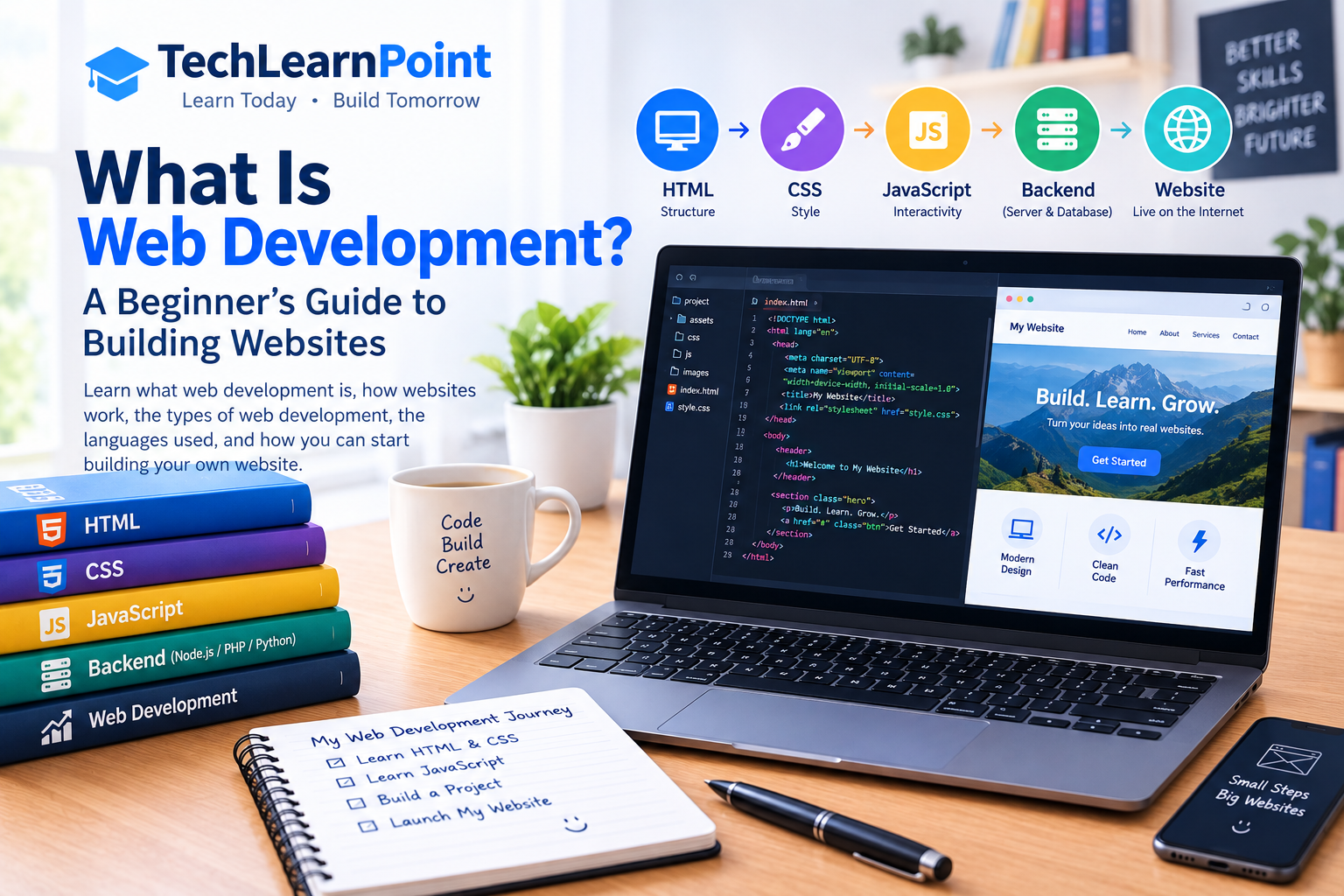
In this beginner-friendly guide, you will learn what web development is, how websites work, the different types of web development, which programming languages are commonly used, and how you can start building your own website.
What Is Web Development?
Web development is the process of creating, building, testing, and maintaining websites and web applications.
It involves several technologies that work together to display content and provide useful features to visitors.
For example, when someone opens a website to read an article, the browser displays the page’s text, images, headings, and navigation. When the visitor submits a contact form, additional code may process the information and send it to the website owner.
A simple website may use only HTML and CSS, while a more advanced website may include JavaScript, a server-side programming language, and a database.
Web development differs from web design. Web design focuses more on a website’s appearance, layout, and user experience, while web development focuses on implementing the website’s functionality. In practice, these areas often overlap.
Web developers work on personal websites, business websites, blogs, online stores, educational platforms, and web-based software.
The goal is to create a website that works correctly, loads efficiently, provides useful information, and gives visitors a straightforward experience.
How Does a Website Work?
When you visit a website, several components work together behind the scenes. Understanding these components makes it easier to learn web development.
1. The Browser Sends a Request
web browser is software that is used to view web pages. Examples include Google Chrome, Mozilla Firefox, Microsoft Edge, and Safari.
When you enter a website address, the browser helps locate the relevant server and requests the resources needed to display the page.
These resources may include HTML documents, stylesheets, JavaScript files, images, and fonts.
2. The Server Responds
A web server stores or processes the resources needed to deliver a website.
In the case of a basic static site, the server can pass file(s) straight to the browser, while in the case of a dynamic website the server will execute some application logic, get data from a database and generate a response based on the request.
For example, when you open a blog post, the website may retrieve the article title, content, and featured image before displaying the page.
3. HTML Organises the Content
HTML stands for HyperText Markup Language.
It defines the structure of a webpage, including headings, paragraphs, links, images, lists, and forms.
Without an appropriate structure, the browser would not have clear instructions about how different pieces of content should be organised.
4. CSS Controls the Appearance
CSS stands for Cascading Style Sheets.
It governs the appearance of web design elements, including colors, style, spacing, borders, structure, and responsiveness.
For example, CSS can arrange article cards in a grid, style a navigation menu, and make text easier to read on mobile devices.
5. JavaScript Adds Interactivity
JavaScript allows developers to create interactive behaviour in the browser.
It can respond to button clicks, validate form fields, update content, open menus, and communicate with web services.
For instance, a search box might use JavaScript to update displayed results without requiring the visitor to reload the entire page.
Not every website requires complex JavaScript. The technologies used depend on the website’s purpose and features.
The Three Main Types of Web Development
Web development is commonly divided into three areas: front-end development, back-end development, and full-stack development.
1. Front-End Development
Front-end developers are working on the element of the website, which is visible to its users and required for interaction.
A front-end developer works on page structure, layout, navigation, interactive elements, and responsive design.
The primary technologies being utilized are HTML, CSS, and JavaScript.
For example, consider a technology blog. The front end controls how the article title appears, how the text is spaced, where the featured image is displayed, and how visitors navigate between articles.
A good front end should be clear, consistent, accessible, and easy to use.
Front-end developers also need to consider different screen sizes, browser compatibility, loading performance, and accessibility requirements.
2. Back-End Development
Back-end development focuses on the server-side systems that support a website.
It may involve processing requests, managing user accounts, applying business rules, communicating with databases, and controlling access to information.
Common back-end technologies include Python, PHP, JavaScript with Node.js, Java, and other server-side languages.
For example, when a visitor signs in to a website, the back end can verify the submitted credentials and determine which information the user is allowed to access.
The back end is especially important for websites that require authentication, payments, bookings, or personalised content.
3. Full-Stack Development
Full-stack development involves working with both front-end and back-end technologies.
A full-stack developer may build the user interface, create server-side functionality, connect a database, and help deploy the finished website.
This broad skill set can be useful for small projects and teams where one developer handles several parts of the application.
However, becoming a full-stack developer requires learning many different concepts. Beginners should build a solid foundation before trying to master everything at once.
Essential Technologies Used in Web Development
Several technologies form the foundation of modern websites.
HTML: The Structure of a Website
HTML provides the structure of webpage content.
Developers use HTML elements to create headings, paragraphs, links, images, tables, and forms.
For example, an article page may use a main heading for its title, smaller headings for sections, and paragraphs for the main content.
Learning HTML is usually the first step because it explains how information is organised on a webpage.
It is also important to use semantic HTML elements where appropriate. These elements help browsers, search engines, and assistive technologies understand the purpose of different sections.
CSS: The Design and Layout
CSS determines how HTML elements appear on the screen.
It can control text styles, background colours, spacing, alignment, borders, and page layouts.
Modern CSS includes tools such as Flexbox and Grid, which help developers arrange content without relying on outdated layout techniques.
CSS also supports responsive design, allowing a website to adapt to different screen sizes.
For example, a desktop layout may display three article cards in one row, while a mobile layout displays the cards vertically.
JavaScript: Interactive Features
JavaScript makes it possible to create dynamic behaviour within websites.
It can respond to user input, update page content, display messages, and communicate with APIs.
An API, or Application Programming Interface, allows different software systems to communicate through defined rules.
JavaScript is also used outside the browser through environments such as Node.js, which enables developers to build server-side applications.
Beginners should first understand basic variables, functions, conditions, loops, and events before moving to advanced frameworks.
Databases: Storing Website Information
Many websites need to store information that can be retrieved later.
A database may contain user accounts, article content, product details, orders, or booking records.
Relational databases such as MySQL and PostgreSQL organise information into tables. Other database systems use different models for particular requirements.
For example, a blog may store article titles, publication dates, categories, and content in a database.
A database is not required for every website. A simple static website can deliver pages without storing user-generated information.
Web Hosting: Making a Website Available
Web hosting provides the infrastructure needed to make website files or applications accessible over the internet.
Hosting services vary in cost, performance, management requirements, and available features.
Some plans are suitable for simple blogs, while others support larger applications that require server-side processing and databases.
Choosing hosting depends on the website’s size, expected traffic, technical requirements, and budget.
Domain Names: The Website Address
A domain name is the human-readable address people use to visit a website.
For example, example.com is a domain name.
Domain names are connected to the appropriate internet services through the Domain Name System, commonly called DNS.
A domain name and web hosting are related but different. Registering a domain does not automatically mean that a complete website has been created.
Static Websites vs. Dynamic Websites
Websites can also be classified according to how their content is delivered.
Static Websites
A static website generally serves pre-prepared files to visitors.
Its pages may contain HTML, CSS, JavaScript, images, and other resources.
Static websites can be suitable for portfolios, documentation, landing pages, and small informational websites.
They can be relatively simple to host and maintain because they do not necessarily require server-side application processing for every request.
However, interactive features such as user accounts or personalised dashboards may require additional services.
Dynamic Websites
A dynamic website can generate or update content based on information, user actions, or server-side processing.
For example, an online store may display different product information depending on the item selected. A membership website may show different content to signed-in users.
Dynamic websites commonly use back-end code and may connect to databases or external services.
They can support complex features, but they also require careful management of security, performance, and application logic.
The distinction is not always absolute. Modern websites may combine static pages with dynamic features and external APIs.
Popular Web Development Tools
Developers use different tools to write code, test websites, manage changes, and identify problems.
Visual Studio Code
Visual Studio Code is a code editor used for many types of development.
It supports syntax highlighting, extensions, debugging tools, and features that help developers work with different programming languages.
Beginners can use it to create and edit HTML, CSS, and JavaScript files.
Browser Developer Tools
Modern browsers include developer tools that help inspect webpages and investigate problems.
Developers can examine HTML elements, test CSS changes, view network requests, and check error messages.
These tools are useful when a page does not display correctly or a script fails to work.
Git and GitHub
Git is a version-control system that tracks changes to files over time.
It allows developers to review previous changes, create branches, and work on projects without losing track of modifications.
GitHub is a platform that hosts Git repositories and supports collaboration.
Learning basic version control becomes increasingly valuable as projects grow or involve multiple developers.
Content Management Systems
A content management system, or CMS, helps users create and manage website content without writing every page manually.
WordPress is a widely used example.
With a CMS, a website owner can publish articles, organise categories, manage images, and install compatible themes or plugins.
This can be especially useful for blogs and content-focused websites because the owner can spend more time creating content and less time maintaining individual HTML files.
Front-End Frameworks
Frameworks and libraries can help developers build more complex interfaces.
React is a popular JavaScript library for building user interfaces. Other tools and frameworks offer different approaches to rendering pages, managing application state, and structuring projects.
Beginners should learn HTML, CSS, and JavaScript fundamentals before relying heavily on frameworks.
Understanding the basics makes it easier to troubleshoot problems and understand what the framework is doing.
Why Is Responsive Web Design Important?
People visit websites using smartphones, tablets, laptops, and desktop computers.
A page designed only for a large screen may become difficult to use on a mobile device. Text may be too small, images may overflow the screen, and navigation menus may be hard to operate.
Responsive web design helps a website adapt to different screen sizes and viewing conditions.
Developers can use flexible layouts, responsive images, suitable font sizes, and CSS media queries to improve the experience.
A responsive website should allow visitors to read content comfortably, navigate without unnecessary difficulty, and interact with important controls.
Testing on different screen sizes is an important part of development because a layout that looks good on one device may have problems on another.
Responsive design can also support search visibility and usability, although it does not guarantee high rankings by itself.
Web Development and Website Security
Security should be considered from the beginning of a web development project.
A website may handle personal information, contact details, login credentials, or payment-related information. Weak security can expose this information or allow attackers to misuse the website.
Use HTTPS
HTTPS helps protect information exchanged between a browser and a website through encryption.
Websites should use a properly configured TLS certificate and ensure that pages and resources are served securely.
HTTPS does not make a website completely secure, but it is an important part of protecting communications.
Validate User Input
Forms and other interactive features may receive information from visitors.
Applications should validate and handle this information safely rather than assuming every submitted value is trustworthy.
Server-side validation is especially important because browser-side checks can be bypassed.
Keep Software Updated
Content management systems, plugins, themes, frameworks, and server software can contain security weaknesses.
Updates may fix these problems and improve compatibility.
Website owners should use supported software, remove components they no longer need, and obtain extensions from trustworthy sources.
Protect Accounts and Permissions
Strong passwords and multi-factor authentication can help protect administrative accounts.
Users should receive only the permissions they need, and sensitive information should not be exposed unnecessarily.
Regular backups can also help recover a website after accidental changes, hardware failures, or certain security incidents.
How Web Development Helps Businesses
A well-developed website can support a business in several practical ways.
Reaching More People
A website allows potential customers to learn about a business beyond its physical location or opening hours.
It can explain services, display contact information, and provide details about products.
The actual reach depends on the website’s visibility, audience, and marketing efforts.
Providing Information Around the Clock
Visitors can often read product details, service descriptions, and frequently asked questions whenever they need them.
This can reduce repeated enquiries and help customers understand what a business offers.
Supporting Online Sales
An e-commerce website can allow customers to browse products, place orders, and complete payments through supported services.
Such a website requires appropriate security, reliable order processing, and clear information about prices, delivery, returns, and customer support.
Building Credibility
A professional website can help explain what a business does and provide useful information about its services.
Clear navigation, accurate content, accessible contact details, and a consistent design can contribute to a better user experience.
A website alone cannot guarantee customer trust, but a poorly maintained or confusing website can create unnecessary concerns.
Understanding Visitor Behaviour
With appropriate analytics tools and privacy safeguards, website owners can learn which pages attract visitors and how people navigate the site.
This information may help identify pages that need clearer explanations or better navigation.
Analytics should be configured responsibly and in accordance with relevant privacy requirements.
How to Start Learning Web Development
You do not need to learn every programming language before building your first website. A step-by-step approach makes the process easier.
Step 1: Learn HTML
Start by creating a simple webpage containing a heading, paragraphs, links, and images.
Learn how HTML elements are nested and how semantic elements help organise content.
Your first goal should be to understand the structure of a webpage rather than memorising every available element.
Step 2: Learn CSS
Once you understand HTML, use CSS to improve the appearance of your page.
Practise changing colours, fonts, spacing, borders, and layouts.
Then learn Flexbox, Grid, and responsive techniques to make your pages work on different screen sizes.
Step 3: Learn JavaScript Basics
Learn variables, functions, conditions, loops, arrays, and objects.
After understanding these concepts, practise responding to button clicks and validating simple forms.
Small exercises help you understand how JavaScript interacts with a webpage.
Step 4: Build a Small Project
Choose a project that you can complete with your current skills.
For example, create a personal portfolio, a simple technology blog homepage, or a page introducing a local business.
Focus on clean structure, readable content, working links, and a responsive layout.
Completing a small project gives you an opportunity to apply what you have learned.
Step 5: Learn Git
Use Git to track changes as you improve your project.
Learn how to save changes, review previous versions, and maintain a simple project history.
You can later explore GitHub to store your work and collaborate with others.
Step 6: Explore Back-End Development
Once you are comfortable with the basics, learn how server-side applications work.
Choose one suitable back-end language or environment, then study how requests are handled and how applications interact with databases.
You can begin with a small project that stores and retrieves information.
Step 7: Publish Your Website
Choose a suitable hosting service and publish a project you are comfortable sharing.
Before launch, test your navigation, forms, links, mobile layout, and page performance.
Check that visitors can access the information they need and that the site does not expose private information.
You can improve the project gradually as your skills develop.
Common Mistakes Beginners Should Avoid
Learning web development becomes easier when you recognise common mistakes early.
Trying to learn everything at once: There are many languages, frameworks, and tools. Start with HTML, CSS, and JavaScript fundamentals before moving to more advanced technologies.
Ignoring mobile users: A page that works on a desktop may be difficult to use on a phone. Test your layouts at different screen sizes.
Copying code without understanding it: Example code can help you learn, but you should understand what it does before using it in your own project.
Forgetting accessibility: Use clear headings, descriptive links, suitable colour contrast, and meaningful alternative text for informative images.
Ignoring website speed: Very large images, unnecessary scripts, and poorly configured resources can slow down a page. Optimise assets and test performance.
Neglecting security: Validate input, protect administrative access, update dependencies, and avoid collecting information you do not need.
Failing to test changes: Check links, buttons, forms, and layouts before publishing. Small testing steps can prevent problems for visitors.
Frequently Asked Questions
What is web development in simple words?
Web development is the process of creating and maintaining websites and web applications. It includes building webpage layouts, writing interactive features, managing server-side functionality, and testing websites.
Is web development difficult to learn?
The difficulty depends on your goals and the amount of time you practise. Basic HTML and CSS are accessible starting points, while complex applications require additional programming, database, security, and deployment knowledge.
Which language should I learn first?
HTML is a good starting point because it provides webpage structure. Learn CSS next to control appearance, followed by JavaScript to create interactive behaviour.
Can I learn web development for free?
Yes. Free tutorials, documentation, browser tools, and code editors can help you learn the fundamentals. You can build many practice projects without purchasing expensive software.
What is the difference between web design and web development?
Web design focuses on the visual layout and user experience of a website. Web development focuses on implementing its structure and functionality. Some professionals work in both areas.
Do I need a powerful computer for web development?
A typical modern computer can handle many beginner web development tasks. You can start with a code editor and a browser without needing expensive hardware.
How long does it take to learn web development?
There is no fixed timeline. Learning basic webpage structure may take less time than becoming comfortable with JavaScript, databases, security, and deployment. Progress depends on your starting point, practice, and the complexity of the projects you build.
Can I build a website without coding?
Yes. Website builders and content management systems such as WordPress allow people to create websites using themes, visual editors, and plugins. Learning coding provides more control and can help with custom features and troubleshooting.
Is web development useful for a career?
Web development skills can be useful for jobs involving websites, web applications, software development, and digital services. Employers often look for practical project experience, problem-solving skills, and the ability to work with relevant technologies.
Conclusion
Web development is an important part of the digital world because it makes websites and web applications possible. It combines different technologies to create pages that display information, respond to visitors, and connect with server-side services.
Front-end development focuses on what users see and interact with, while back-end development manages server-side processing and data. Full-stack development brings both areas together.
For beginners, the best approach is to learn HTML, CSS, and JavaScript gradually and apply those skills through small projects. You can then explore databases, server-side programming, security, and deployment as your knowledge grows.
You do not need to create a complicated website at the beginning. Start with one simple page, make it responsive, test it carefully, and improve it over time.
With regular practice and a willingness to solve problems, you can develop the skills needed to create useful websites and understand the technology behind the internet.
Leave a Reply